2-ICONSANDWINDOWS
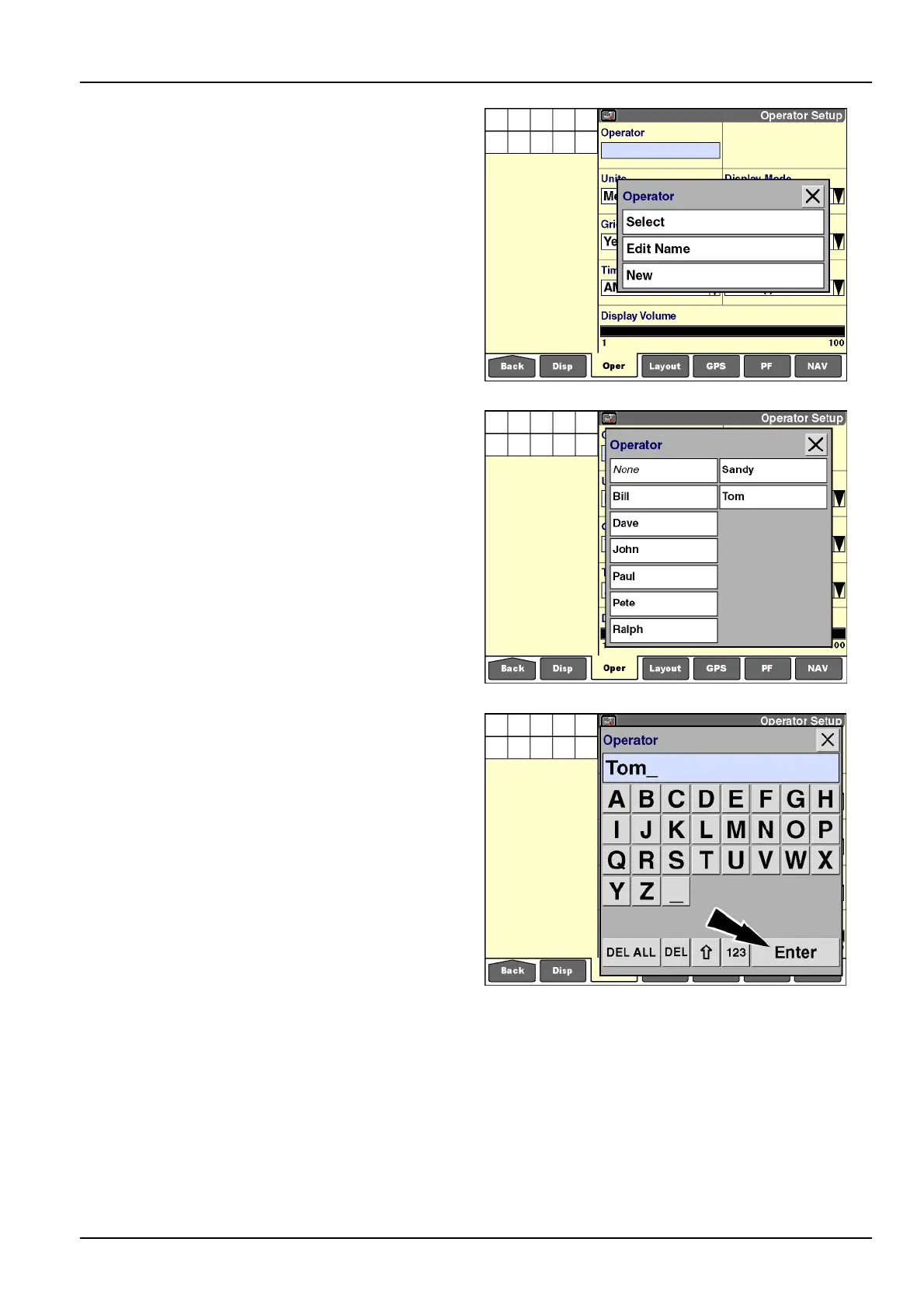
Thereafter,theoptionsare“Select,”“EditName,”or
“New.”
RCIL11DSP533BBG7
If“Select”ischosen,apop-upoptionswindowofcurrent
operatorsdisplays.
Pressyournameinthewindow.Anydisplaypreferences
associatedwiththisnametakeeffectuponselection.
Thescreenupdateswiththeselectedoperatorname.
RCIL11DSP534BBG8
If“EditName”ischosen,thealphanumerickeypaddis-
plays.
Usethekeypadtoedittheselectedoperatorname.
Pressthe“Enter”buttononthekeypadtosavethename.
NOTE:Donotuse“EditName”toreplaceoneoperator
namewithanothername:“EditName”doesnotchange
theuniqueIDthatisassignedforreportingpurposes.
NOTE:Beconsistentwhenenteringoperatornames,par-
ticularlyifthedisplayisusedondifferentvehicletypes.
Thesoftwareinterpretsthenames“PETER,”“Peter,”and
“peter”asthreedifferentoperators.Yourabilitytomea-
sureproductivityorsummarizeproductionresultsmaybe
complicatedifworktasksarelinkedtooperatorsthatare
namedinconsistently.
RCIL11DSP535BBG9
2-33



 To Next Page