2-ICONSANDWINDOWS
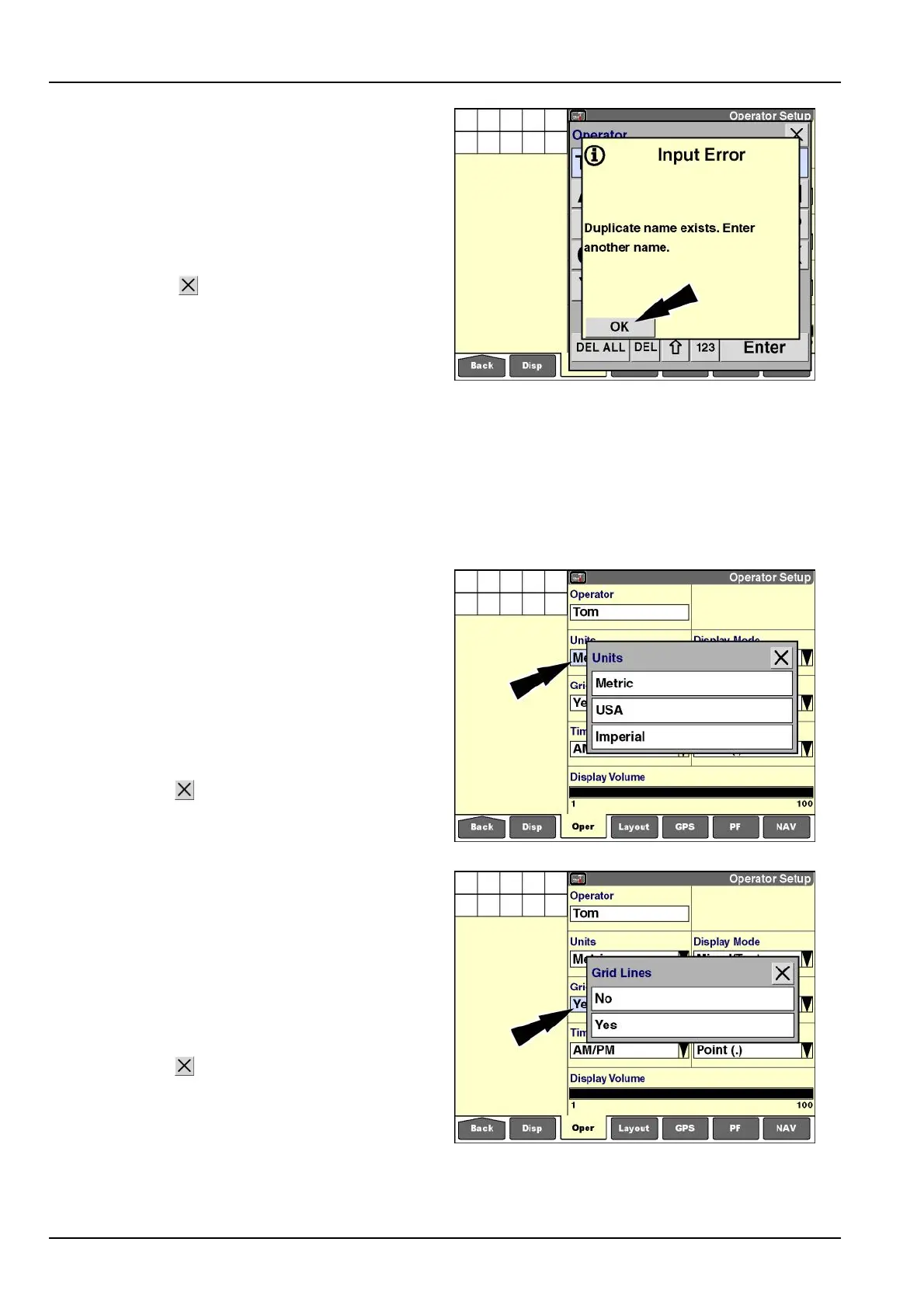
Duplicatenamesarenotpermitted.Ifyouattempttosave
anamethatalreadyexists,amessagedisplays:“Dupli-
catenameexists.Enteranothername.”
Themessageoccurswhenthe“Enter”buttononthekey-
padispressed.
Pressthe“OK”buttontoacknowledgeandclearthemes-
sage.
Pressthe“Close”
buttontoexitthekeypadwithout
changingtheoriginalname,orusethekeypadtomodify
orselectavariationonthenametocontinue.
RCIL11DSP536BBG10
Operatorpreferences
Operatorpreferencescanbechangedatanytimeby
modifyingselectionsonthe"OperatorSetup"screen.
Thesettingsareimmediatelyrecordedfortheselected
operatorasthesettingsarechanged.Thesettingsare
usedacrossallapplicationsthatareinstalledonthe
display.
“Units”
Pressthe“Units”windowtodisplaythepop-upoptions
windowforunitsofmeasurement.Availableselections
are:
•
“Metric”
•
“USA”
•
“Imperial”
Pressyourpreferencetochangethesetting.
Pressthe“Close”
buttontoexitwithoutchangingthe
currentsetting.
RCIL11DSP580BBG11
“GridLines”
Gridlinesaretheverticalandhorizontallinesthatsepa-
ratethewindows.
Pressthe“GridLines”windowtoaccessthepop-upop-
tionswindow.
Press“No”toturngridlinesOFForpress“Yes”toturn
gridlinesON.
Pressthe“Close”buttontoexitwithoutchangingthe
currentsetting.
RCIL11DSP581BBG12
2-34



 To Next Page