2-ICONSANDWINDOWS
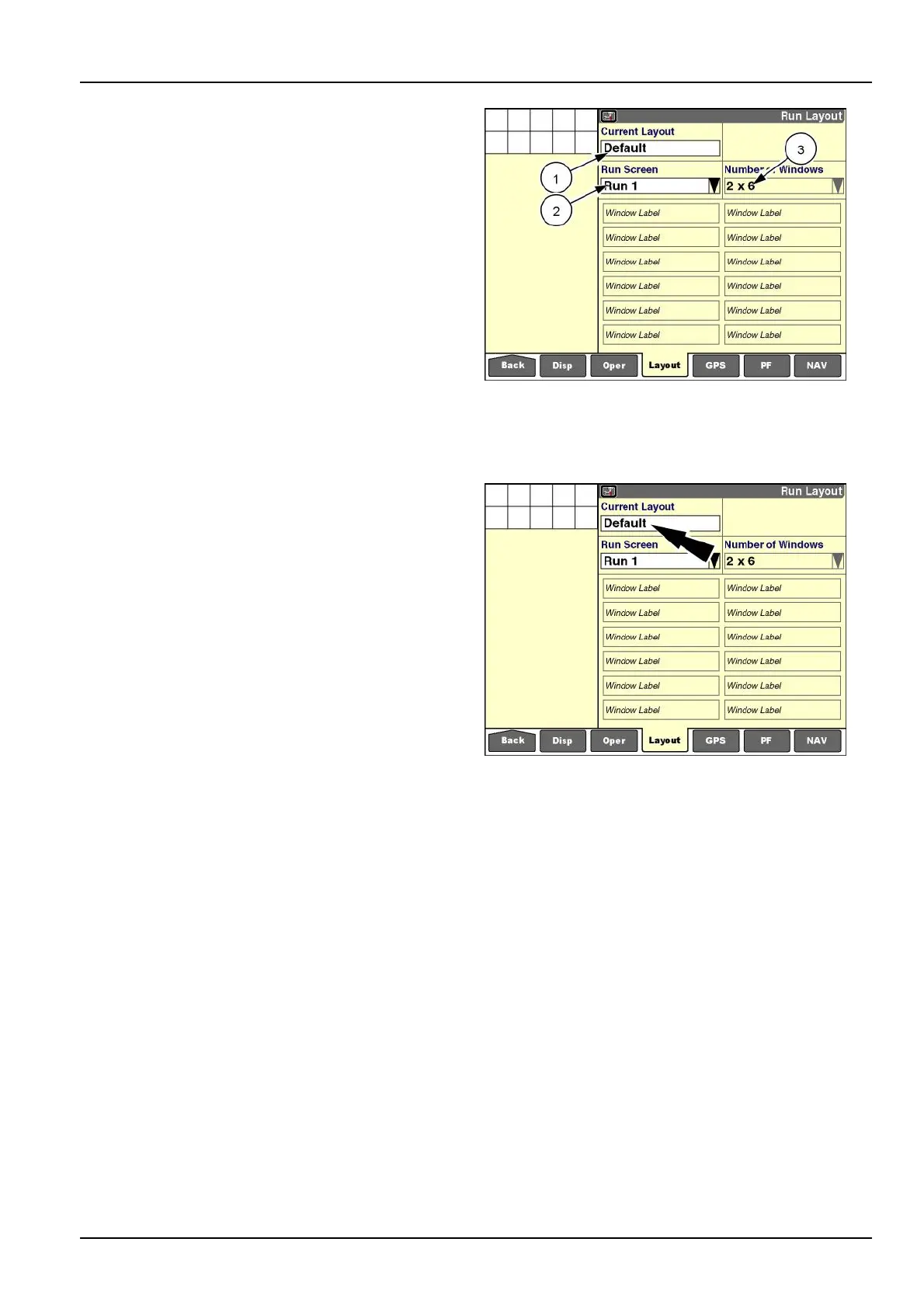
“CurrentLayout”
“Default”isthedefaultselectioninthe“CurrentLayout”
window(1).Thedefaultlayoutforallsix“Run”screens,
theleft-handarea(ifapplicable),andthe“SummaryData”
screens(ifapplicable)cannotbechanged.Thewindows
aredimmedtoindicatetheirlockedcondition.Thedisplay
usesthedefaultlayoutforallscreenswhenever“Default”
isselectedinthe“CurrentLayout”window.
NOTE:Eachfarmingapplicationprovidesdefaultlayouts.
Theoperatorcanrestorethedefaultlayoutbyselecting
“Default”inthe“CurrentLayout”window.
“Run1”isthedefaultselectioninthe“Runscreen”window
(2),whichindicatesthatthisisthelayoutfortherst“Run”
screen.
“2x6”isthedefaultselectioninthe“NumberofWindows”
window(3),whichindicatesthatthe“Run1”screenis
organizedintwocolumnswithsixrows.
RCIL11DSP140BBG3
“Run”screenlayouts
“Run”screenlayoutsaresavedtothevehicletypeandare
notsavedwiththeotheroperatorpreferences.Theoper-
atorcreatesscreenlayoutsforthevehicleinuse.“Run”
screenlayoutscreatedforonevehicletypecanbeshared
withothervehiclesofthesametype,butcannotbeac-
cessedonanothervehicletype,norimportedintoanother
vehicletype.
Tochangethelayoutofthe“Run”screens,theoperator
mustcreateanewlayout.
Anewlayoutmayincludeanoperator’spreferencesfor
allsix“Run”screens,theleft-handarea(ifapplicable),
andthetwo“SummaryData”screens(ifapplicable).A
maximumof20layoutsmaybecreated.
Pressthe“CurrentLayout”windowtoaccessthepop-up
optionswindow.
RCIL11DSP140BBG4
2-39



 To Next Page