7-"TELEMATICS"APPLICATION
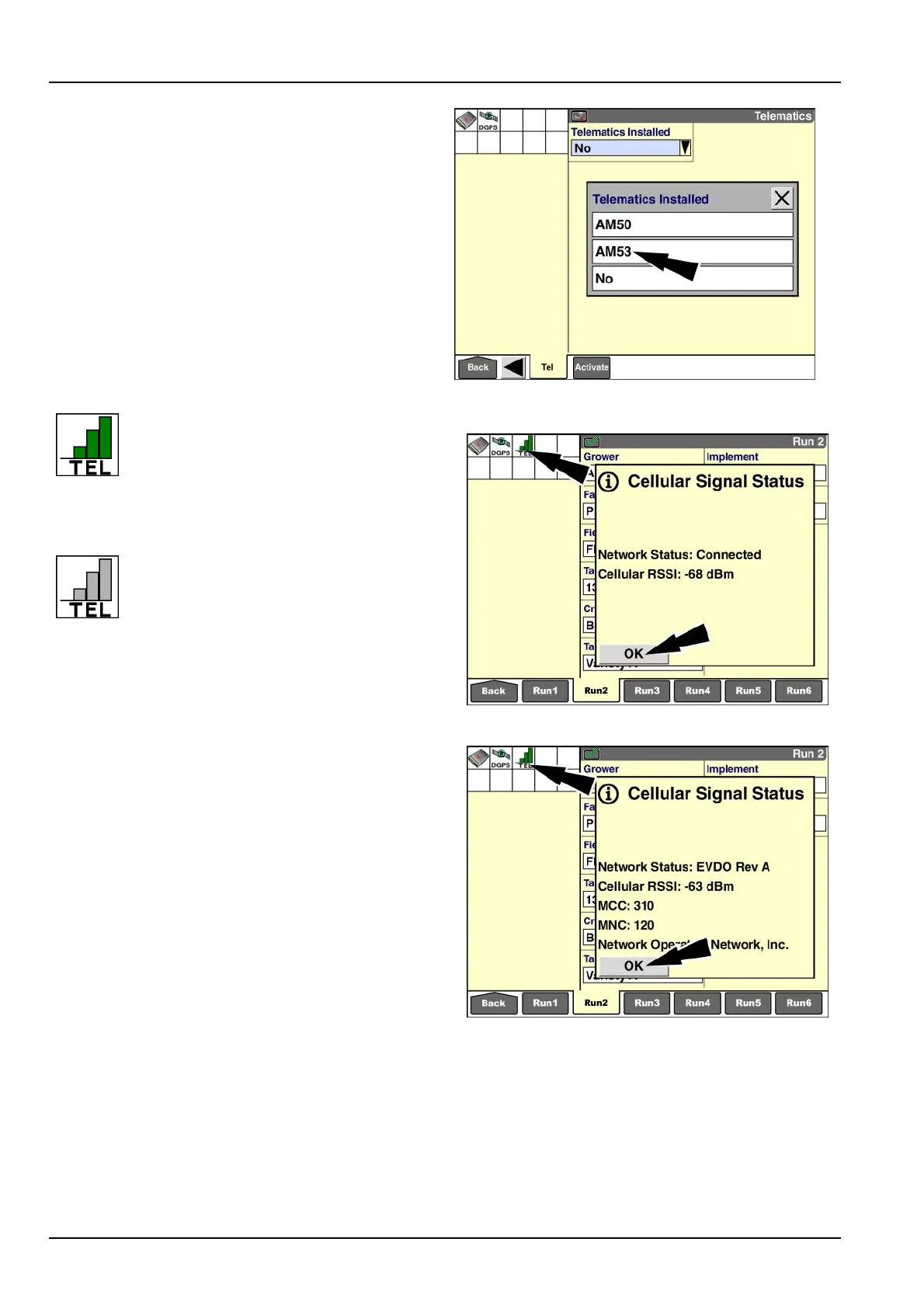
Press“AM50”or“AM53”toenablethe“T elematics”appli-
cationforyourmodem.
Press“No”toleavethe“Telematics”applicationdisabled.
RAIL14DSP1620BA4
Whenthe“T elematics”applicationis
enabled,the“Telematics”icondisplays
inthestatusandwarningiconarea.The
numberofbars(0-3)indicatesthecurrent
strengthofthecellularsignal.Whenthe
cellularnetworkisconnected,thebarsinthe
iconaregreen.
Whenthecellularnetworkisnotconnected
–forexample,coverageisnotavailableor
yoursubscriptionisnotvalid–thebarsin
theiconaregray.
Pressthe“T elematics”iconatanytimetoviewdetailsof
thecellularconnection.Apop-upwindowreportsthenet-
workstatusandcellularRadioSignalStrengthIndicator
(RSSI)indecibels.
IfyouhavetheAM53modem,thedetailsalsoincludeMo-
bileCountryCode(MCC),MobileNetworkCode(MNC),
andnetworkoperator.Pressthe“OK”buttontodismiss
themessage.
Cellularsignalstatus:AM50modem
RAIL14DSP1621BA5
Cellularsignalstatus:AM53modem
RAIL14DSP1622BA6
7-2



 To Next Page