7-"TELEMATICS"APPLICATION
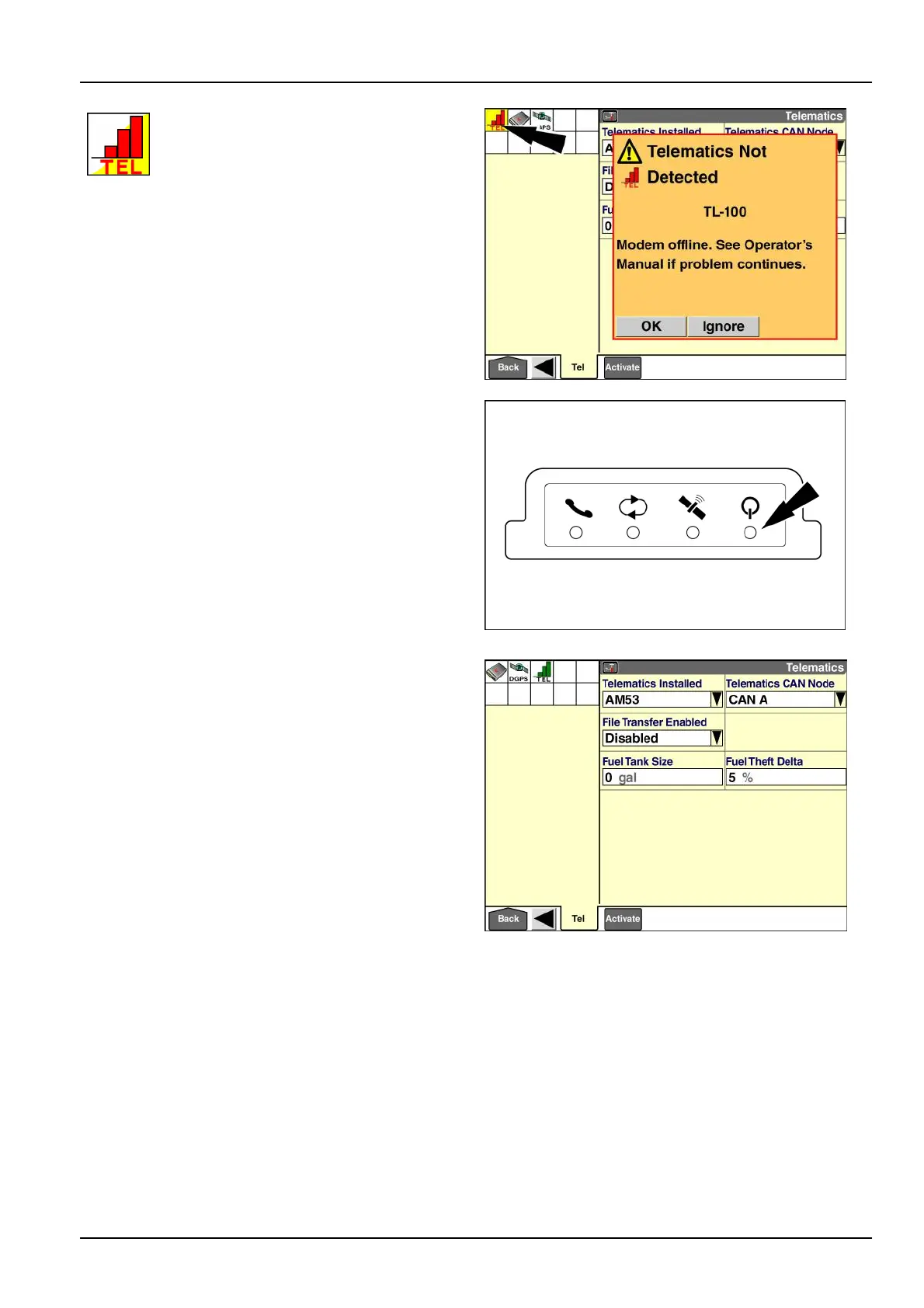
Ifthe“T elematics”applicationisenabledand
themodemisnotdetectedontheController
AreaNetwork(CAN),the“T elematics”icon
ashesinthestatusandwarningiconarea.
Thebarsareredtoindicatethatthesystem
isnotfunctional.
Apop-upmessagedisplays:“Modemofine.SeeOper-
ator’sManualifproblemcontinues.”
Pressthe“Ignore”buttontosuppressfurtherwarnings
andcontinueworkingwithoutusingthe“T elematics”ap-
plication.
Pressthe“OK”buttontodismissthemessageandleave
thefaultactive.
1.Verifythatthesettinginthe“TelematicsCANNode”
windowiscorrect(seebelow).
2.VerifythatthegreenLightEmittingDiode(LED)for
poweronthemodemissteadyON.IftheLEDisblink-
ing,themodemrmwareisupdating.Donotinterrupt
thisprocess.
3.IftheLEDissteadyON,cyclepowertothesystem.
4.Iftheproblempersists,checktheCANconnectionto
themodem.
RAIL14DSP1623BA7
RAIL12GEN0174AA8
Dependingonyourvehicletypeandmodem,upto
fouradditionalwindowsdisplaywhenyouenablethe
“Telematics”application:
•
“TelematicsCANNode”
•
“FileTransferEnabled”(AM53modemonly)
•
“FuelT ankSize”(tractorsonly)
•
“FuelTheftDelta”
RAIL14DSP1624BA9
7-3



 To Next Page