7-"TELEMATICS"APPLICATION
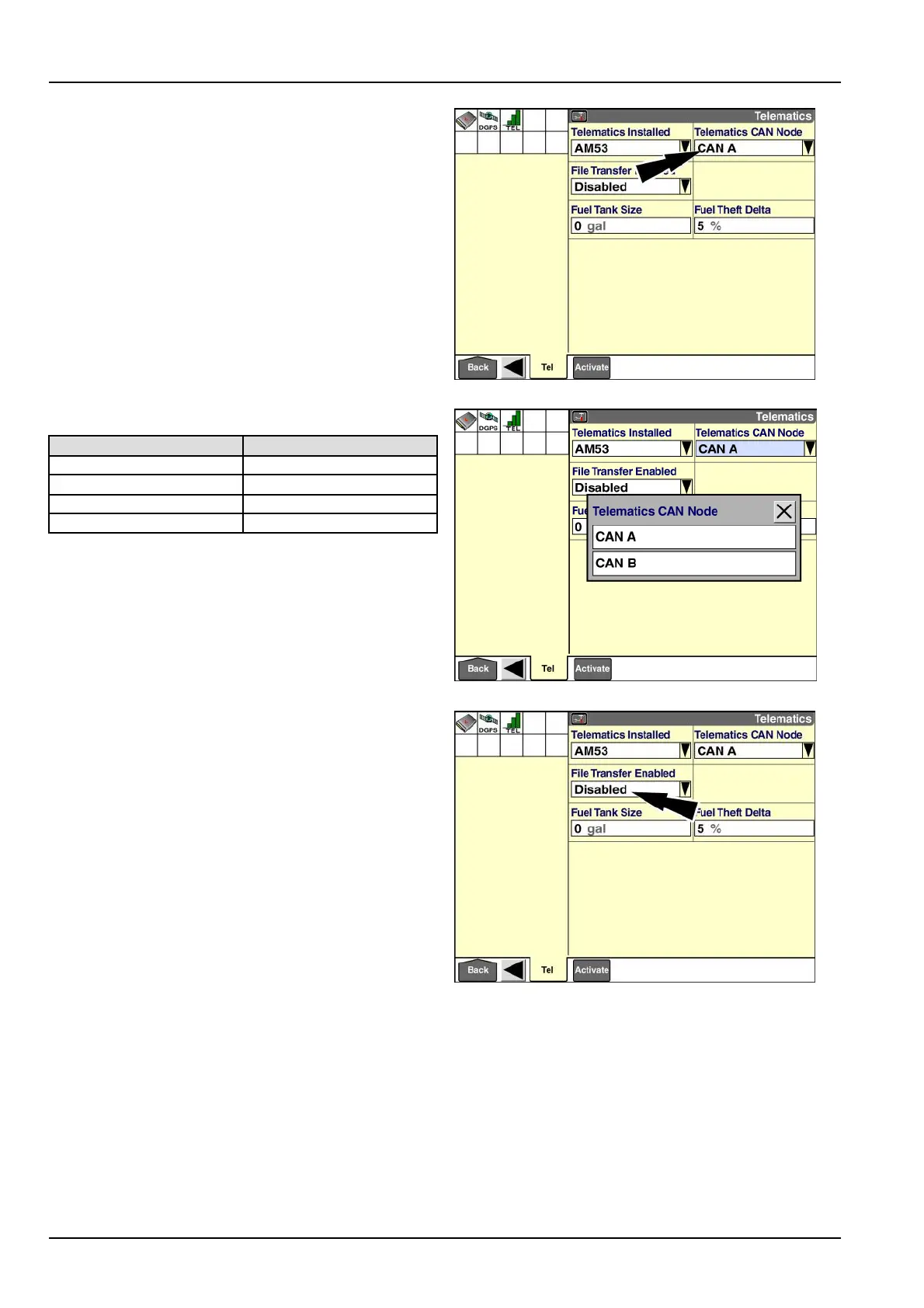
“TelematicsCANNode”
Usethe“T elematicsCANNode”windowtosettheCAN
channelthatthemodemisconnectedto.
Thedefaultsettingforthiswindowis“CANA.”
Pressthe“T elematicsCANNode”windowtoaccessthe
pop-upoptionswindow.
RAIL14DSP1624BA10
Thebelowtableliststhecorrectsettingbyvehicletype.
Vehicletype
CANnode
Tractor
CANA
SprayerCANB
CombineCANA
CaneHarvesterCANB
Pressthecorrectsettingforyourvehicleintheoptions
window.
RAIL14DSP1625BA11
“FileTransferEnabled”(AM53modemonly)
TheAM53modemaddstheabilitytoconnecttotheAFS
Connectserveranduploadthedatafromyourdisplay.
Becausethevolumeofdataistoolargeforcommunica-
tionovertheCAN,thedisplaytransfersthedatatothe
modemviaaserialcableconnectedtooneofthetwo
RS-232portsonthedisplay.Toenabletheletransfer
feature,youmustidentifywhichRS-232portthemodem
isconnectedto.
Pressthe“FileTransferEnabled”windowtoaccessthe
pop-upoptionswindow.
RAIL14DSP1624BA12
7-4



 To Next Page