7-"TELEMATICS"APPLICATION
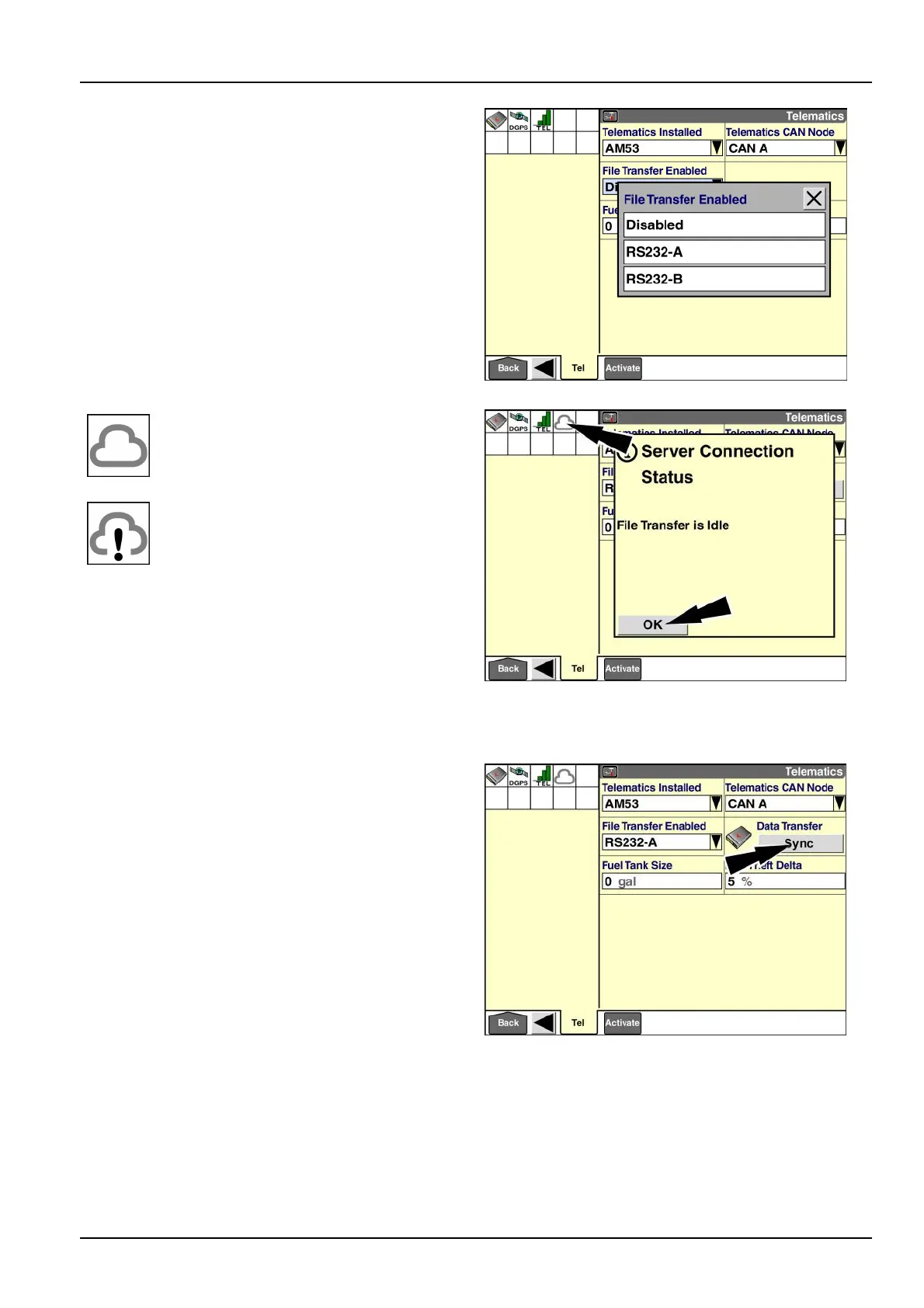
Pressthecorrectportforyourmodemcongurationor
press“Disabled”toleavetheletransferfeaturedisabled.
RAIL14DSP1626BA13
Whenthemodemestablishes
communicationwiththeserver,the
cloudicondisplaysinthestatusandwarning
iconarea.
Ifthereisaconictwiththeselectedport–
forexample,anothersoftwareapplication
needstocommunicateontheport–the
cloudiconupdateswithanexclamation
point.Apop-upmessageidenties
theconictingsoftwareapplicationand
asksifyouwanttoclosethe“T elematics”
applicationtoallowtheconictingapplication
toaccesstheport.
Youcanpressthecloudicontoviewtheserverconnection
statusinapop-upmessage.
Pressthe“OK”buttontodismissthemessage.
RAIL14DSP1628BA14
“DataTransfer”
Whenyouenabletheletransferfeature,the“DataTrans-
fer”windowdisplaysonthe“T elematics”screen.
Usethe“Sync”buttoninthe“DataTransfer”windowto
performtheinitialsynchronizationwiththeserver.You
onlyneedtodothiswhenyousetuptelematicsforthe
rsttime.Thereafter,thedisplayautomaticallytransmits
neworchangeddataat30minintervalsandwhenyou
turnthedisplayOFF.
NOTE:Thetheinitialsynchronizationmaytakeseveral
minutes.
Pressthe“Sync”buttontoinitiatetheletransfer.
RAIL14DSP1627BA15
7-5



 To Next Page