3-SETUP
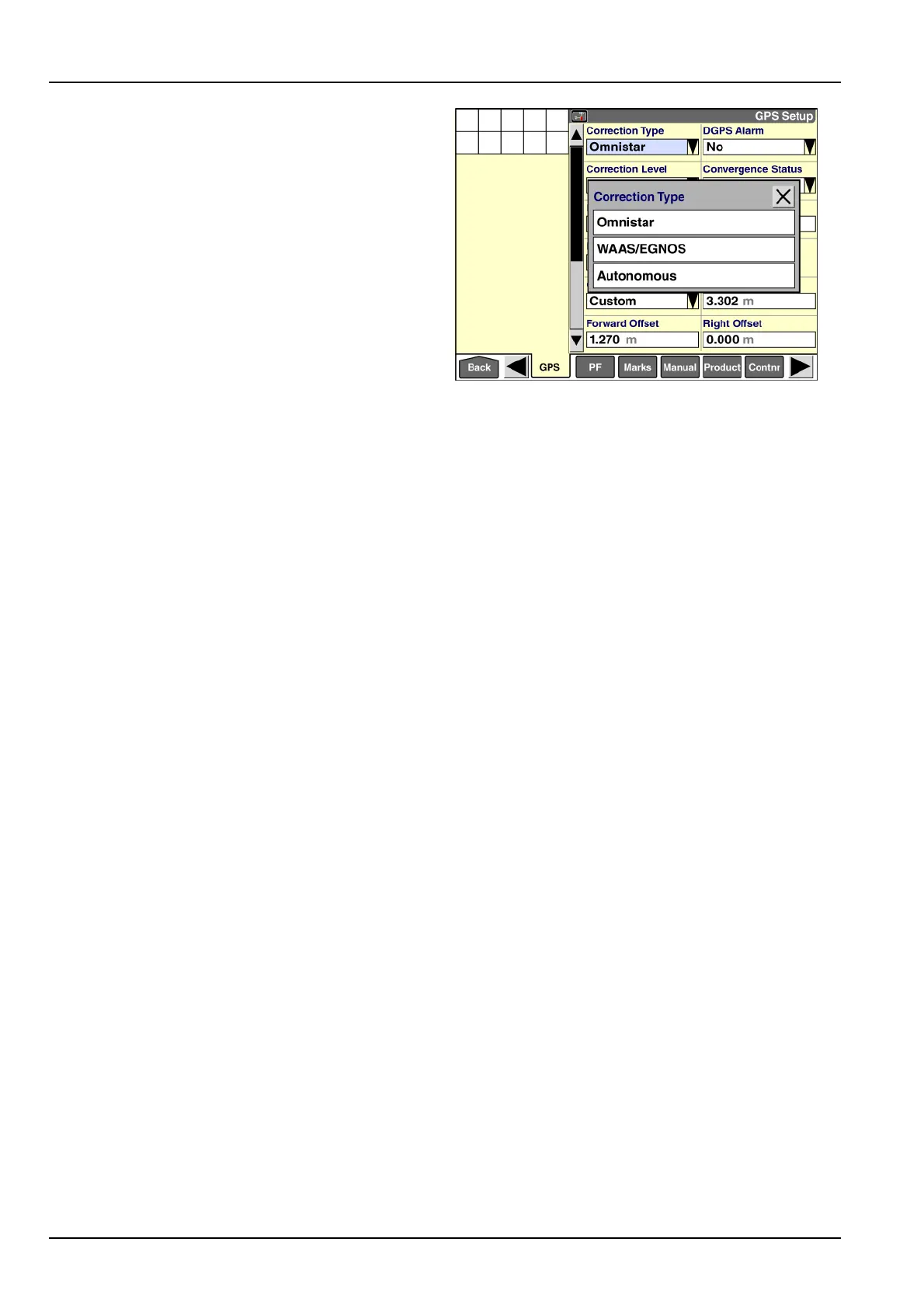
“CorrectionType”
Usethe“CorrectionType”windowtoselecttheDGPS
correctiontechnologythatisinuse.
•
IfanAFS162,252,262,or372receiver(oranequiv-
alentTrimble®receiver)isinuse,thesoftwareauto-
maticallydetectsthetypeofDGPScorrectioninuse
anddisplaysitinthe“CorrectionType”window.
•
IfanotherbrandofGPSreceiverisinuse,the“Correc-
tionType”windowdoesnotdisplay.Thesereceivers
maybeusedaslongastheyprovidevalidGPSinputto
thesystem.
NOTE:IfyouhaveanAFS162,252,262,or372re-
ceiver(oranequivalentTrimble®receiver)andthe“Cor-
rectionType”windowdoesnotdisplayonthe“GPSSetup”
screen,makesurethatthe“ConnectionType”windowhas
thecorrectoptionselected.Ifthe“CorrectionType”win-
dowstilldoesnotdisplay,checktheconnectiontothe
GPSreceiverandrebootthedisplay.
Pressthe“CorrectionType”:windowtoaccessthepop-up
optionswindow.
NOTE:Thepop-upoptionswindowonlyincludesthe
typesofcorrectionsignalthathavebeenactivatedfor
yourreceiver.The“Autonomous”option(nocorrection)
andthe“WAAS/EGNOS”optionareavailablewithoutac-
tivation.Otheroptionsdisplayonlyiftheyareactivated.
RAIL14DSP1522BA28
Pressthecorrectoptionfor
Thesettinginthe“CorrectionType”windowdetermines
whichadditionalwindowsdisplayonthe“GPSSetup”
screen.
•
“RTK”:see3-47
•
“CenterPointRTX”:see3-62
•
“OmniSTAR”:see3-68
•
“RangePointRTX”:see3-78
•
“WAAS/EGNOS”:see3-80
•
“Autonomous”:see3-81
3-46



 To Next Page