3-SETUP
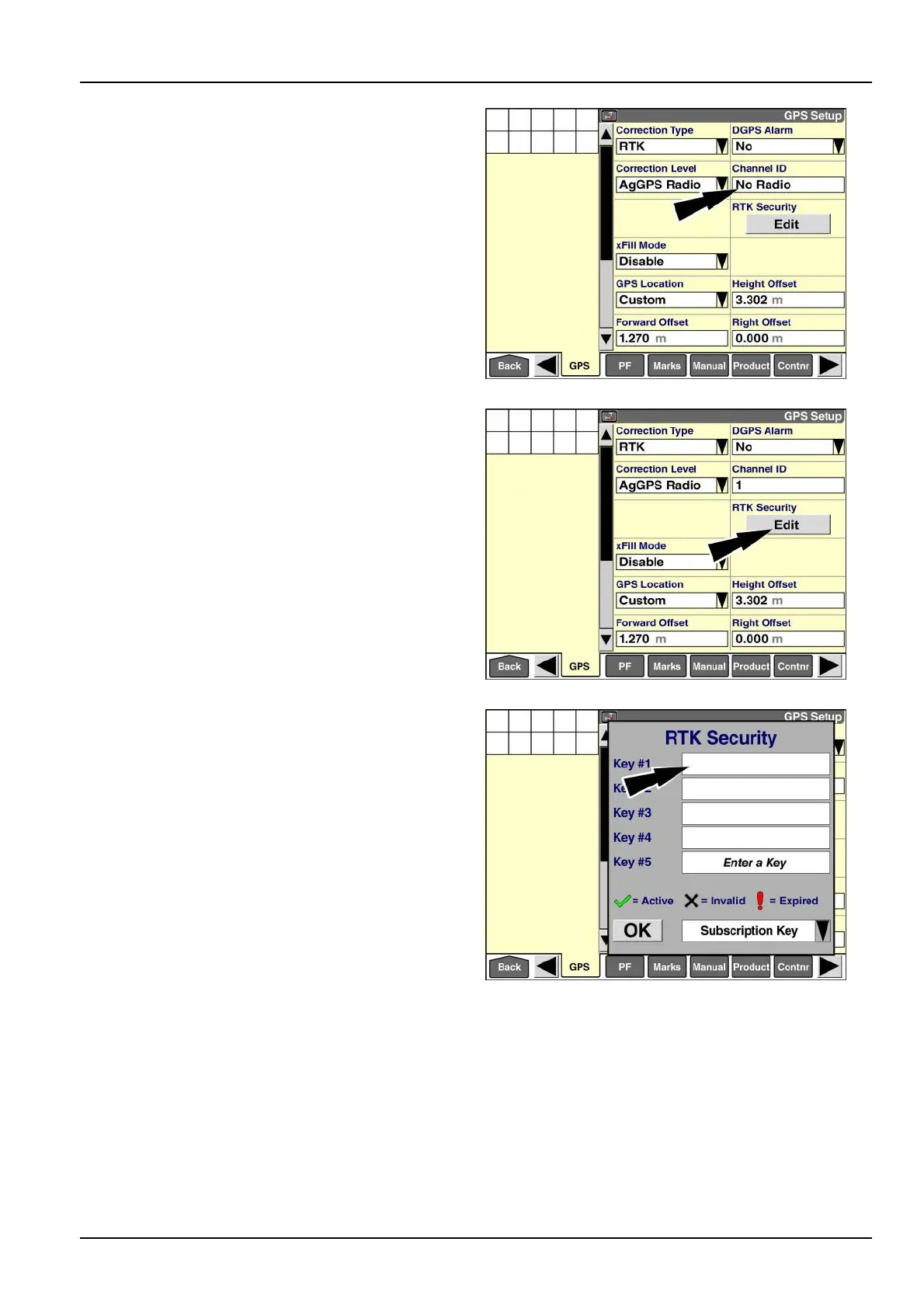
Ifthe“ChannelID”windowdisplaysthemessage“NoRa-
dio,”andthewindowcannotbeselected,theNAVIInavi-
gationcontrollercannotcommunicatewiththeRTKradio
onthevehicletoretrieveitscurrentnetworkIDsetting.
Thismaybecausedbyamissingorloosecableoraport
congurationproblem.
ContactyourCASEIHdealer.
RAIL14DSP1528BA9
Youmustinputasubscriptionkeytocommunicatewith
anybasestationthatisconguredtouseRTKsecurity.
Thiskeyshouldbeprovidedbytheoperatorofthebase
station.
Pressthe“Edit”buttoninthe“RTKSecurity”windowto
accessthe“RTKSecurity”pop-upwindow.
RAIL14DSP1526BA10
The“RTKSecurity”pop-upwindowdisplays.
Pressthe“Key#1”windowtoaccessthealphanumeric
keypad.
RAIL14DSP1529BA11
3-51



 To Next Page