3-SETUP
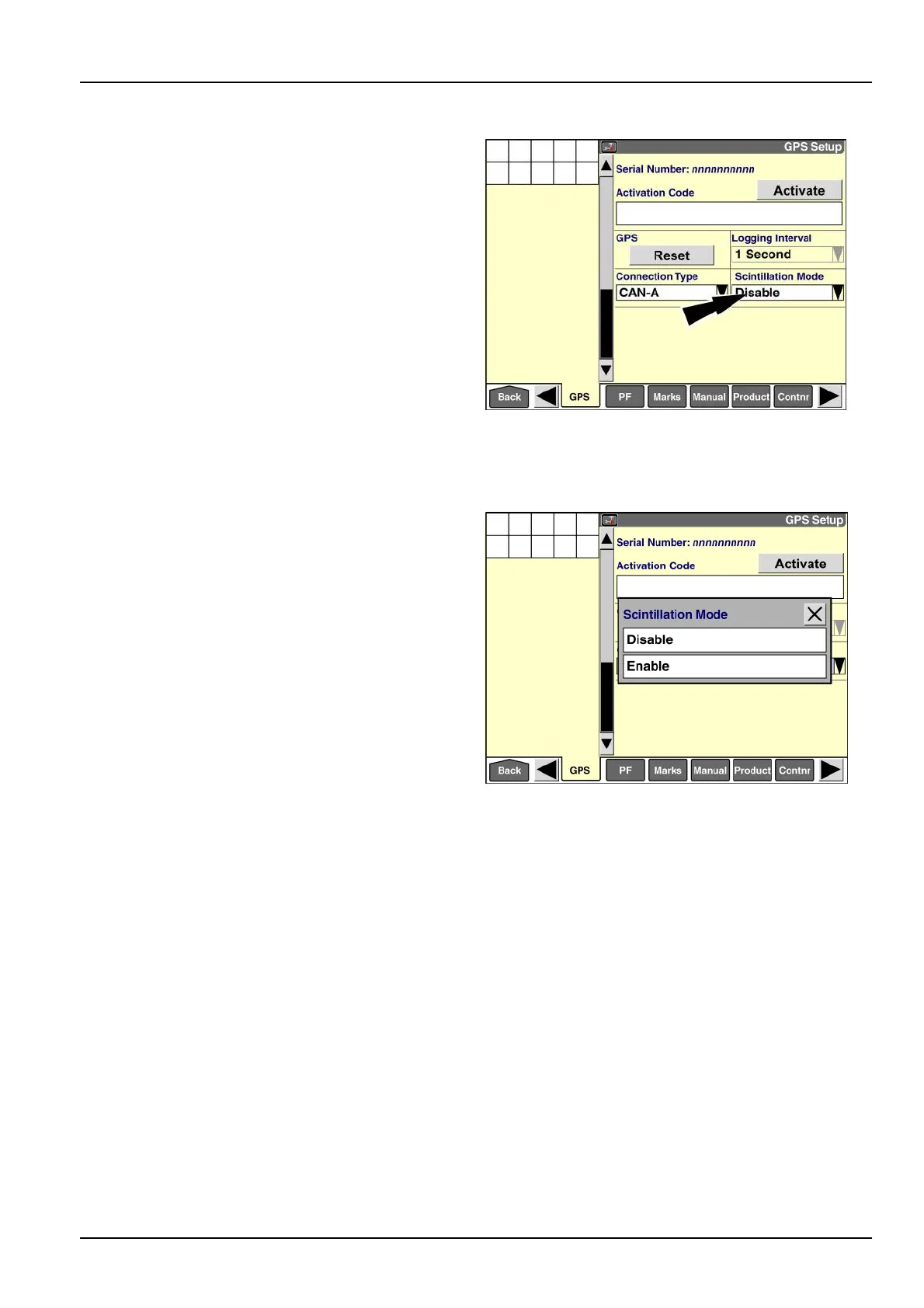
“ScintillationMode”
NOTE:The“ScintillationMode”windowisavailableforthe
RTKcorrectiontyperegardlessofwhetheryourvehicle
usesaradiooramodemforRTKsignal.
Usethe“ScintillationMode”windowtoenableadditional
compensationforionosphericscintillation.Assignalfrom
asatellitepassesthroughtheearth’sionosphere,elec-
tronscauserefractioninthesignal.Theeffectofthis
refractioncanbesignicant.Ionosphericscintillationis
mostprevalentinequatorialregionsandpolarregions.
Enablethisfeatureasrequiredbyyourlocationandoper-
atingconditions.
NOTE:Operatorsoutsideofequatorialregionsshould
leavethiswindowsetto“Disable.”
Pressthedownarrowonthescrollbartoaccessthesec-
ond“GPSSetup”screen.
Pressthe“ScintillationMode”windowtoaccessthe
pop-upoptionswindow.
RAIL14DSP1554BA35
Pressthedesiredoption.
RAIL14DSP1555BA36
3-61



 To Next Page