3-SETUP
Ifpositionrecallfails,thesystemautomaticallyrestartsthe
convergenceprocess.
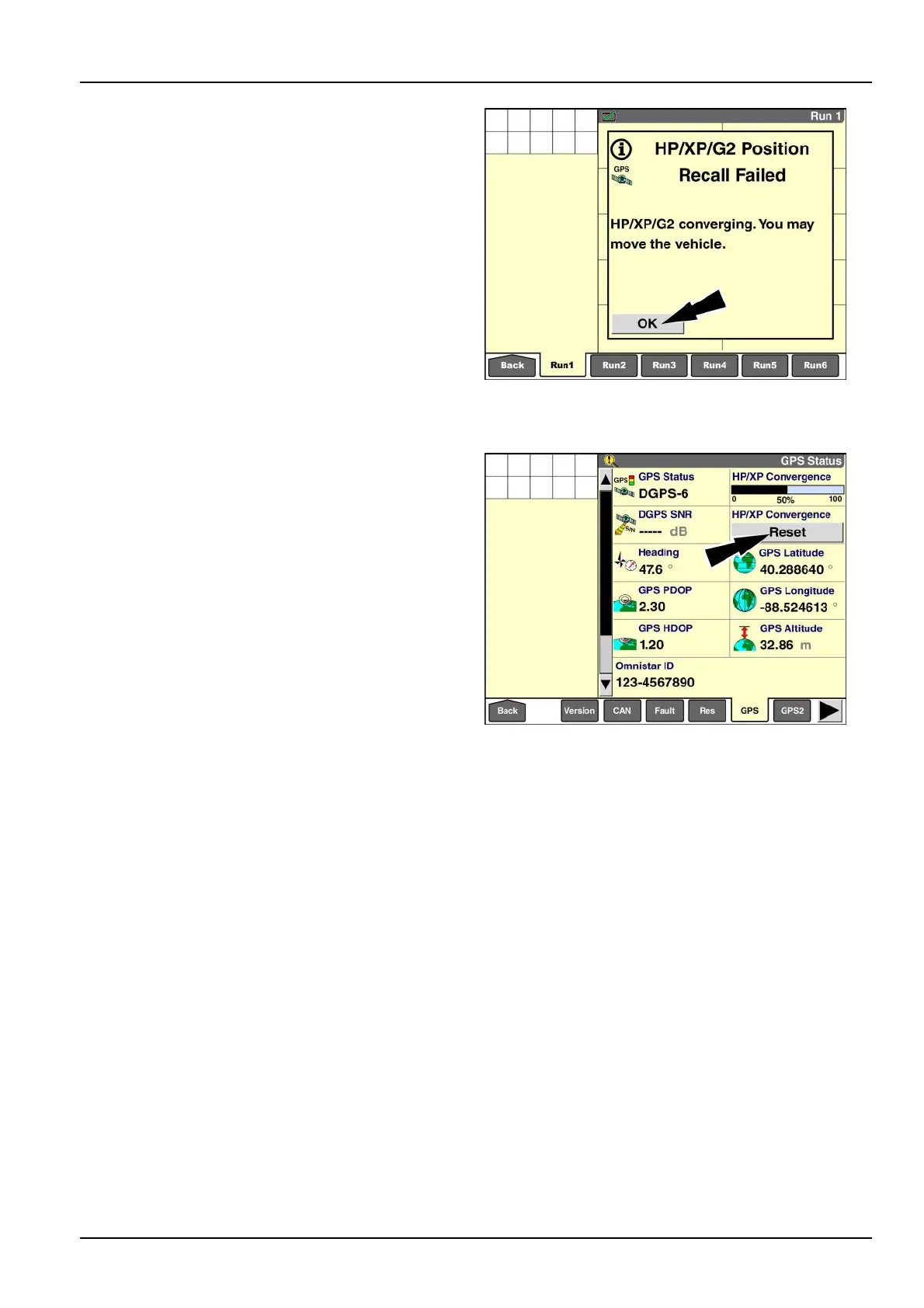
Usethe”Reset”buttoninthe“HP/XPConvergence”
windowonthe“GPSStatus”screentomanuallyreset
thepositioncalculationif:
Youanswered“No”attheinitialrecallmessage,but
thendiscoverthatthevehiclewasmoved
OR
•
The“HP/XPConvergence”bargraphwindowonthe
“GPSStatus”screen(Home>Diagnostics>GPS)does
notindicateanyprogressfor10-20min
NOTE:Ifthebargraphinthe“HP/XPConvergence”
windowisprogressingtoward100%,donotresetthe
process.Ifthebargraphisstoppedatalowpercentage,
resettheprocess.
RAIL14DSP1587BA26
Gotothe“GPSStatus”screen(Home>Diagnostics>
GPS)toresettheconvergenceprocess.
Pressthe“Reset”buttontorestarttheconvergence
process.
RAIL14DSP1590BA27
3-77



 To Next Page