3-SETUP
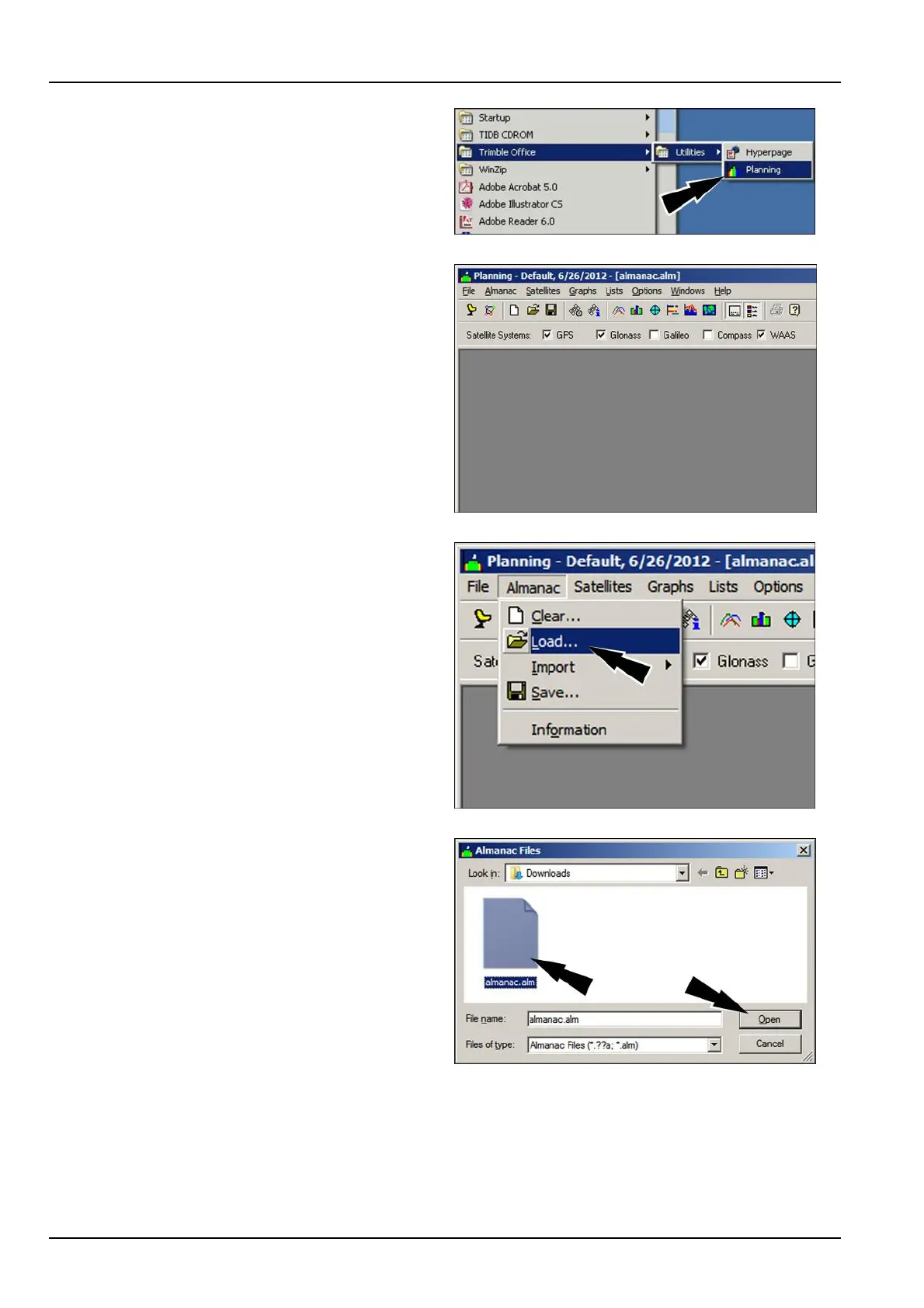
UsestandardWindowstechniquestoinstallthesoftware
onyourdesktopcomputer.Wheninstallationiscomplete,
launchthesoftwarefromStart>TrimbleOfce>Utilities
>Planning.
RCPH11DSP001ABG2
Themainwindowdisplays.
RAPH12DSP0966BA3
ToloadthenewAlmanacle,selectAlmanac>Load.
Attheprompt,clickYestocleartheoldAlmanacle.
RAPH12DSP0967BA4
UsethelebrowsertolocatethenewAlmanacleonyour
harddrive.
Toloadthele:
•
Selecttheleandclickthe“Open”button
OR
•
Double-clickthele
RAPH12DSP0968AA5
3-100



 To Next Page