3-SETUP
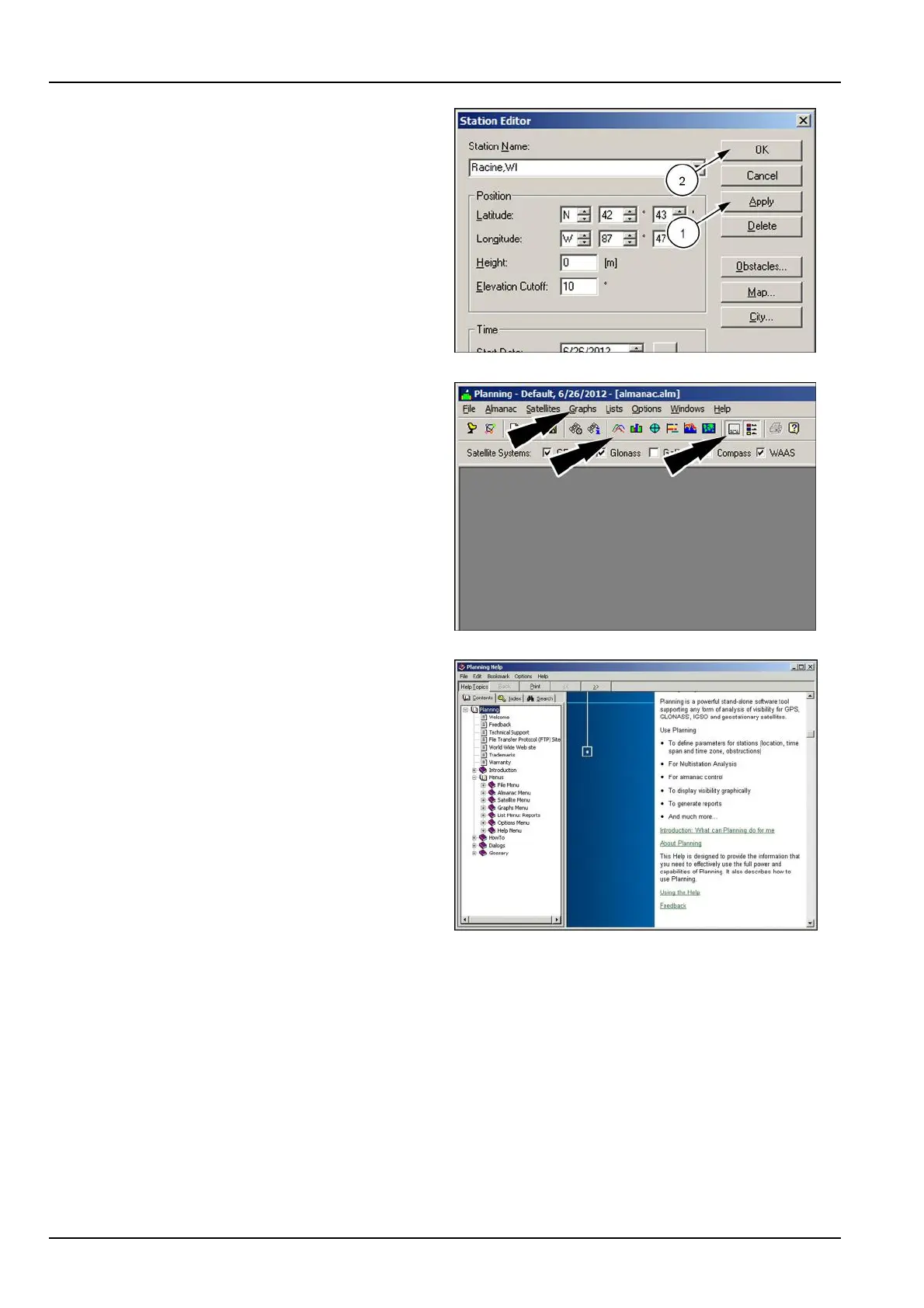
Toapplyyourchanges,clickthe“Apply”button(1).
Clickthe“OK”button(2)toreturntothemainwindow.
RAPH12DSP0977BA16
Usethegraphiconsacrossthetopofthescreenorthe
“Graph”menutoviewsatelliteavailabilityinformationina
varietyofformats.
Usetheagendaandlegendiconstotogglewhether
agendaandlegendinformationappearsonthegraphs.
RAPH12DSP0966BA17
Thefollowingpageoffersprintablerepresentativegraphs
forsatellitevisibilityandelevation.
Ingeneral,lookforahighnumberofsatellitesandalow
numberforDilutionOfPrecision(DOP):
•
Fiveormoresatellitesarerequiredtoinitializethesys-
tem.Fourormorearerequiredforautomaticoperation.
•
ForDOP ,anynumberbelow7offersgoodworkingre-
sults.DOPcanbegraphedvedifferentways:geomet-
rical,position,horizontal,vertical,andtime.Position
DOPoffersthebestDOPoverview.HorizontalDOP
andverticalDOPdisplaythedatabyaxistoindicate
whetheranobstacleisgoingtobeaproblem.
NOTE:Thesoftwareoffersadditionalinformationonall
programfeaturesundertheHelpmenu.
RCPH11DSP019BBG18
3-104



 To Next Page