3-SETUP
Createaboundary
Withthevehicleinanappropriatelocationintheeld,
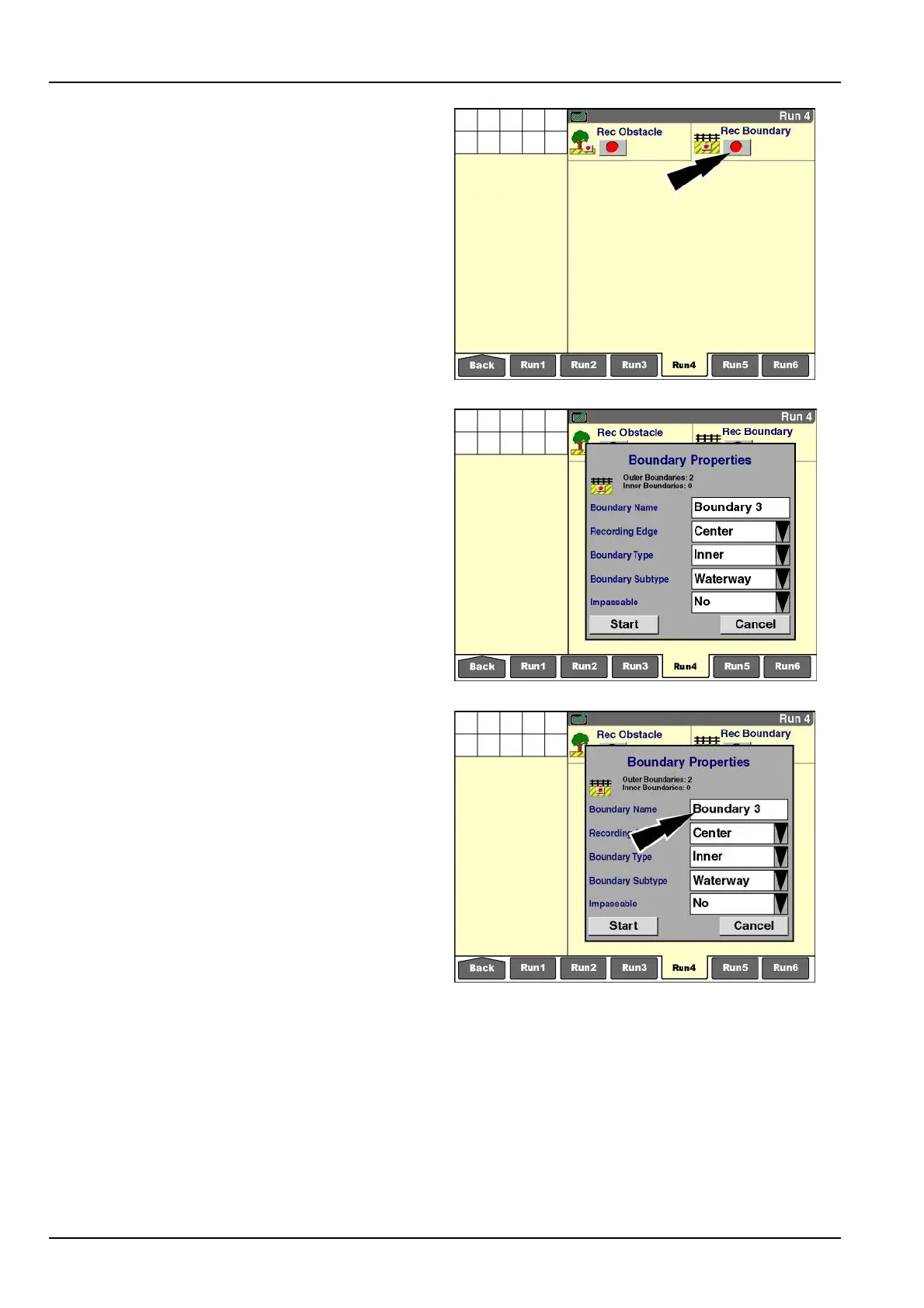
pressthe“Record”buttontobeginboundarycreation.
NOTE:Thesoftwareaddsasafetymargintothewidth
oftheimplement(orheader)forwheneverthevehicle
passesclosetoaboundary:1m(3ft)or10%ofthe
implementwidth(orheaderwidth),whicheverisgreater.
Thewarningbehaviorforaboundaryistriggeredbased
ontheimplementwidth(orheaderwidth)plusthesafety
margin.
RCIL11DSP051BBG2
The“BoundaryProperties”windowdisplaystoprompt
theoperatorforboundaryproperties:
•
Boundaryname
•
Recordingedge
•
Boundarytype
•
Boundarysubtype(innerboundariesonly)
•
Impassable(innerboundariesonly)
RCIL11DSP052BBG3
Pressthe“BoundaryName”windowtoaccesstheal-
phanumerickeypad.
RCIL11DSP052BBG4
3-112



 To Next Page