3-SETUP
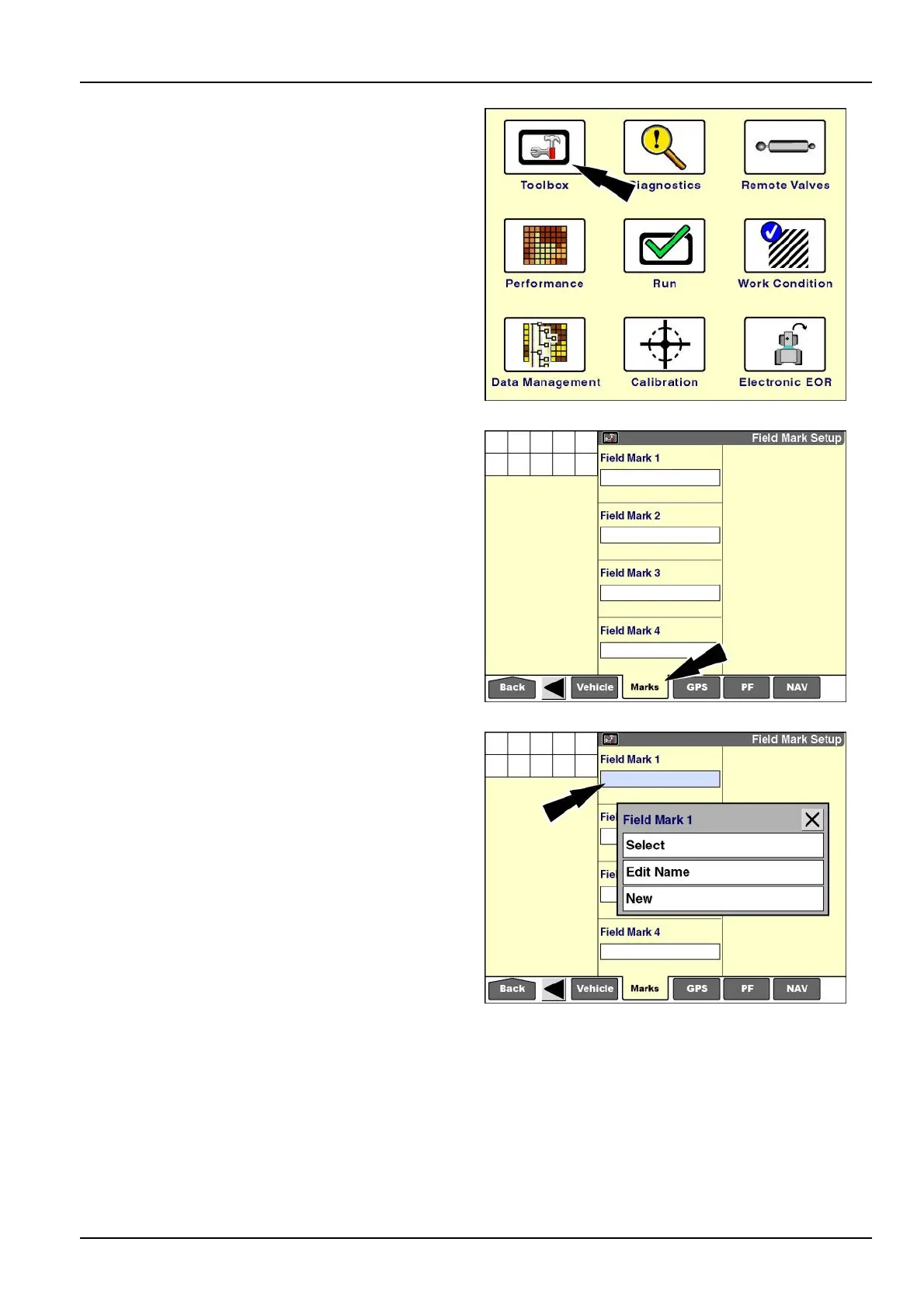
“FieldMarkSetup”screen
Onthe“Home”screenpressthe“T oolbox”icontoaccess
the“T oolbox”screens.
NOTE:Fieldmarkscanalsobecreatedwiththedesktop
softwareandimported.
RCIL11DSP108BBG5
Pressthe“Marks”icononthenavigationbartodisplaythe
“FieldMarkSetup”screen.
RCIL11DSP284BBG6
Pressthe“FieldMark1”windowtoaccessthepop-up
optionswindow.
NOTE:Thersttimethewindowisselectedtheonlyop-
tionis“New.”Thereafter,theoptionsare“Select,”“Edit
Name,”and“New.”
RCIL11DSP285BBG7
3-141



 To Next Page