3-SETUP
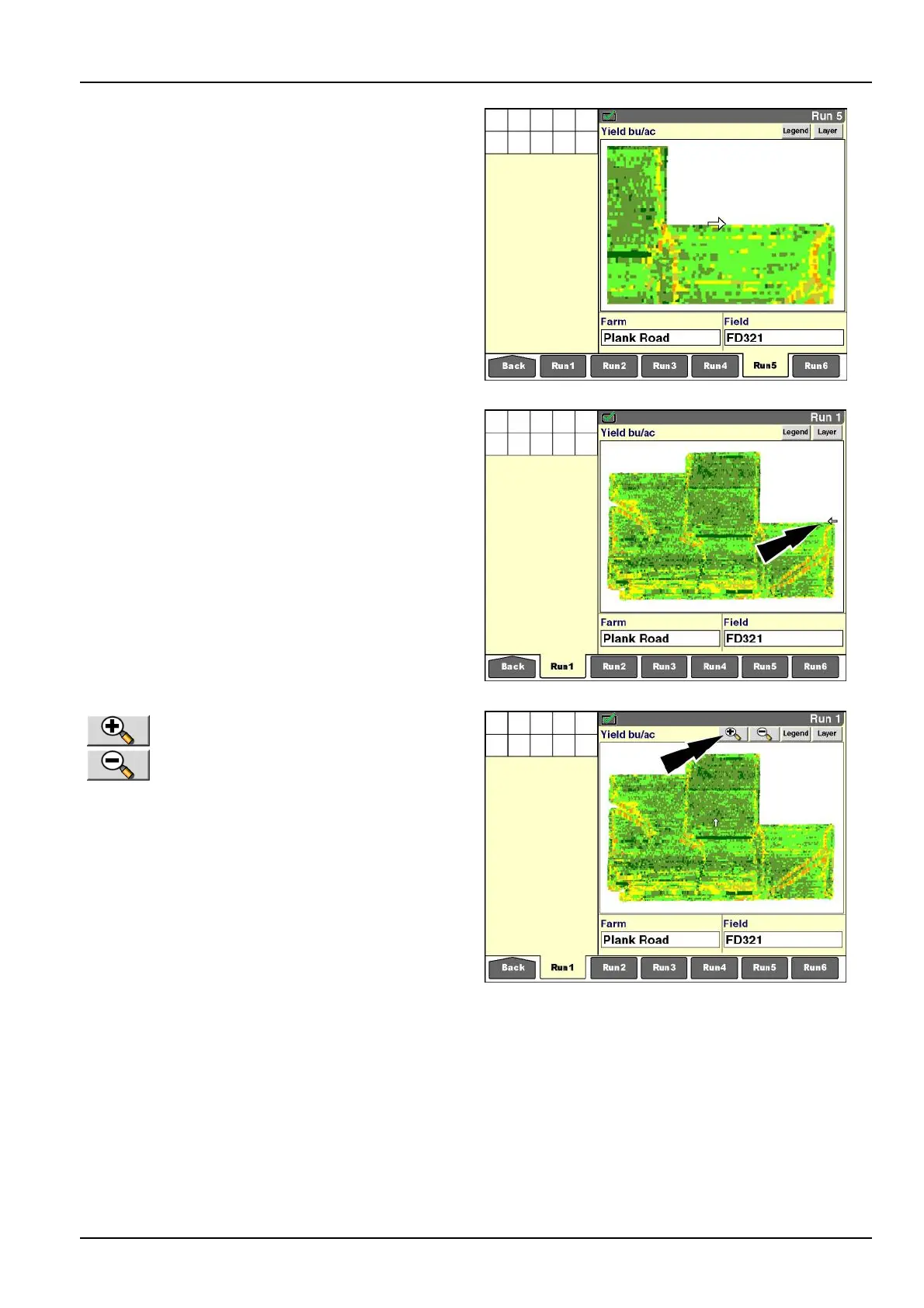
With“Auto”selected,themapzoomstotheextentofthe
currentvehiclelocationwithintheselectedeld.Asthe
vehiclemoves,themapscalesdynamicallytokeepthe
vehicleandeldinthemapwindow.Astheeldsize
increases,themapscaledecreases.
RCIL11DSP235BBG18
With“Field”selected,theentireelddisplays,andthesize
ofthemapzoomsdynamicallytottheavailablewindow.
Astheeldsizeincreases,themapadjuststokeepthe
entireeldinthewindow.Thisisthedefaultview.Ifthe
vehicleisoutsidetheeldarea,thevehicledoesnotap-
pearonthemap.
NOTE:Ifthevehicleiswithintheeldbutdoesnotdis-
playonthemap,thismayindicatethatthewrongeldis
selectedastheactiveeld.
RCIL11DSP236BBG19
With“Manual”selected,magnifyingglass
buttonsappearinthemapwindow.The
operatorusesthebuttonstochoosethe
zoomlevel.
Pressthe“Minus”buttontodecreasemapsize(zoomout)
withinthewindow.Pressthe“Plus”buttontoincrease
mapsize(zoomin)withinthewindow.
Eachpressofabuttonrepresentsa50%changeinzoom
level.
Theusabilityoftheinformationvieweddeterminesthe
zoomlimits.
RCIL11DSP025BBG20
3-151



 To Next Page