6-VIRTUALTERMINAL(VT)ORUNIVERSALTERMINAL(UT)
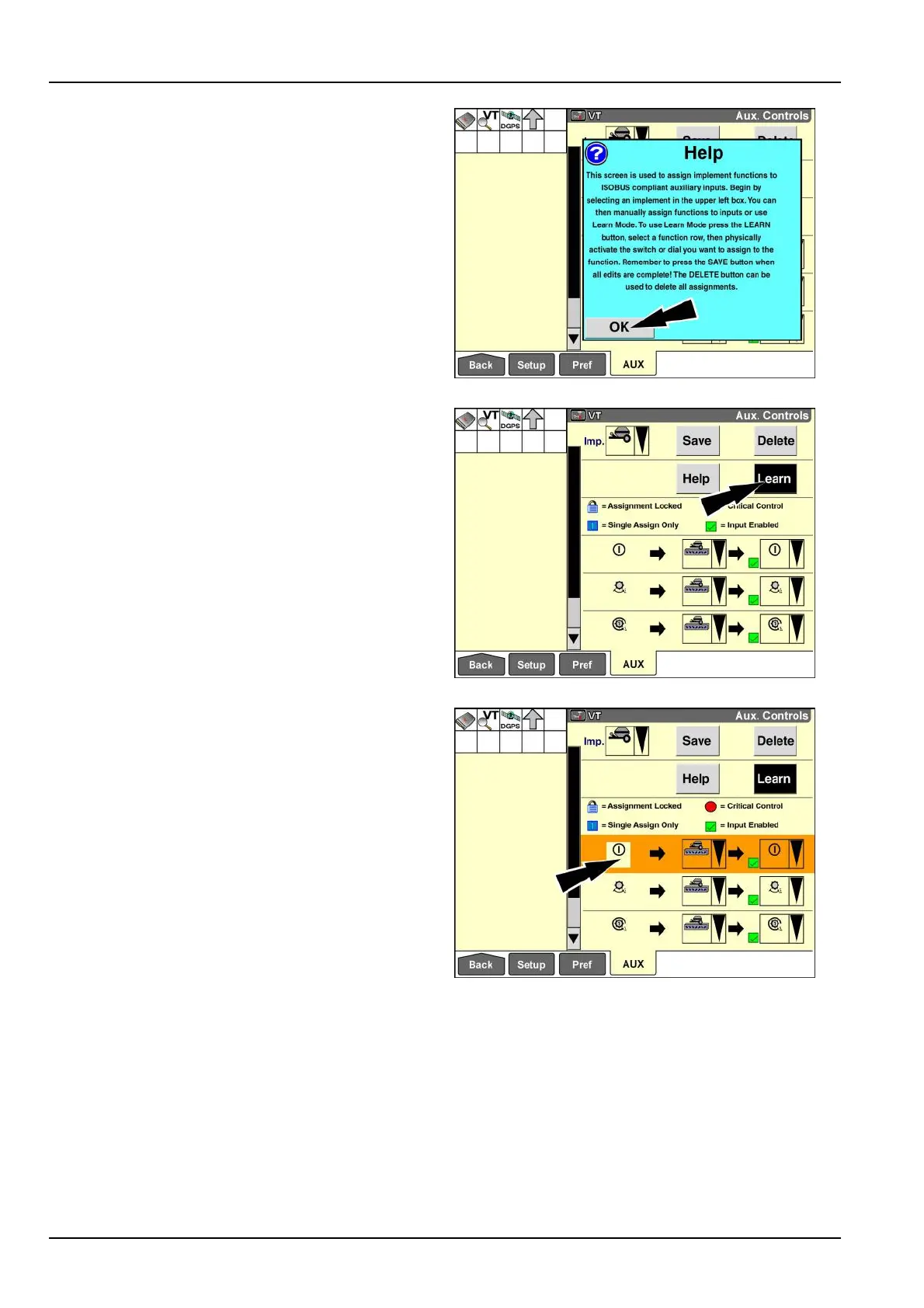
Apop-upmessagedisplays:“Thisscreenisusedtoas-
signimplementfunctionstoISOBUScompliantauxiliary
inputs.Beginbyselectinganimplementintheupperleft
box.Youcanthenmanuallyassignfunctionstoinputsor
useLearnMode.TouseLearnModepresstheLEARN
button,selectafunctionrow,thenphysicallyactuatethe
switchordialyouwanttoassigntothefunction.Remem-
bertopresstheSAVEbuttonwhenalleditsarecomplete!
TheDELETEbuttoncanbeusedtodeleteallassign-
ments.”
Pressthe“OK”buttontodismissthemessage.
RAIL14DSP1383BA18
Usethe“Learn”buttontoteachthesystemwhichcontrol
youwishtouseforafunction.
Pressthe“Learn”buttontoenter“Learn”mode.
NOTE:The“Learn”buttonisalatchingbuttonthathigh-
lightswhen“Learn”modeisactive.
RAIL14DSP1384BA19
With“Learn”modeactive,presstheiconforthefunction
thatyouwishtomap.
Therowhighlightsinorangetoindicatethatthesystemis
readytomapthefunctiontoacontrol.
Actuatethecontrolthatyouwishtousefortheselected
function.
Ifthecontrolisvalidfortheselectedfunction,theicon
forthecontroldisplaysinthethirdcolumn.The“Input
Enabled”icondoesnotdisplaybecausethenewmapping
isnotyetsaved.
Selectotherrowstomapadditionalfunctionsasrequired.
RAIL14DSP1385BA20
6-16



 To Next Page