2-ICONSANDWINDOWS
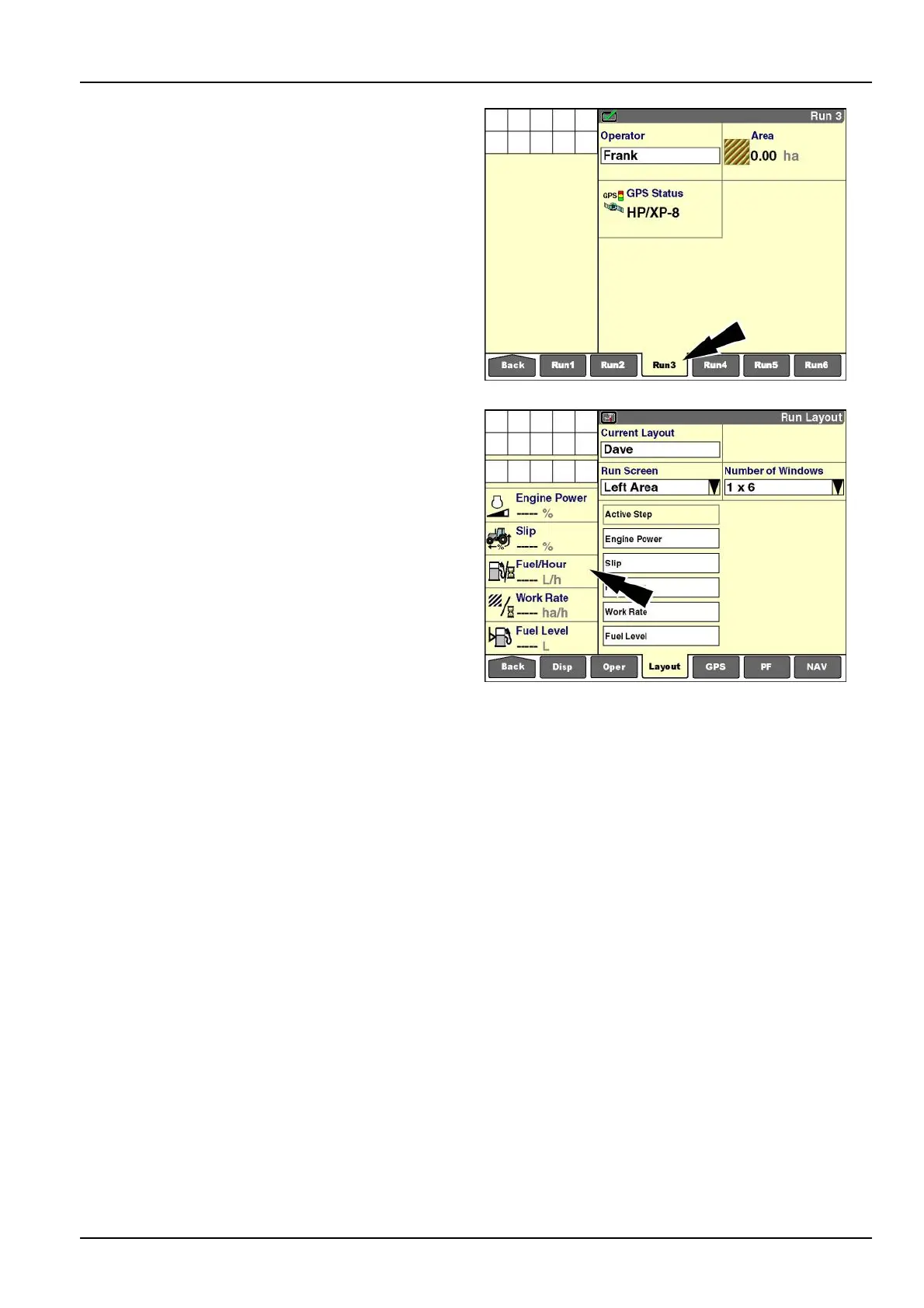
3.Presstheappropriate“Run”screenonthenavigation
bartoreviewthelayoutresults.
RCIL11DSP163BBG20
Left-handarea
Customizetheleft-handarea,ifapplicable,inthesame
fashionasthe“Run”screens.
NOTE:Somevehiclesdeterminethetotalcontentofthe
lefthandareaanddonotallowanycustomization.
Tocustomizetheleft-handarea:
1.Select“LeftArea”inthe“RunScreen”window.
2.Selectyourpreferredlayout(numberofrows)inthe
“NumberofWindows”window.
3.Pressalocationonthe"RunLayout"screentodisplay
thewindowoptionslist.
4.Pressawindowlabelforplacement.
5.RepeatSteps3and4untilthelayoutiscomplete.
RCIL11DSP464BBG21
2-45



 To Next Page