2-ICONSANDWINDOWS
“SummaryData”screens(“PrecisionFarm-
ing”applicationrequired)
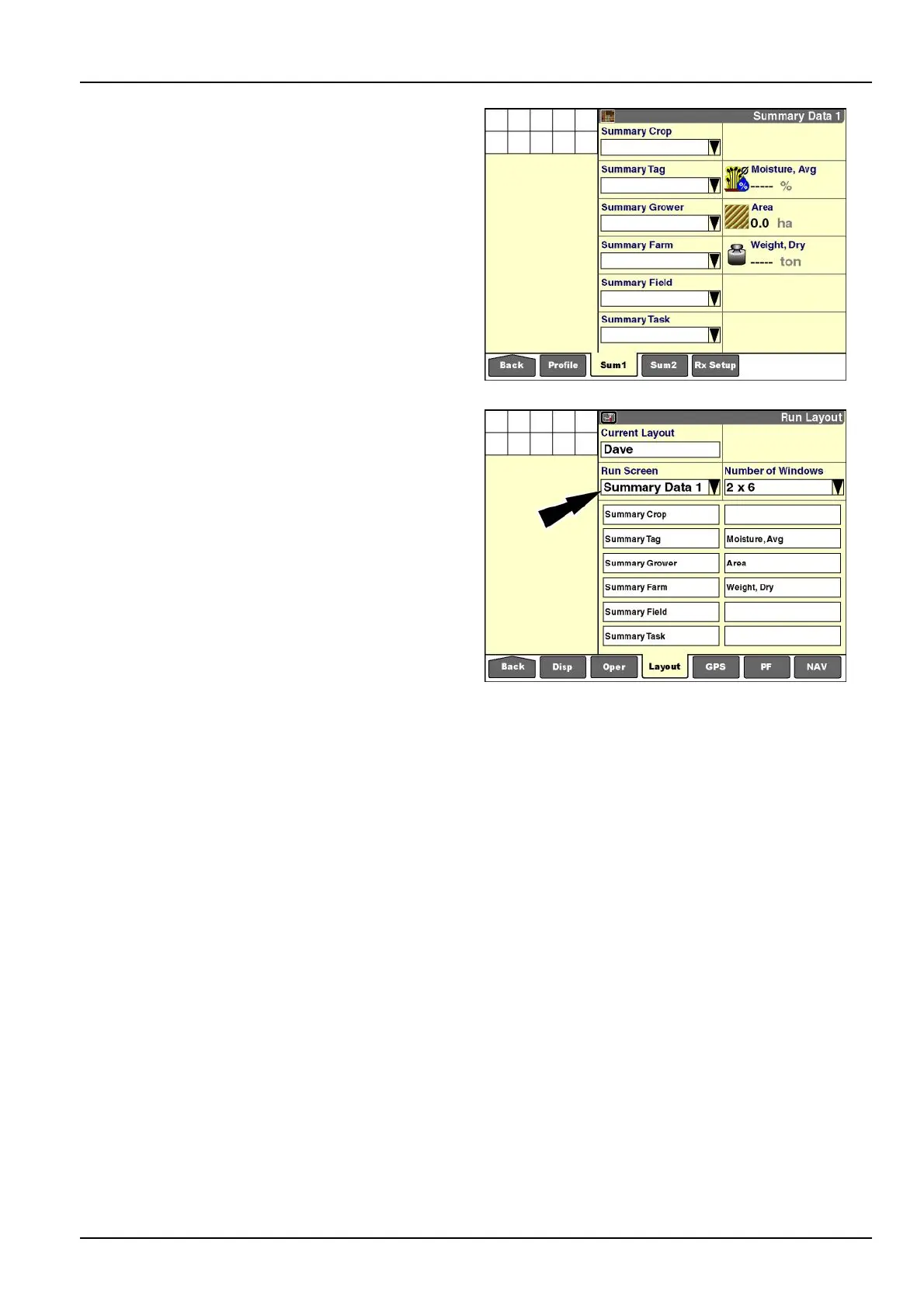
Anoperatorcanalsousethe"RunLayout"screento
customizethe“SummaryData”screens(Home>Per-
formance>Sum1/Sum2).The“SummaryData”screens
containperformanceinformationthatisappropriateto
thevehicleanditsfunction.Forexample,thesummary
contentfortractorsdiffersfromthesummarycontentfor
combines.
Refertotheappropriatesoftwareoperatingguideto
understandthepurposeandoperationofthe“Summary
Data”screensbeforecustomizingthesescreens.
RCIL11DSP167BBG24
Tocustomizea“SummaryData”screen:
1.Select“SummaryData1”or“SummaryData2”inthe
“RunScreen”window.
2.Selectyourpreferredlayout(numberofcolumnsand
rows)inthe“NumberofWindows”window.
3.Pressalocationonthelayoutscreentodisplaythe
pop-upoptionslist.
4.Pressawindowlabelforplacement.
5.RepeatSteps3and4untilthelayoutiscomplete.
NOTE:Somewindowsareonlyappropriatetothe“Sum-
maryData”screens,andthereforearenotavailableon
the“Run”screens.Otherwindowsarecommontoboth
the“Run”screensandthe“SummaryData”screens.
RCIL11DSP169BBG25
2-47



 To Next Page