2-ICONSANDWINDOWS
Exportanactivationcodeforuseonanotherdisplay
Whenthedisplayhasoneormoresoftwareapplications
thatareactivated,the“Transfer”buttoninthe“Activation
Code”windowisactive.
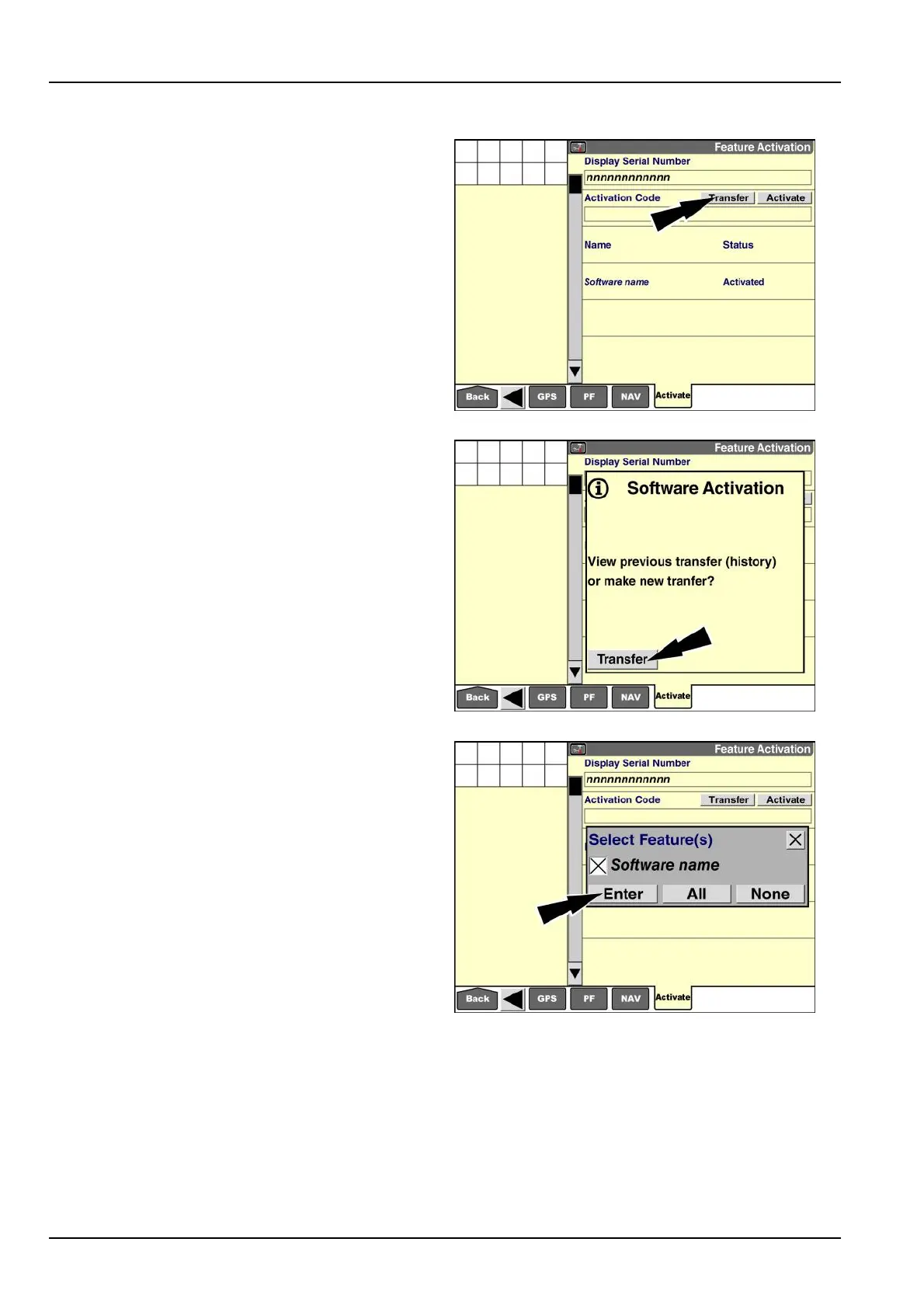
Usethe“Transfer”buttontodeactivateasoftwareappli-
cationinyourdisplay.Thedisplaycreatesanactivation
leinthe“Activations”folderonyourmemorystick.You
canthenimporttheactivationleintoanotherdisplay.
NOTE:Donottransferanactivationcodeunlessyouare
certainthatyounolongerneedthesoftwareapplication
onthecurrentdisplay.
Pressthe“Transfer”button.apop-upmessagedisplays:
“Viewprevioustransfer(history)ormakenewtransfer?”
RAIL15DSP0022BA17
Ifyouhavealreadytransferredactivationcodesfromthis
displayinthepast,youcanpressthe“History”buttonto
viewinformationaboutprevioustransfers.
Pressthe“Transfer”buttontoselecttheactivationcodes
thatyouwishtotransfer.
RAIL14DSP1614BA18
Apop-upwindowdisplaysalistofallsoftwareapplications
thatareactivatedonthecurrentdisplay.
Foreachactivationcodethatyouwishtotransfer,press
theboxnexttothenameoftheappropriatesoftwareap-
plication.
Pressthe“All”buttontoselectallsoftwareapplicationsin
thelist.Pressthe“None”buttontodeselectallsoftware
applications.
Whenthecorrectapplicationnamesareselected,press
the“Enter”buttononthekeypadtosubmittheselection.
RAIL15DSP0025BA19
2-68



 To Next Page