3-SETUP
“Grower”
The“PrecisionFarming”applicationorganizesdata
collectedonthedisplayforyourfarmingoperationsby
growers,farms,elds,tasksandtags.Amaximumof
150growerscanbecreated.Eachgrowerisassigneda
uniqueidenticationnumber.
Agrowerisanindependentagri-business.
Agrowermayworkasinglefarmormanyfarms.Agrower
mayalsoprovidecontractservices–planting,spraying,
harvesting–toothergrowers.
Assuch,thegrowerisalwayslinkedtoafarmtoen-
abletheusertoviewallcropoperationsforanindividual
grower.
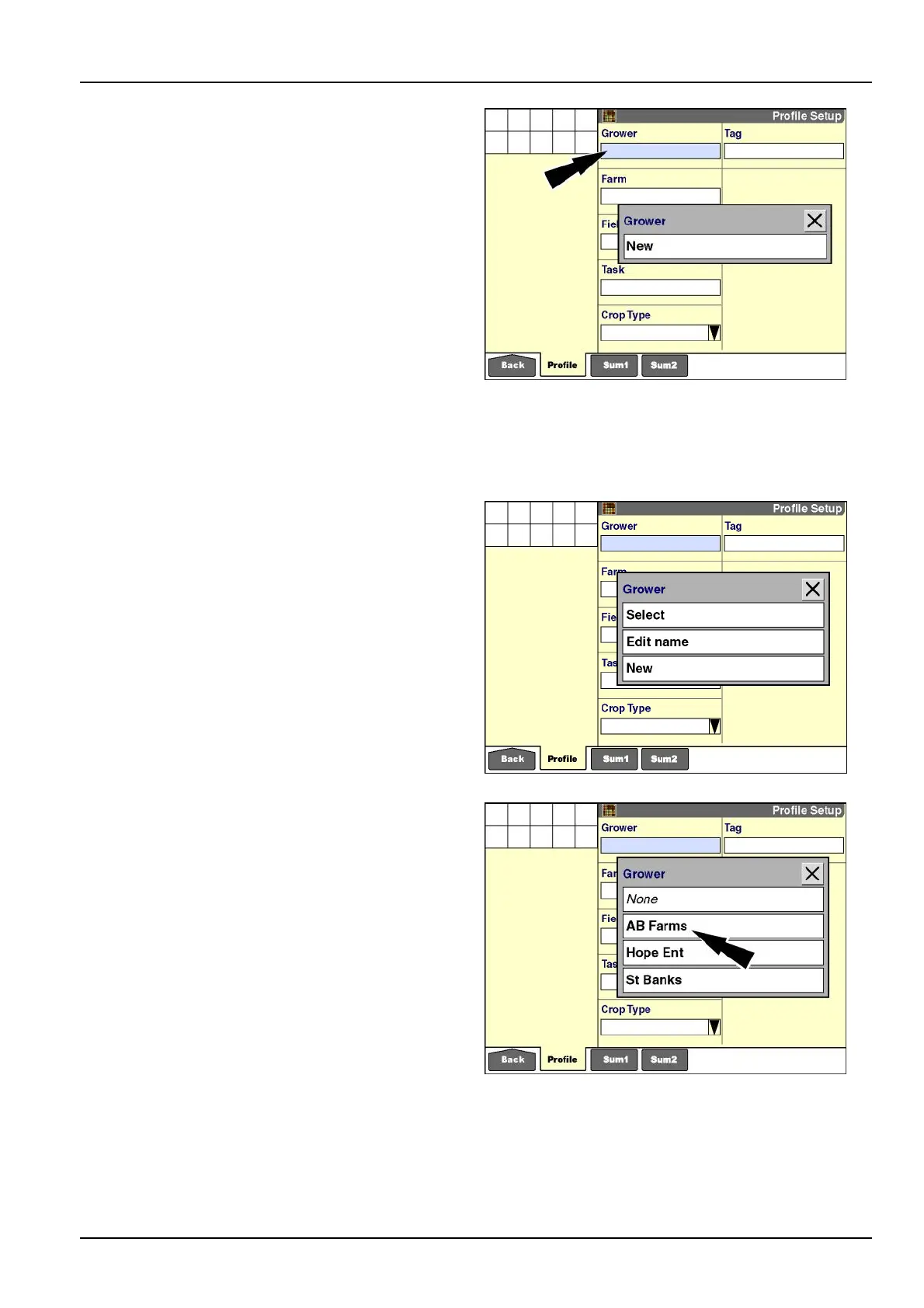
Toadd,editorcreateagrowerwiththedisplay,pressthe
“Grower”windowtoaccessthepop-upoptionswindow.
Ifnogrowersareavailable,theonlyoptionis“New.”
RCIL11DSP182BBG6
Thereafter,theoptionsare“Select,”“EditName,”or
“New.”
Press“Select”tochooseagrowerfromtheuser-dened
list.
Press“EditName”tochangethenameofagrower.
NOTE:Donotusetheeditfunctiontocreateanewgrower
becauseitdoesnotchangetheuniqueidenticationnum-
berassignedforthegrower.
Press“New”toaddagrowertothecurrentlist.
Pressthedesiredoption.
RCIL11DSP183BBG7
If“Select”ispressed,apop-upoptionswindowofcurrent
growersdisplays.
Presstherequiredgrower.
Thescreenupdateswiththeselectedgrower.
RCIL11DSP185BBG8
3-3



 To Next Page