3-SETUP
Operatingnotes
AllsummarydataandGPSdataisstoredatthetask
level.T omakethisinformationmoreusable:
•
Onlyonetagmaybeassignedtoatask.Whenadiffer-
enttagisrequiredduringthecurrentwork,theoperator
mustcreateanewtask.Changethetaskrst,andthen
changethetag.
•
Onlyoneoperatormaybeassignedtoatask.Whena
differentoperatortakesoverthecurrentwork,theoper-
atormustcreateanewtask.Changethetaskrst,and
thenchangetheoperator.
•
Onlyoneoperationmaybeassignedtoatask.Whena
newoperationisselectedforthesameeld,theoper-
atormustcreateanewtask.Changethetaskrst,and
thenchangetheoperation.
•
Onlyonevehiclemaybeassignedtoatask.T asks
cannotbesharedbetweenvehicles.
•
Onlyoneimplementmaybeassignedtoatask.Ifanew
implementtakesoverthecurrentoperationinthesame
eld,theoperatormustcreateanewtask.Changethe
taskrst,andthenchangetheimplement.
•
Onlyoneworkconditionmaybeassignedtoatask.
Ifaneworamodiedworkconditionisneeded,the
operatormustcreateanewtask.Changethetaskrst,
andthenchangetheworkcondition.
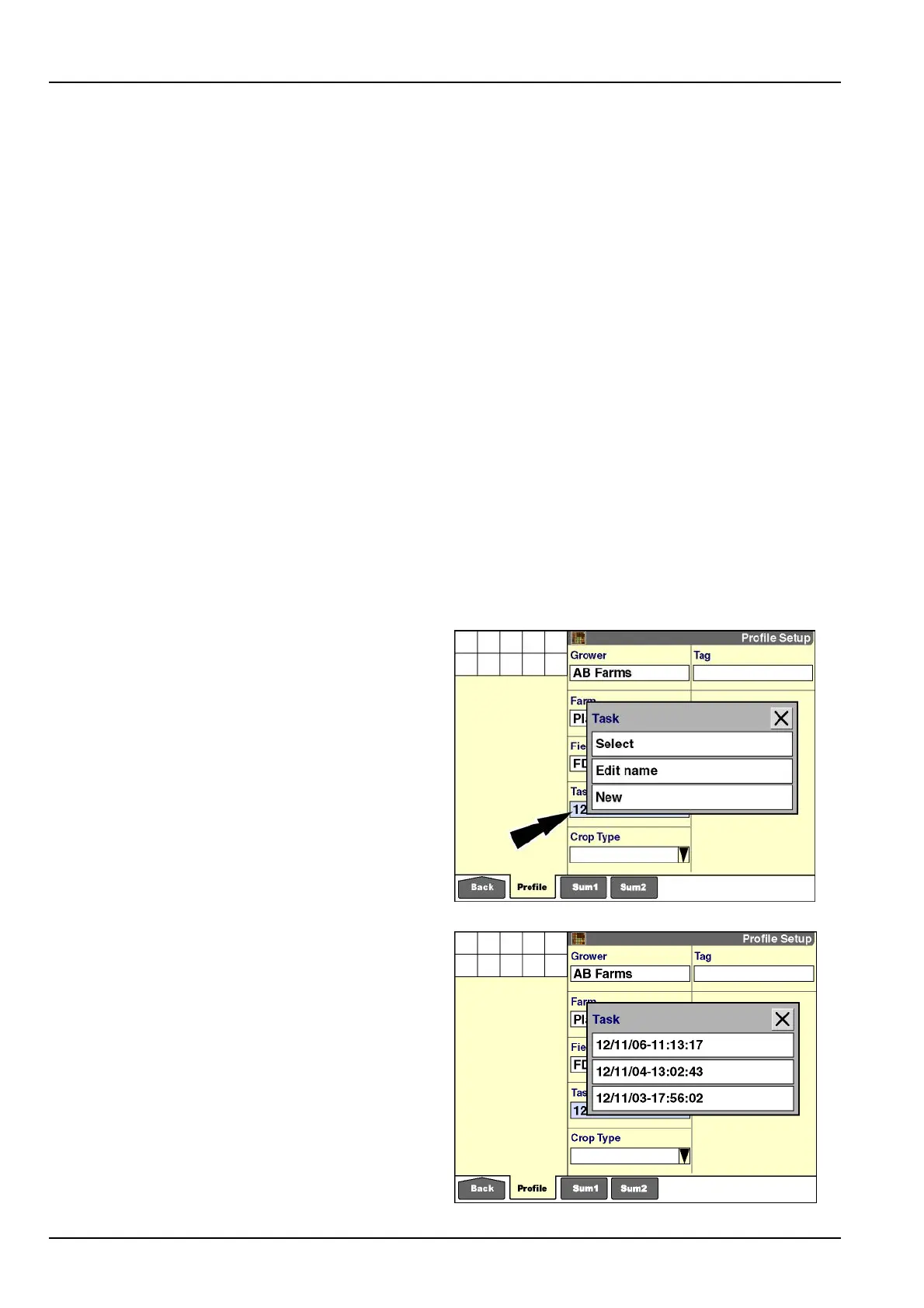
Pressthe“Task”windowtoaccessthepop-upoptions
window.
Ifnotasksareavailable,theonlyoptionis“New.”
Thereafter,theoptionsare“Select,”“EditName,”or
“New.”
Press“Select”tochooseataskfromthecurrentlist.
Press“EditName”tochangethenameofatask.
Press“New”toaddatasktothecurrentlist.
Pressthedesiredoption.
RCIL11DSP208BBG22
If“Select”ispressed,apop-upoptionswindowofcurrent
tasksdisplays.
NOTE:Theoptionswindowmaycontainentriesinitalics.
Theseentriesarenotselectablebecausetheywerecre-
atedbyadifferentvehicle,byadifferentapplication,orby
adifferentsensorduringcropcalibration.
Presstherequiredtask.
Thescreenupdateswiththeselectedtask.
RCIL11DSP210BBG23
3-10



 To Next Page