4-OPERATINGINSTRUCTIONS
Passwordchange
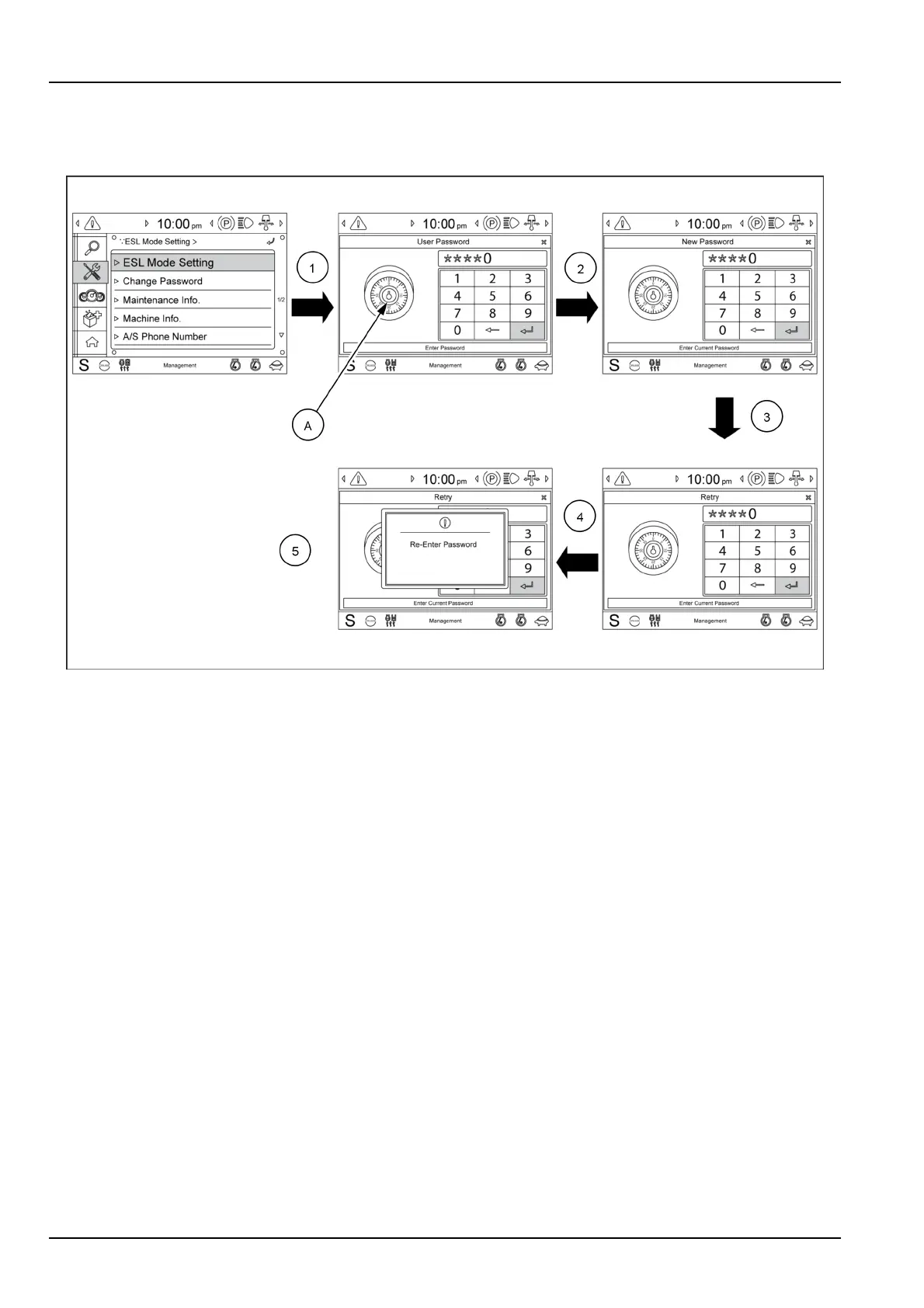
Tochangethepassword,performthefollowingoperations:
SMIL16MEX0530FA2
(1)SelecttheChangepasswordsubmenu.
(2)Enterthecurrentpassword
NOTE:thepadlock(A)colorisblue.
(3)Enterthenewpassword
NOTE:thepadlock(A)colorisyellow.
(4)Enterthenewpasswordagain
(5)ThenewpasswordisstoredintheMachineControlUnit(MCU).
NOTICE:Ifyouforgetorlosethepasswordcontactyour
authorizedCASECONSTRUCTIONdealer.
4-2



 To Next Page