6-MAINTENANCE
6.Installtheprotectionpanel(5),theplate(4),thetwo
screws(3)andthewingnuts(2).
7.Adjusttheoperator’sseatandtheconsoleboxandin-
stalltheoormat.
SMIL16MEX1116AA4
Aircirculationlter
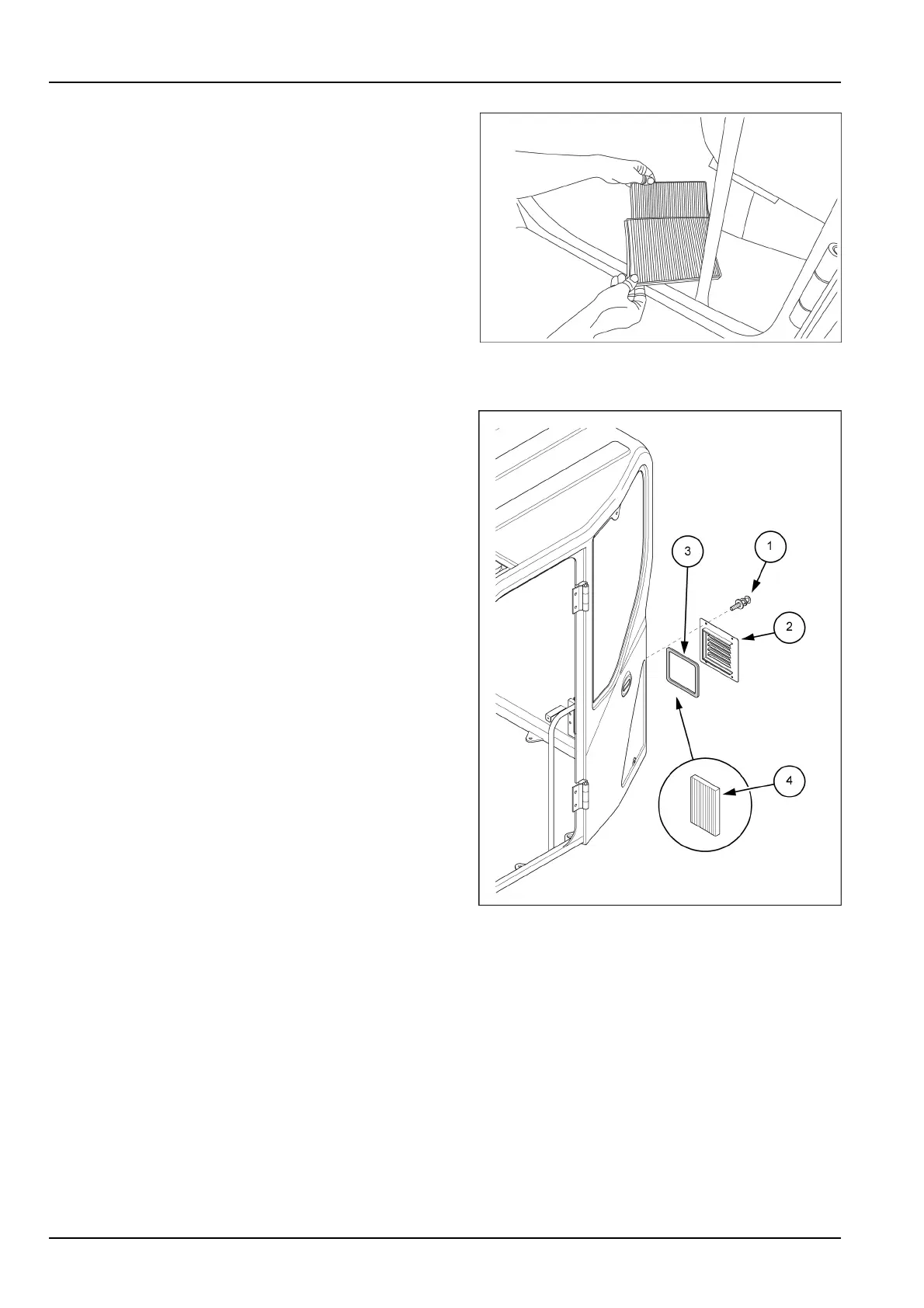
1.Tiltthecabforward.Refertopage3-76.
2.Removethescrews(1),thecover(2),andtheseal(3)
ontherearsideofthecab.
3.Removetheaircirculationlter(4)andcleanitwith
compressedair.Ifthelterisdamaged,replaceit.
4.Installtheaircirculationlter(4).
5.Installtheseal(3),thecover(2)andlockwiththe
screws(1).
6.Tiltthecabbackward.
SMIL16MEX1378BB5
6-46



 To Next Page