12
Sports Watch Battery Level Check & Charging
1. Check Battery Level
2. Charging
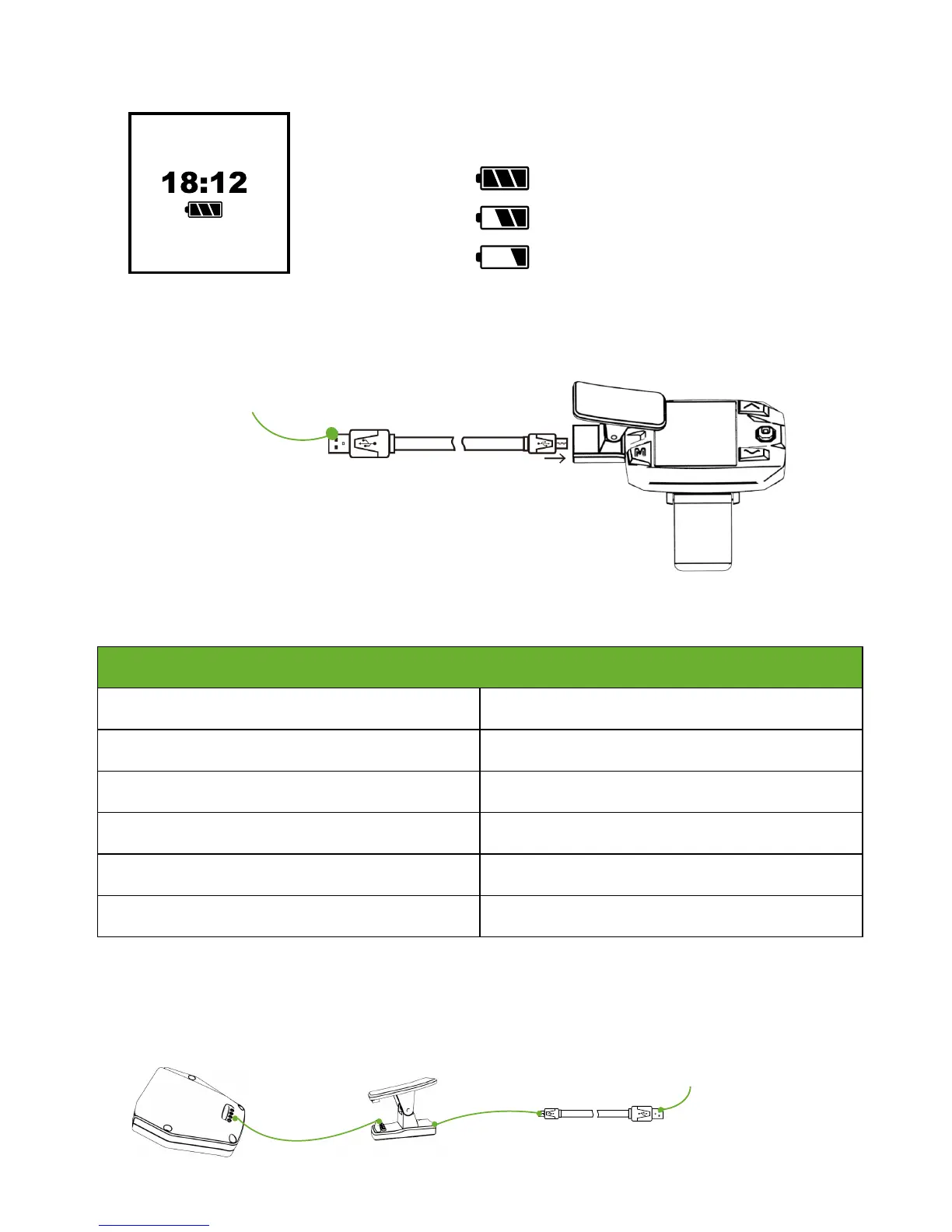
When the Sports Watch is not powered on, just press the STOP button to check the
current battery level and current time.
When the Sports Watch is powered on, enter Flight Interface to check.
Connect Charging Chip with Sports Watch, and connect Charging Chip with USB cable to finish charging. The whole charging time is
about 1.5 hours.
Connect to USB port
of Computer or 1A~5A
Charger.
High
OK
Low
After turning on, Red Power LED will blink to indicate the current battery level.
Connect Charging Chip with Follow Module, and connect Charging Chip with USB cable to finish charging.
Follow Module Battery Level Check & Charging
1. Check Battery Level
Current Level
Red Power LED blinks 4 times. full
Red Power LED blinks 3 times.
75%
Red Power LED blinks 2 times.
50%
Red Power LED blinks 1 times.
25%
Red Power LED blinks quickly.
10%
Red Power LED blinks twice and then turns off. 0%
2. Charging
Connect to USB port
of Computer or 1A~5A
Charger.



 To Next Page