82
Appendix: Mount/Detach Image Transmission
Mount
Detach
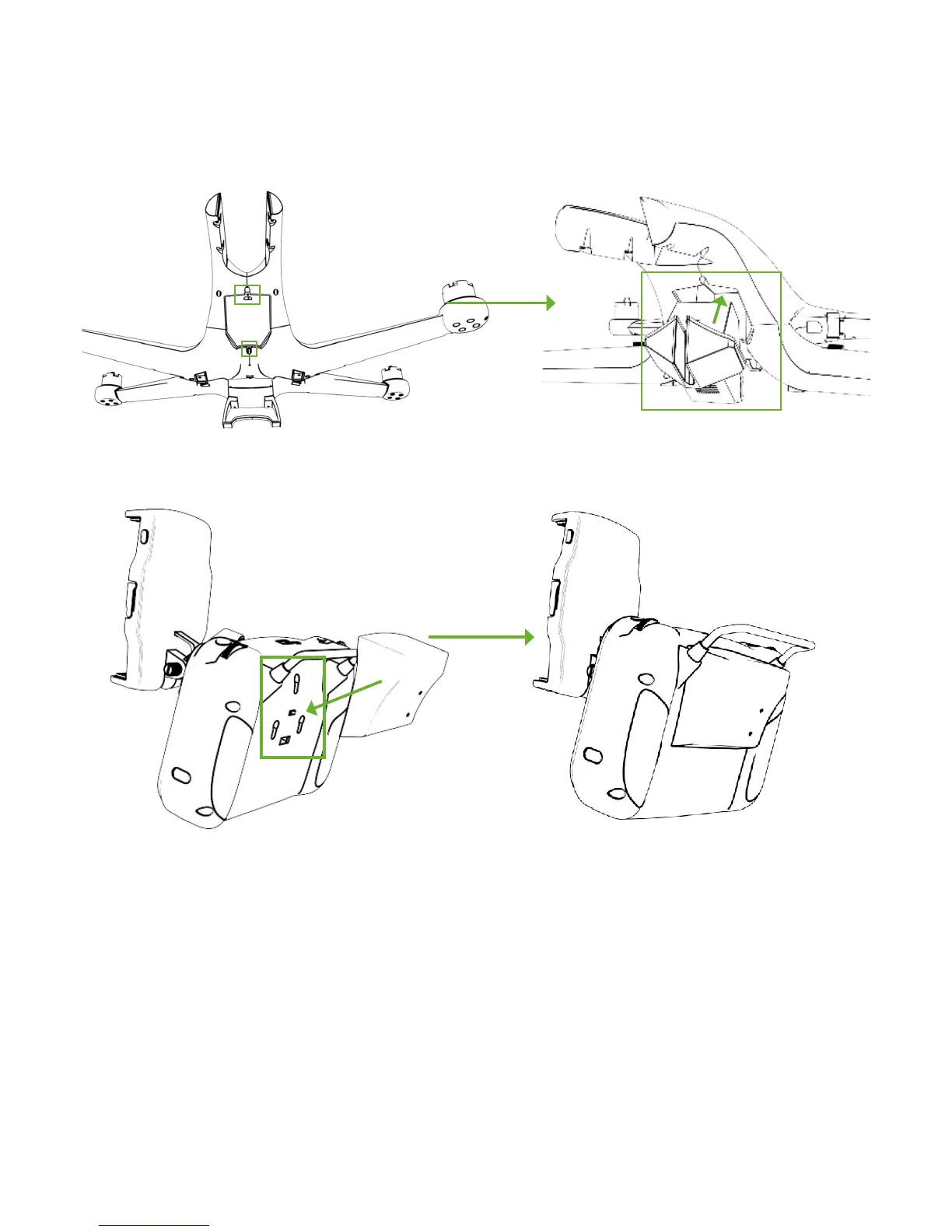
If you purchase the Image Transmission separately, you need to mount it into Drone and install the ground system onto the back of
Remote Controller.
Steps:
① Detach two screws on the top and bottom side of Drone hatch.
③ On the back side of the RC, there are ports to fix the ground system. Just fix it tightly with them and you are finishing all the
mounting procedures.
Remove two screws on the top and bottom side and detach the Image Transmission.
If you DO NOT need Image Transmission, please mount the hatch onto Drone and fix it tightly.
② Mount Image Transmission into Drone and fix it
through two screws.



 To Next Page