22
Step 1: Finish Check before Flight
Step 2: Check Flight Environment
Please ensure you have finishes all the steps in Check before Flight.
Ensure there is no obstacle around the 50 meters of take-off position.
There is no huge building or trees around flight area.
Flight environment meets Flight Environment Requirements.
It is suggested to build an electronic fence before first ten flights to set max height and distance to ensure the drone would not break
its boundary.
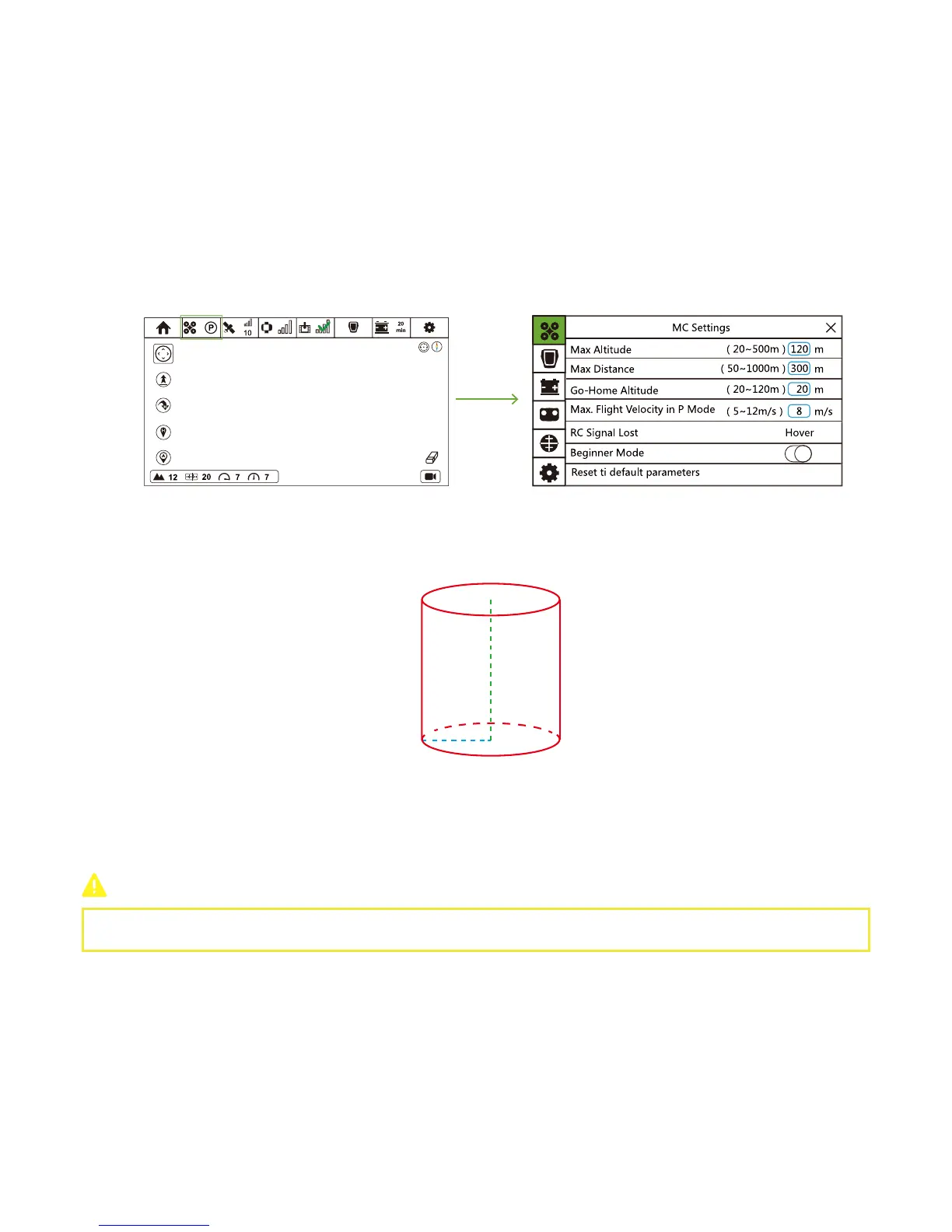
Set Max Height and Max Distance
In Flight Interface, tap “Drone Current Mode” icon to enter Flight Controller interface.
Modify values of Max Altitude and Max Distance in the blue box. These two values would form a cylinder, and the drone would fly
within the cylinder. When it reaches the max value, Drone will hover. Green dashed line represents the max altitude, while blue
dashed line represents max distance. Both values support the generation of red cylinder.
Meanwhile, to ensure safety, you could modify the max flight velocity in P Mode. Drone would not fly over the limited speed.
Step 3: Height Calibration
Step 4: Check GPS Status & Connection Status
Before Follow Mode, please put Drone and Follow Module at the same height to do height calibration.
In Flight Interface, check whether or not over 10 satellites have been found and Sports Watch has connected to Smartphone.
DO NOT INGORE THIS STEP!
CEEWA APP:
Refer to Chapter Sports Watch Version: Check before Flight → Step 10: Calibration → 5. Height Calibration for detailed calibration
procedures.



 To Next Page