15
Turn On/Off Camera
Turn On
:
4K Camera:Press the Power Button until the LED Indicator on the screen side blinks. Camera turns on.
1080P Camera:Press the Power Button until the LED Indicators blink. Camera turns on.
Turn Off
:
4K Camera:Press the Power Button until the LED Indicator on the screen side turns off.
1080P Camera:Press the Power Button until the LED Indicators turn off.
Step 7: Initialization Binding
① Please turn on Drone and Sports Watch.
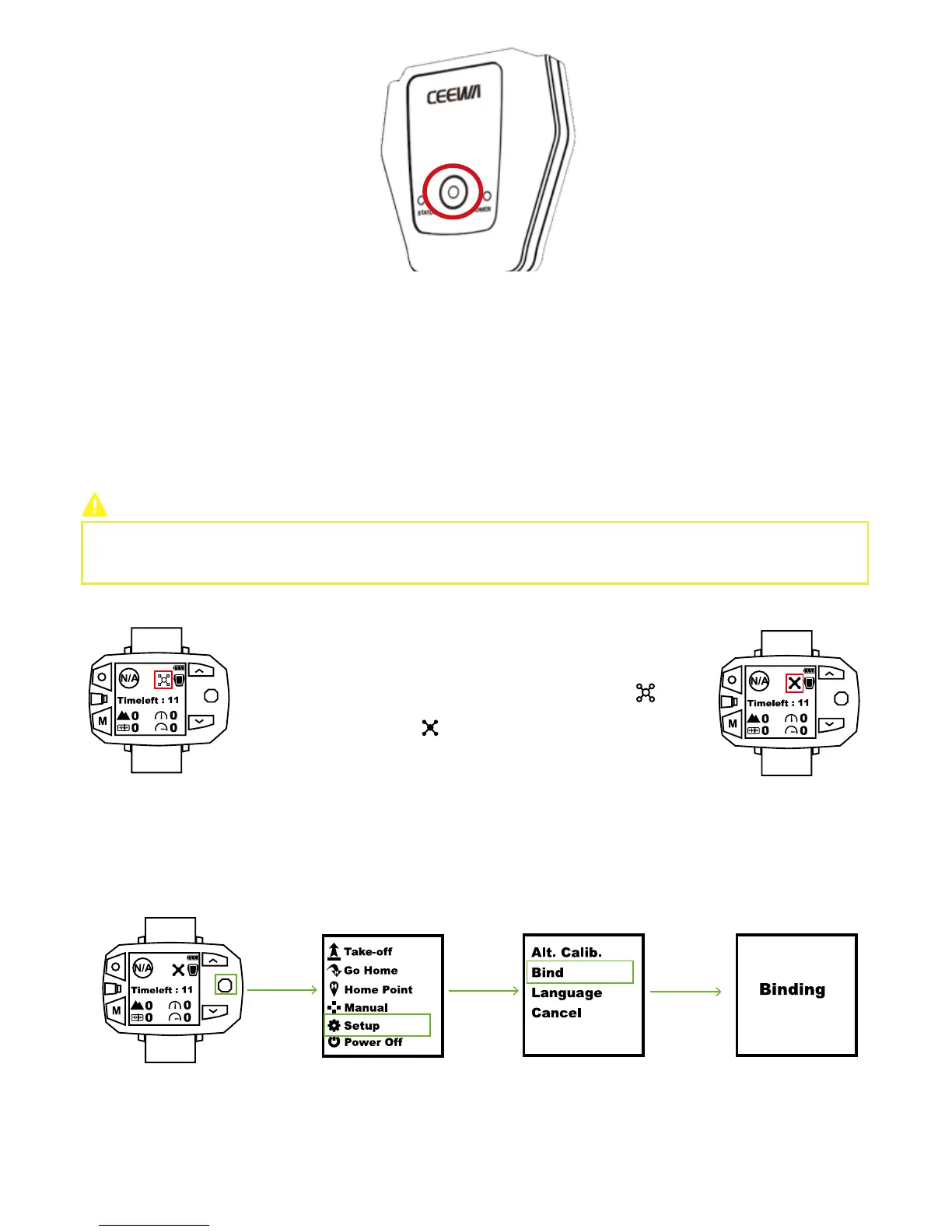
② In Flight Interface of Sports Watch, if the drone icon shows as , please
finish binding procedures.
③ If the drone icon shows as , please ignore this step.
When should I bind Drone & Sports Watch?
During binding, please DO NOT power on any other related devices. For instance, when binding Drone &
Sports Watch, please DO NOT turn on Remote Controller and Follow Module.
How to bind?
1.
Activate Drone Binding Mode
① Insert Smart Battery.
② Place the drone upside down and turn on Smart Battery.
③ When Yellow Light of Status Indicator blinks 3 times at intervals of 0.5s, Drone Binding Mode activates.
2.
Activate Sports Watch Binding Mode
① In Flight Interface of Sports Watch, toggle Nav. Button to right to enter Menu Interface.
② In Menu Interface, choose Setup option.
③ Select Bind option.
④ Binding between Drone and Sports Watch will auto begin.
3. How to know binding is OK?



 To Next Page