40
Step 14: One-key Land
Please land the drone on the level ground.
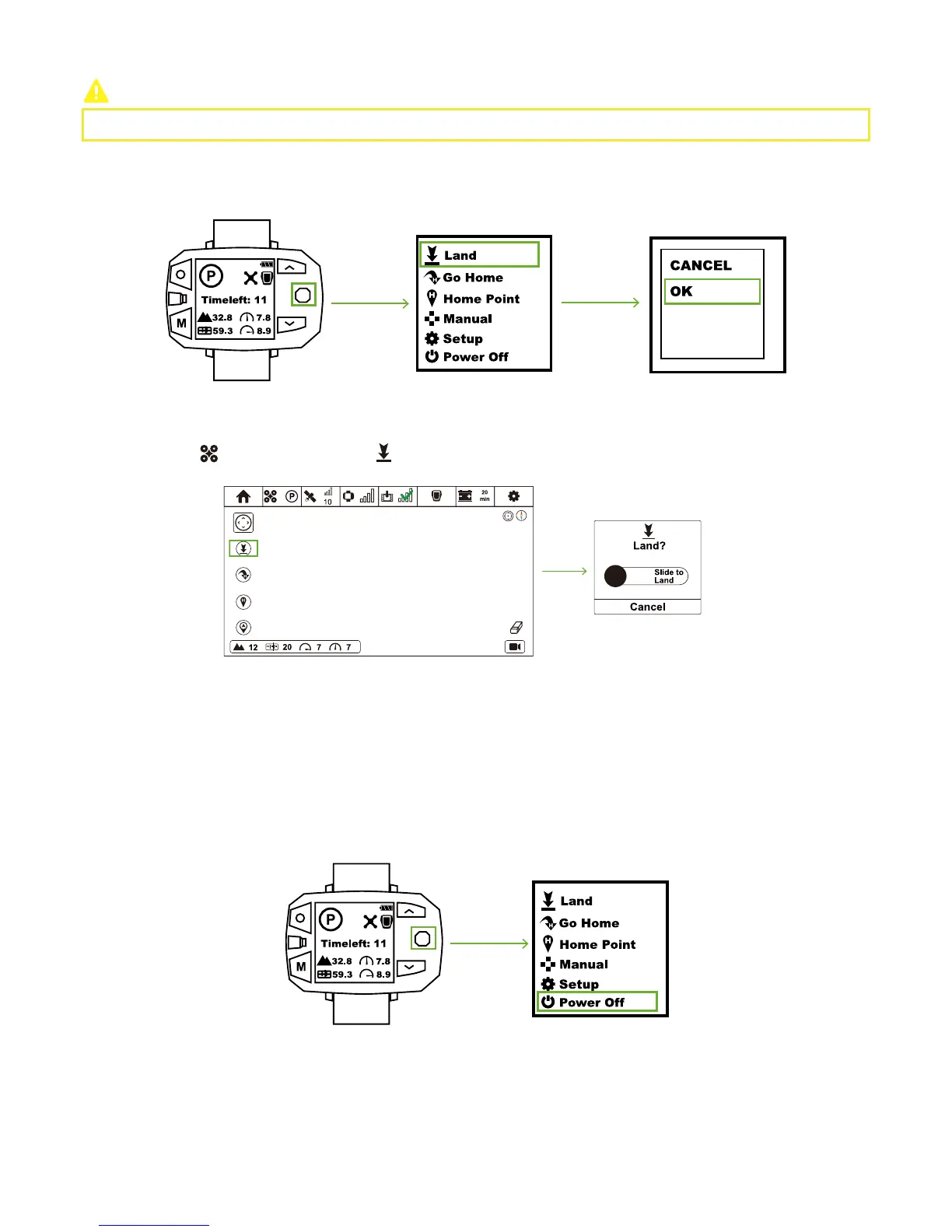
Toggle Nav. Button to the right & enter Menu Interface. Select “Land” option and choose “OK” in the pop-up window. One-Key Land
activates.
CEEWA APP:
Smart Battery:
Sports Watch:
Follow Module:
Sports Watch:
In Flight Interface ( ), tap One-Key Land icon ( ) and slide the white slider to confirm landing.
Step 15: Turn Off All Devices
Turn off Smart Battery, Sports Watch, Follow Module and Camera.
Press the Power Button once, and then press this button for over 3s till all LEDs turn off.
Toggle Nav. Button to the right & enter Menu Interface. Select "Power-off" option and choose "OK" in the pop-up window.
Press the Power Button once, and then press this button for over 3s till all LEDs turn off.



 To Next Page