35
Step 12: Nav. Mode
Please activate Nav. Mode in CEEWA APP.
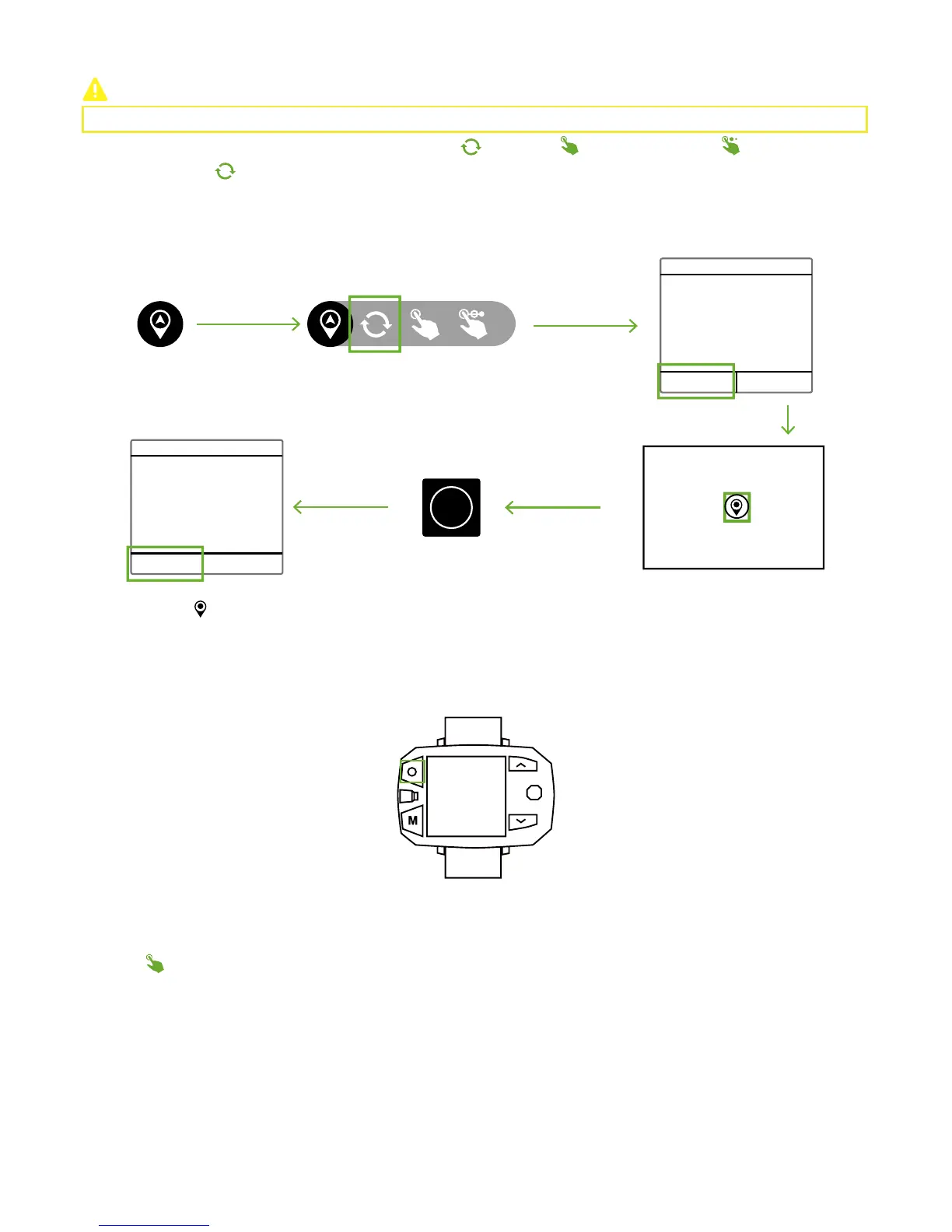
CEEWA Drone S1 supports three Nav. Mode : Single-Point Orbit( )
,
Pointing( )
,
Multiple-Points Nav.( ).
After finishing setting the waypoint in the map, Drone will orbit the waypoint constantly.
Tap the waypoint ( ) in the map to edit its altitude, speed, vcircle and radius in the pop-up window. Also, delete this waypoint in
this pop-up window.
Single-Point Orbit
Confirm Orbit
Please set an orbit point in the
map.
Orbit Velocity 3
Orbit Radius 5
Time Left 15
Single-Point Orbit
How to activate?
CEEWA APP
:
OK Cancel
OK Cancel
Start
How to deactivate?
Sports Watch:
When pressing STOP button, “Hovering…” shows in the screen and Sports Watch vibrates once. At this moment, Nav. Mode has been
cancelled.
You should set one waypoint in the map at first, and Drone will fly towards the waypoint.
Hovering
Pointing
How to activate?
CEEWA APP
:



 To Next Page