69
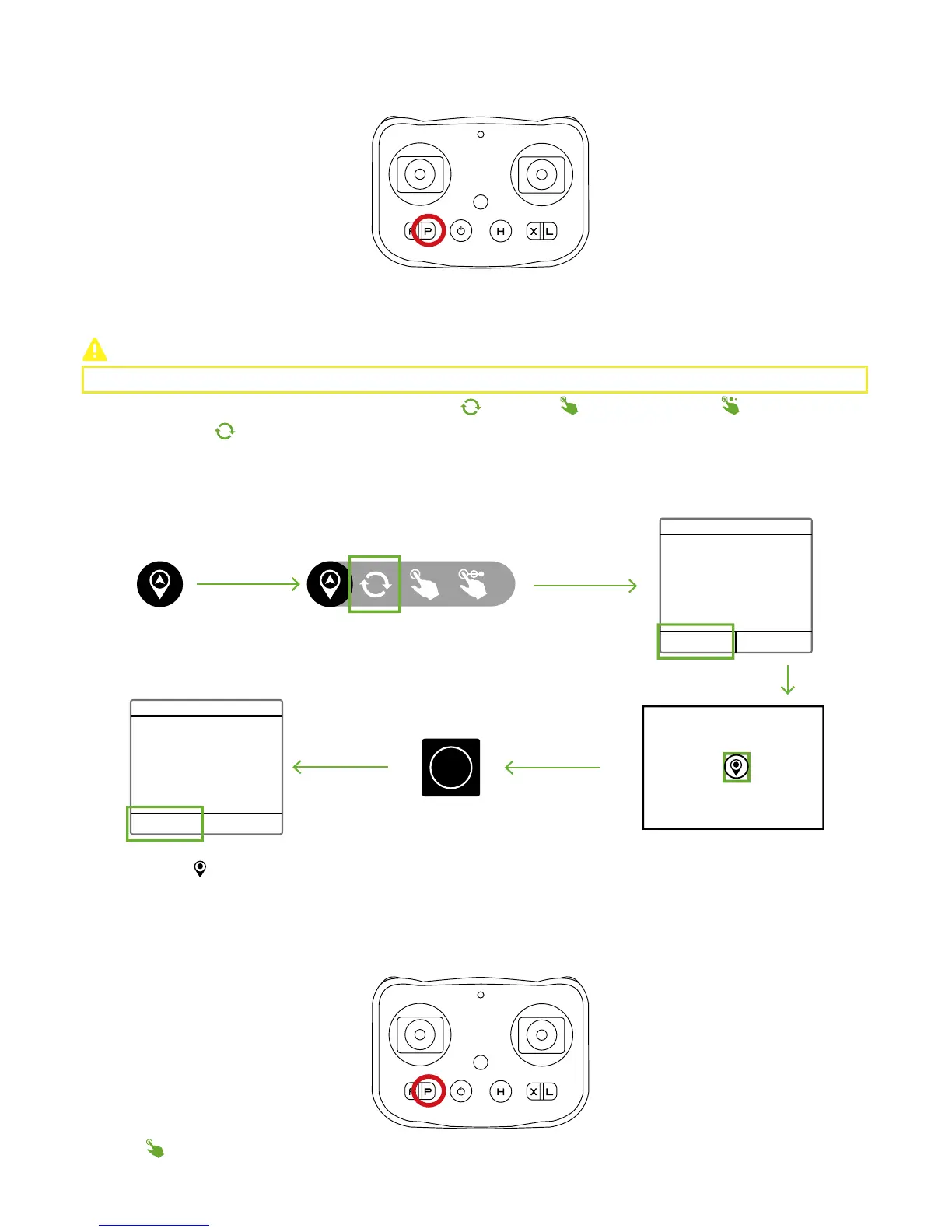
Step 12: Nav. Mode
Please activate Nav. Mode in CEEWA APP.
CEEWA Drone S1 supports three Nav. Mode : Single-Point Orbit( )
,
Pointing( )
,
Multiple-Points Nav.( ).
After finishing setting the waypoint in the map, Drone will orbit the waypoint constantly.
Tap the waypoint ( ) in the map to edit its altitude, speed, vcircle and radius in the pop-up window. Also, delete this waypoint in
this pop-up window.
Single-Point Orbit
Confirm Orbit
Please set an orbit point in the
map.
Orbit Velocity 3
Orbit Radius 5
Time Left 15
Single-Point Orbit
How to activate?
CEEWA APP
:
OK Cancel
OK Cancel
Start
How to deactivate?
Remote Controller:
Press P Button. When RC vibrates once P Button Status LED is constantly on, P Mode has been activated.
How to deactivate?
Remote Controller:
Press P Button. When RC vibrates once P Button Status LED is constantly on, P Mode has been activated.
You should set one waypoint in the map at first, and Drone will fly towards the waypoint.
Pointing



 To Next Page