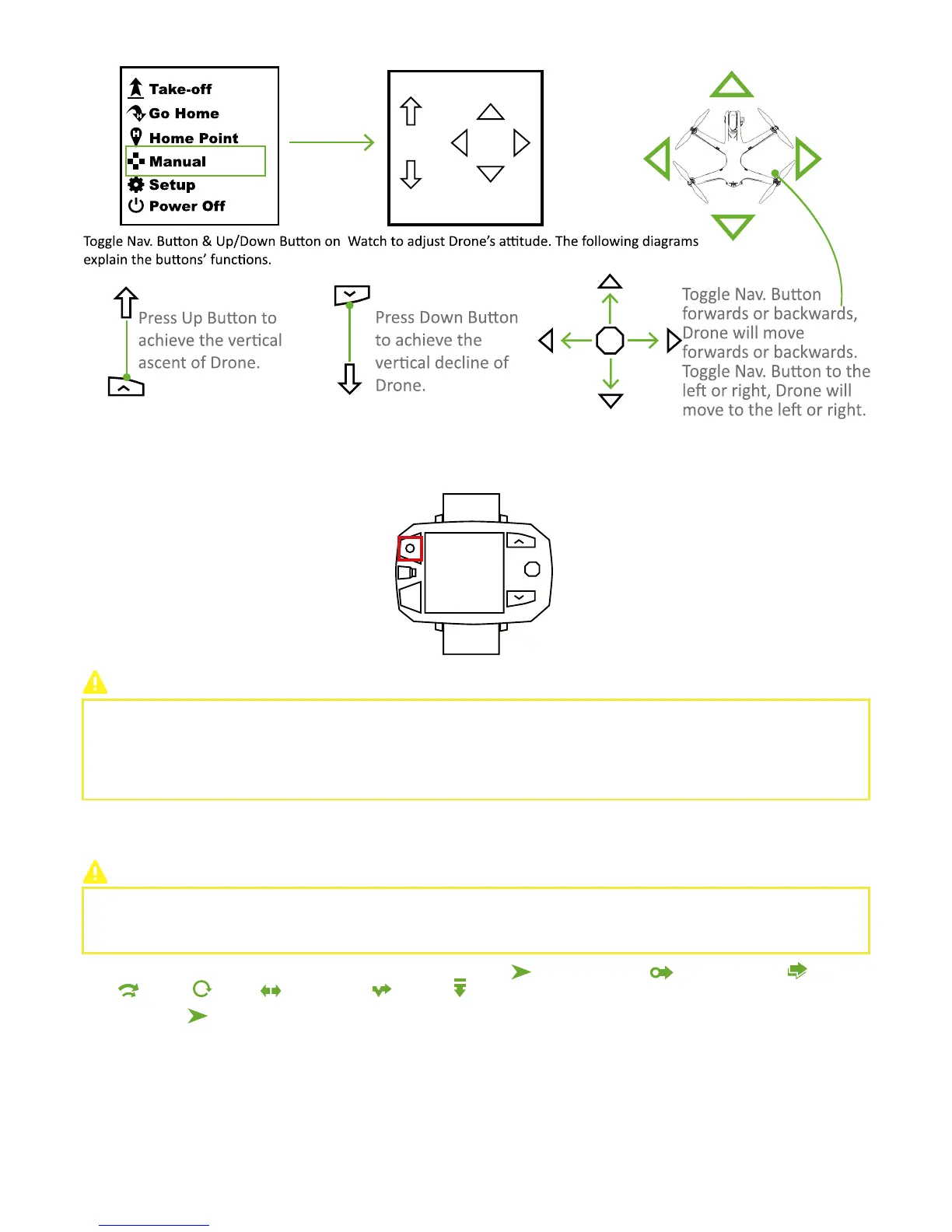
When Drone has connected to Sports Watch:
Drone will ascend to 5 meters and hover to wait for the next order.
When Drone has NOT connected to Sports Watch:
Drone cannot take off.
How to deactivate?
Press STOP Button to exit Manual Interface.
After activating Follow Mode, the camera will always focus on the target. If you need to adjust Drone’s attitude, please pay
attention to the position and direction of nose. It is suggested to adjust drone’s attitude gradually and make sure you have set the
drone to the correct direction.
When head of drone faces Follow Module, you should pay special attentions because its orientation may be in the opposite
direction.
Step 11: Follow Mode
Before switching, please ensure parameters have been set correctly, flight environment is safe (e.g. no tall buildings and
interference sources), and distance between Drone & target is suitable.
Before Follow Mode, please put Drone & Follow Mode at the same height to calibrate!
There are 8 Follow Mode supported by CEEWA Drone: Simple-Follow ( )
,
Hover-and-Aim ( )
,
Follow-Shadow( )
,
Follow-
Track( )
,
Orbit( ), Selfie( )
,
Follow-Line( )
,
Freeze( ) .
Simple Follow
Drone will auto follow the target with a fixed distance and altitude.
Attentions: ONLY activate Simple-Follow after taking-off. When this mode has been triggered, Drone will remain the relative altitude
and distance between Drone & Follow Module.
Keep a safe distance between Drone & Follow Module.
How to activate?
CEEWA APP
:



 To Next Page