13
Step 5: Check AV-OUT Mode & AV cable & TF Card
Detach the camera from the gimbal. Press Power Button ( ) over 5s. When GREEN LED is blinking, the camera has been turned on.
If there is no image in the screen, AV-OUT Mode is enabled.
If there are images from the screen, AV-IN Mode is enabled. Please press the Up Button ( ) on the side of camera until image
disappears.
Check TF Card
Ensure TF card has been inserted into the camera.
Check AV-OUT Mode
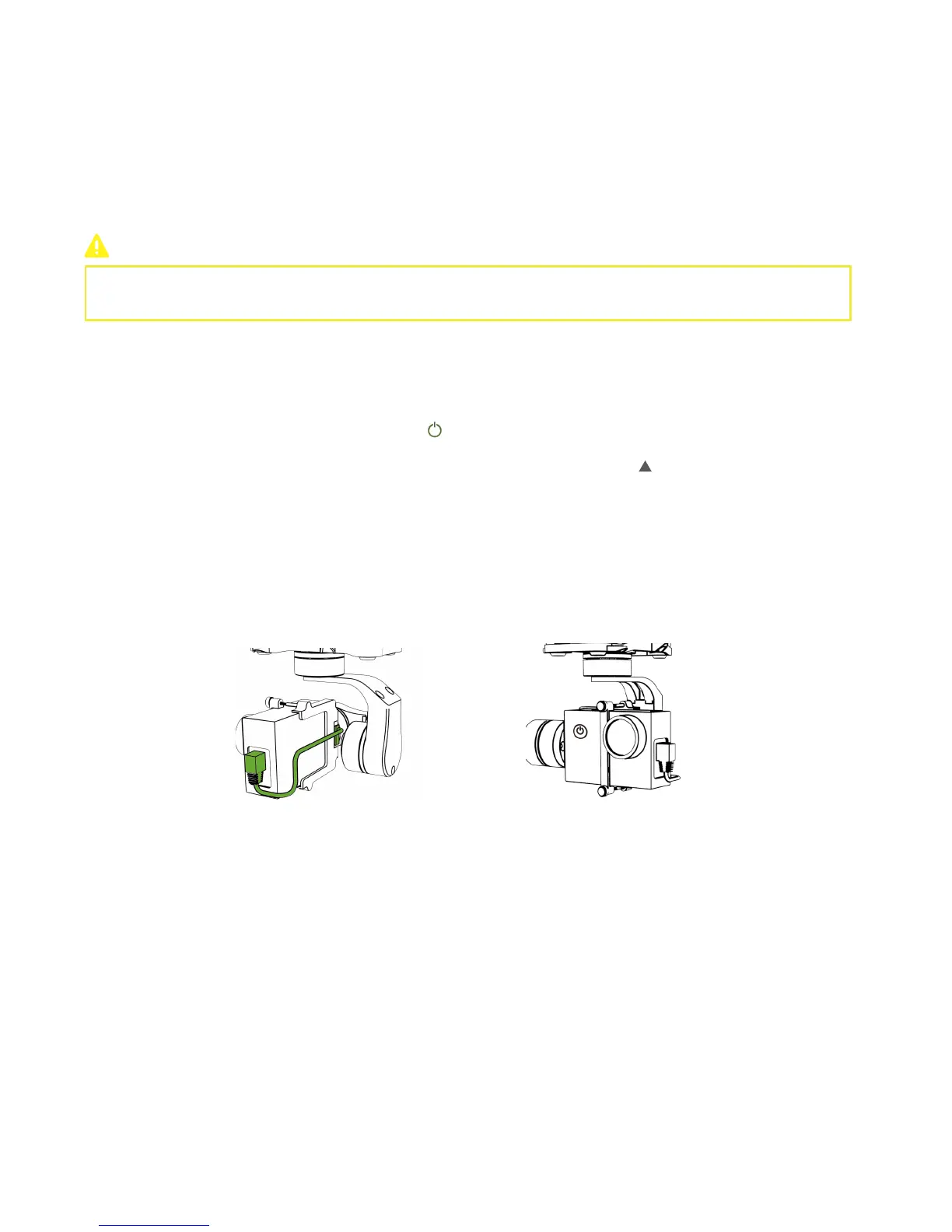
Mount the camera back to the gimbal and fix all the screws. Connect the AV port and gimbal like the diagram.
Check AV Cable
Turn on/off Smart Battery
After turning on, Red Power LED will blink to indicate the current battery level.
Connect Charging Chip with Follow Module, and connect Charging Chip with USB cable to finish charging.
4K Camera
:
Refer to 4K Camera User Manual for details. (from Download Page of CEEWA.COM)
1080P Camera
:
Refer to 1080P Camera User Manual for details. (from Download Page of CEEWA.COM)
4K Camera
:
Connect Camera to Charging Dock or USB port of the computer by the USB cable. When charging, RED LED is on.
After finishing charging, RED LED is off.
1080P Camera
:
Connect Camera to Charging Dock or USB port of the computer by the USB cable.
4K Camera
:
Refer to 4K Camera User Manual for details. (from Download Page of CEEWA.COM)
1080P Camera
:
Refer to 1080P Camera User Manual for details. (from Download Page of CEEWA.COM)
Turn on Smart Battery, Sports Watch, Follow Module and Camera.
Step 6: Turn on/off Devices
Mount Smart Battery into the drone and fix it tightly.
Power ON:
Press the Power Button once, and then press this button for over 3s till all LEDs have blinked once.
Power OFF:
Press the Power Button once, and then press this button for over 3s till all LEDs turn off.
Camera Battery Level Check & Charging
1. Check Battery Level
Current Level
Red Power LED blinks 4 times. full
Red Power LED blinks 3 times.
75%
Red Power LED blinks 2 times.
50%
Red Power LED blinks 1 times.
25%
Red Power LED blinks quickly.
10%
Red Power LED blinks twice and then turns off. 0%



 To Next Page