29
Hover-and-Aim
Sports Watch:
Hover-
and-Aim
Hover-
and-Aim
3
GO
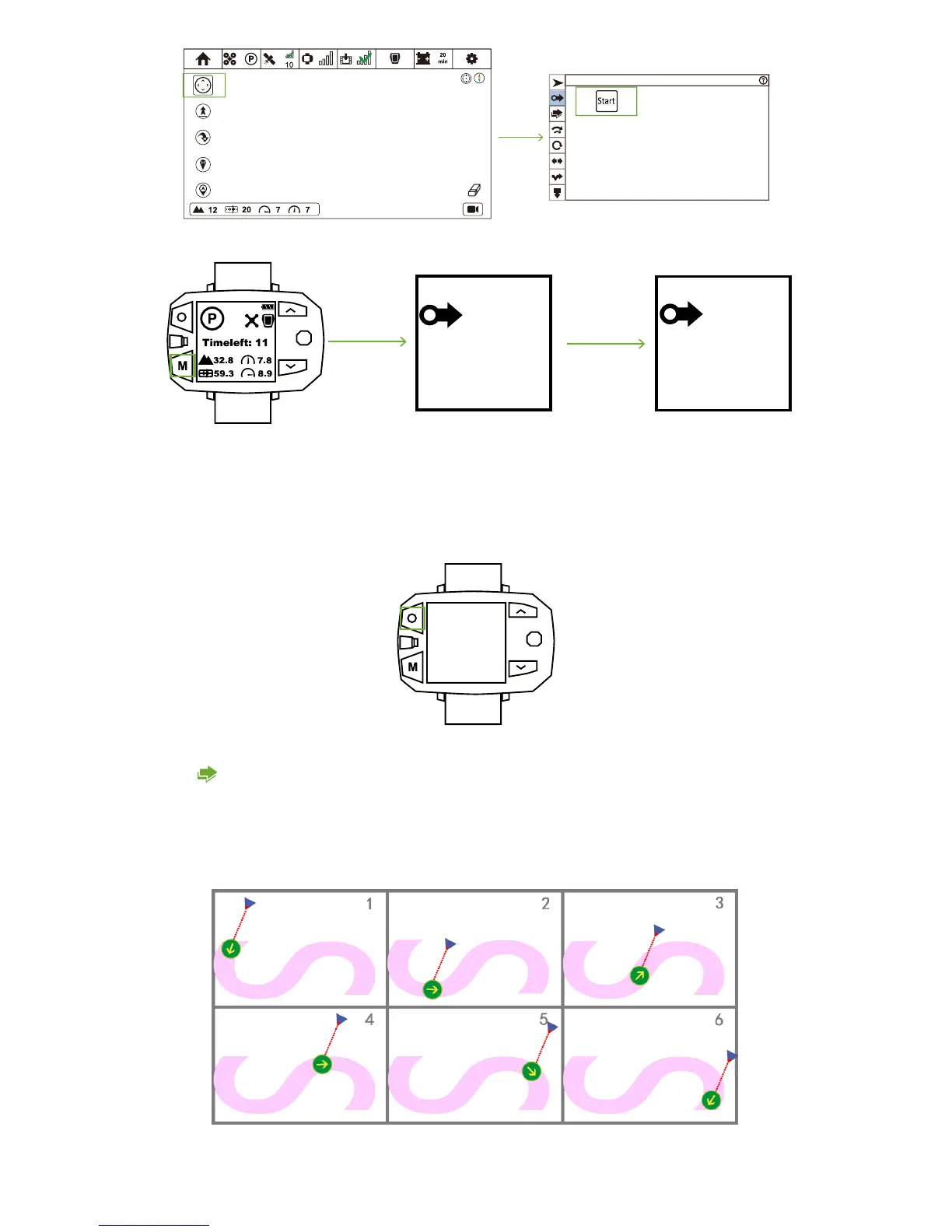
When connection is OK, press Mode Button repeatedly until Hover-and-Aim icon shows on the screen. After 3 times of beeps, Hover-
and-Aim enables.
You need set relative distance, altitude and angle between Drone & Follow Module in APP. After activating, Drone will fly based on
the preset distance, altitude and angle.
In the following diagram, Green Circle represents Follow Module, while the Golden Arrow stands for the moving direction of Follow
Module. The Blue Triangle represents Drone.
How to deactivate?
Sports Watch:
When pressing STOP button, “Hovering…” shows in the screen and Sports Watch vibrates once. At this moment, Follow Mode has
been cancelled.
Hovering
Follow-Shadow



 To Next Page