44
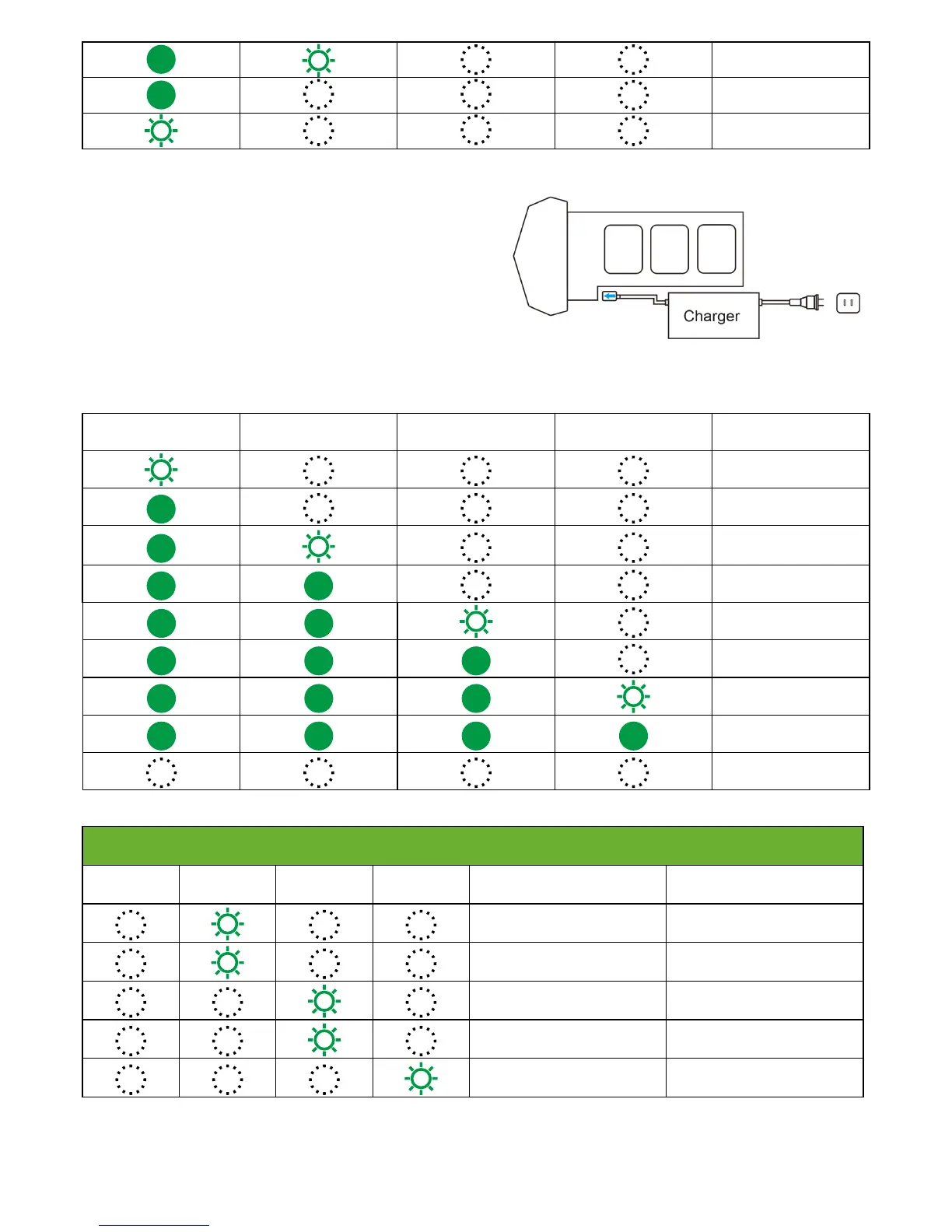
① Connect Battery Charger to a power source (100V-240V
,
50/60Hz;).
② Connect the Smart Battery to Battery Charger (when the battery is
powered off).
③ The Battery Level LEDs will blink to indicate the current battery
level.
④ Smart Battery is fully charged when Battery LEDs are full. Please
disconnect the battery and charger.
⑤ After flight, the battery temperature is a litter high. You should
wait until it drops to room temperature, and then charge the battery.
⑥ The most appropriate charging temperature should be 0 to 40
degrees Celsius (32 to 104 degrees Fahrenheit).
2. Charging
LED1 LED2 LED3 LED4 Current Level
0%~12.5%
12.5%~25%
25%~37.5%
37.5%~50%
Battery Level LEDs while charging
50%~62.5%
62.5%~75%
75%~87.5%
87.5%~100%
Full
Battery Level LEDs Error
Errors
LED1
LED2 LED3 LED4
Pattern Errors
LED 2 blinks once per second Over Current
LED 2 blinks three times per
second
Over Charge
LED 3 blinks once per second
Charging temperature is higher
than 40 degrees.
LED 3 blinks three times per
second
Short Circuit
LED 4 blinks twice per second Battery Damaged
After any of the above errors are solved, press Power button to turn off the battery. Unplug the Smart Battery and plug it back to the
charger.
25%~37.5%
12.5%~25%
0%~12.5%



 To Next Page