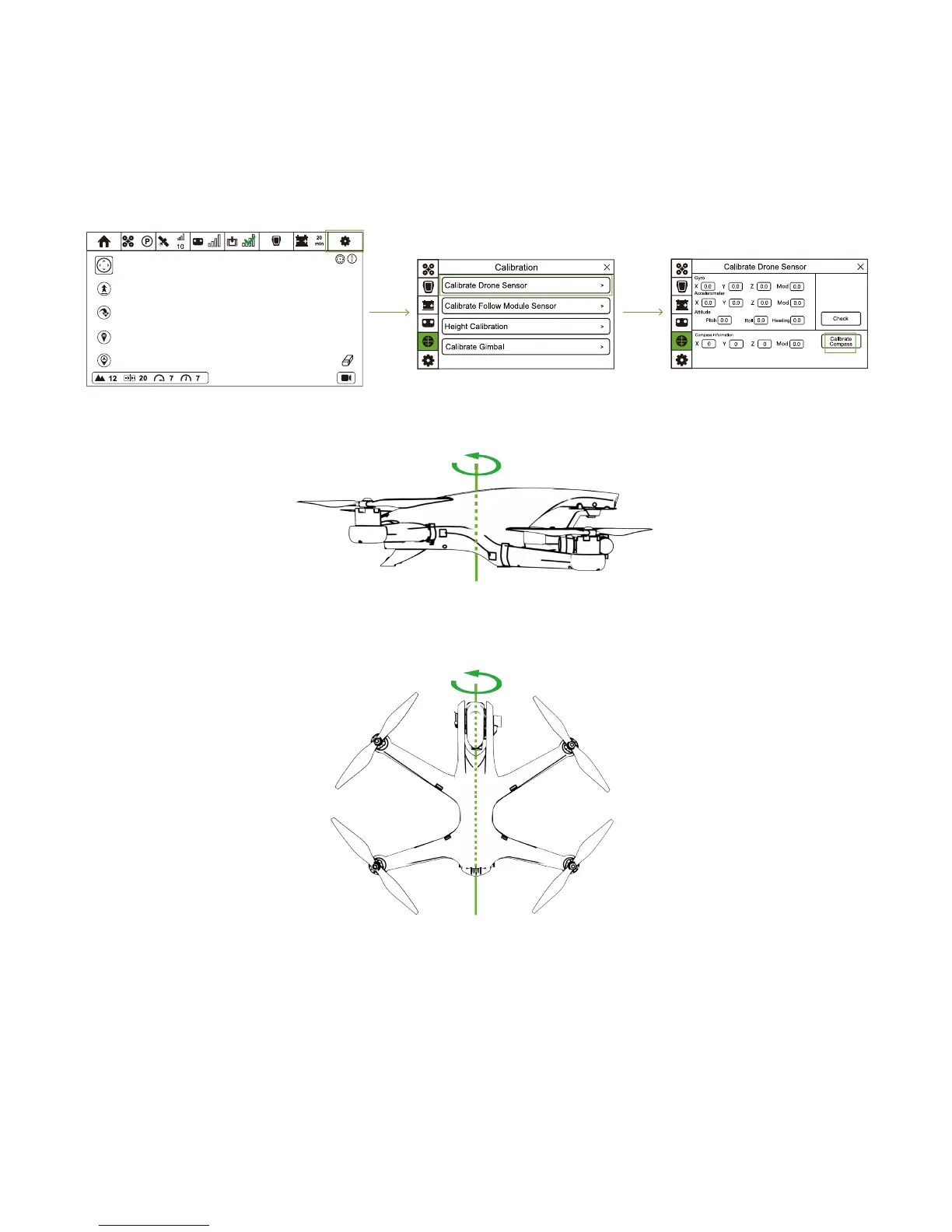
1. Drone Compass Calibration
(1)When should I Calibrate?
① It is suggested to calibrate compass when you first use Drone.
② Regularly calibrate the compass because it is easily interrupted by other electronic devices.
③ If RED Status LEDs on Drone blink twice per second, please do compass calibration before taking-off. If Drone has taken off,
please land as soon as possible and calibrate the compass.
(2)Calibration Steps
① Turn on CEEWA APP and enter Flight Interface. Tap "Others" icon and choose Calibration icon to enter Calibration interface.
② Select "Calibrate Drone Sensor" option and choose "Calibrate Compass".
③ When Drone Yellow Status LEDs are on, hold and rotate the drone horizontally until Green LEDs are on.
④ When Green LEDs are on, hold the drone vertically with its nose pointing upwards. Rotate the drone around the center axis until
Yellow LEDs are blinking.
⑤ If calibration fails, Red LEDs are blinking twice per second. Please repeat step 3 and 4.
(3)Attentions!
① DO NOT calibrate your compass where there is strong magnetic interference around, such as magnetite, parking structure, and
steel reinforcements underground.
② DO NOT carry ferromagnetic materials with you during calibration such as keys.
③ DO NOT calibrate beside massive metal objects.
④ If calibration fails, there may be interference around. Please re-calibrate in another place.
⑤ Before calibration, please make sure Drone and CEEWA APP has connected.



 To Next Page