(1)When should I Calibrate?
It is suggested to calibrate Follow Module Sensor regularly on the horizontal ground to achieve a better flight experience.
③ If calibration fails, please repeat Step 1-2.
④ When Blue Status LED blinks quickly, rotate the Follow Module vertically.
⑤ If Blue Status LED turns to be constantly on, calibration finishes. If calibration fails, please repeat step 1 to 4.
5. Height Calibration
(1)When should I Calibrate?
Before using Follow Mode, you need put Drone and Follow Module at the same height and do the calibration.
(2)Calibration Steps
CEEWA APP:
You could enter Calibration interface to do the calibration.
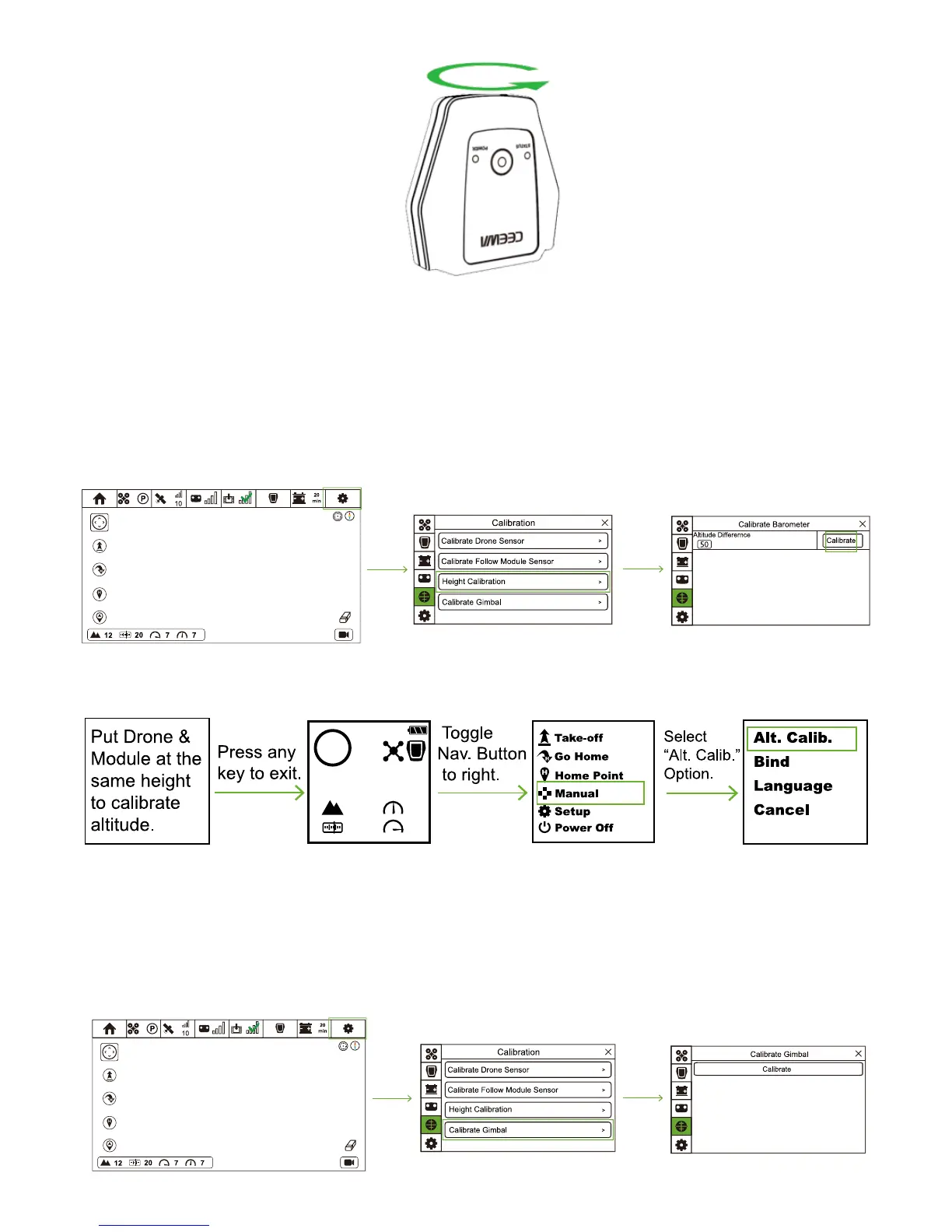
① Turn on CEEWA APP and enter Flight Interface. Tap “Others” icon and choose Calibration icon to enter Calibration interface.
② Put Drone and Follow Module at the same height.
③ Select “Calibrate Height” option and choose “Calibrate”.
Sports Watch:
When Sports Watch connects with Drone, there is a warning to do the height calibration.
Put Drone & Module at the same height to calibrate altitude.
6. Calibrate Gimbal
(1)When should I Calibrate?
When drifts happen or gimbal angle is not horizontal, you need to do gimbal calibration.
(2)Calibration Steps
① Ensure Drone has connected to CEEWA APP. Place Drone on the level ground.
② Turn on CEEWA APP and enter Flight Interface. Tap “Others” icon and choose Calibration icon to enter Calibration interface.
③ Select “Calibrate Gimbal” option and tap “Calibrate”.



 To Next Page