62
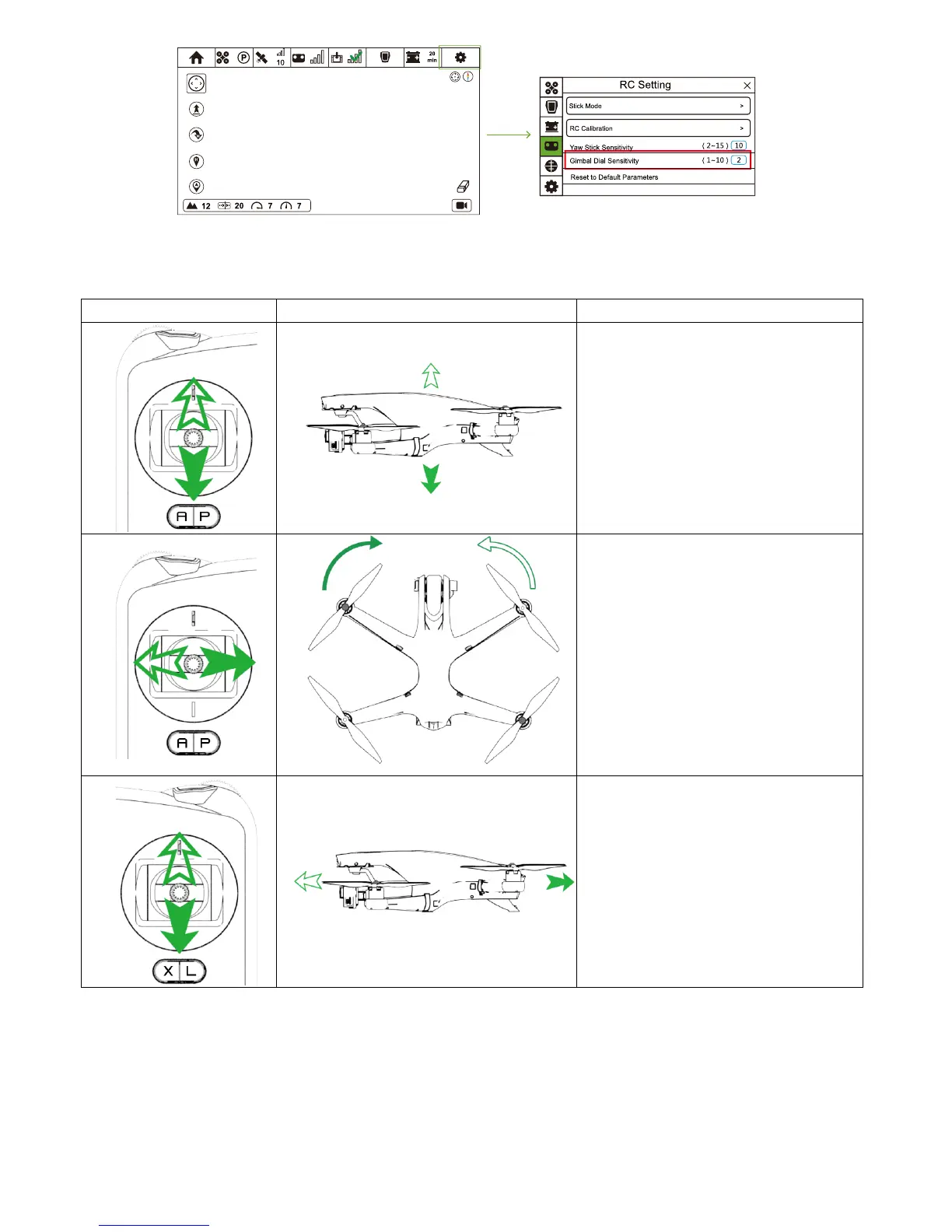
If you have no experience in controlling the drone, you can refer to the table below to adjust drone's attitude.
This table is based on the default control mode: Mode 2.
Control the drone
RC Drone Operation Methods
Move the left stick up and down to change the
elevation of the drone.
Push the stick up to ascend and down to
descend. When both sticks are centered, the
drone will hover.
Slowly push the throttle stick up over the
centered position to take off.
Move the left stick to the left or right to control
the rudder and rotation of Drone.
Push the stick to left to rotate Drone counter-
clockwise, while push the stick to right to rotate
Drone clockwise. If the stick is centered, Drone
will stay facing its current direction.
The more the stick is pushed away from the
centered position, the faster Drone will rotate.
Move the right stick up and down to change its
forward and backward pitch.
When pushing the stick up, Drone will fly
forward. When pushing the stick down, Drone
will fly backward.
If the stick is centered, Drone will hover.
Push the stick further away from the centered
position for a larger pitch angel (30 degrees at
max) and faster flight speed.



 To Next Page