72
Smart Go-Home
Enable Go-Home by Sports Watch / CEEWA APP. During Smart Go-Home procedures, you can control its orientation and height
through Watch.
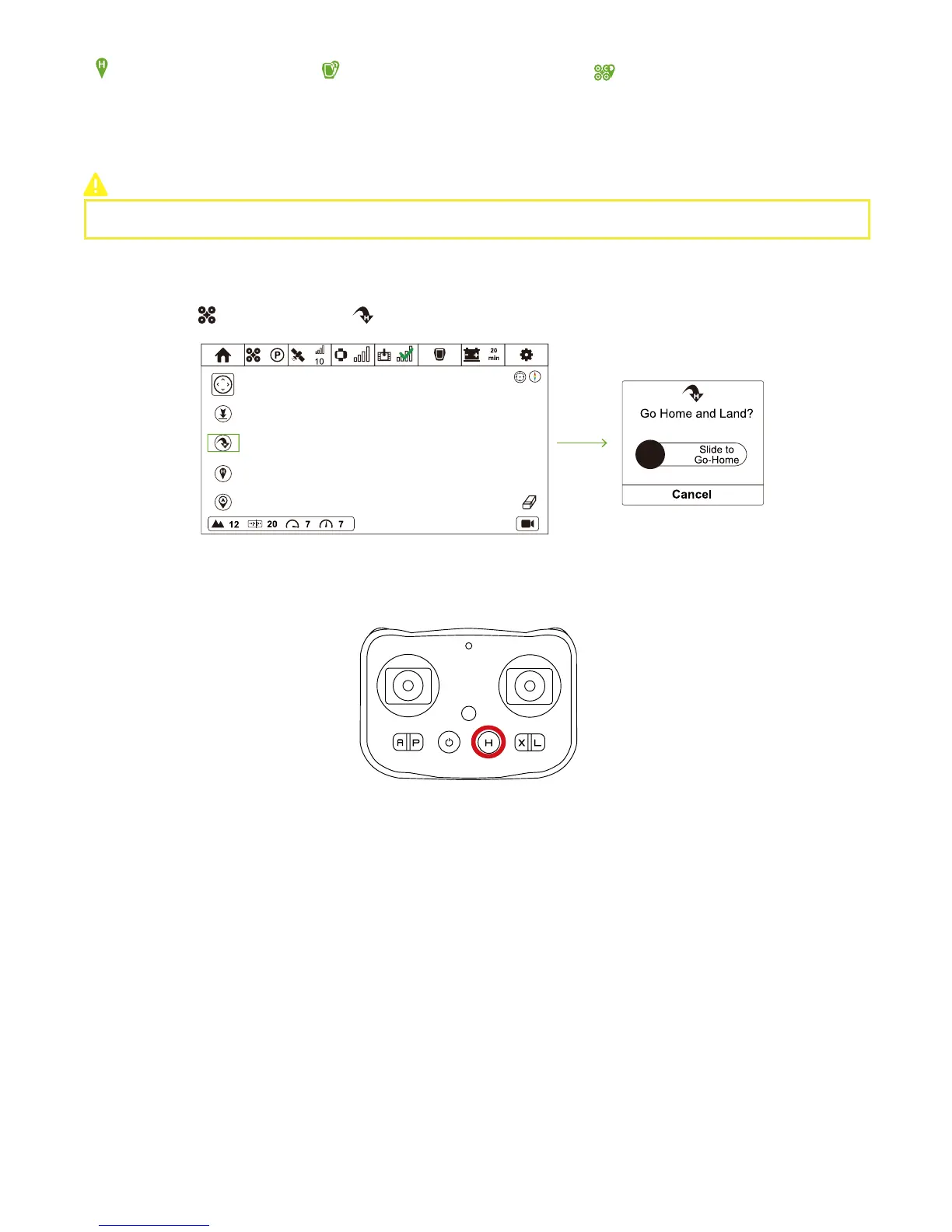
Press H Button for over 5s. If Remote Controller vibrates once, it indicates that Remote Controller enables.
It is suggested to enable Smart Go-Home in a safe and reliable environment to avoid obstacles.
How to activate?
CEEWA APP
:
Remote Controller
:
In Flight Interface ( ), tap Go-Home icon ( ) and slide the white slider to confirm going home.
Set Take-off Coordinate as
the New Home Point
Set Follow Module Current
Coordinate as the New Home Point
Set Drone Current Coordinate as the
New Home Point
Low-Battery Go-Home
Failsafe Go-Home
How to Go-Home?
The content of this table shows the go-home procedures in Smart Go-Home, Low-Battery Go-Home and Failsafe Go-Home.
In order to avoid dangers of low-battery, the main controller system will calculate the distance between Drone & Home Point and go-
home time in real-time. When the remaining battery is ONLY enough for going-home, Low-Battery Go-Home is triggered. During the
process, you could control Drone's attitude through Sports Watch and Remote Controller to avoid obstacles.
Moreover, you could switch to P Mode to cancel Low-Battery Go-Home. However, after canceling, if the battery is ONLY for landing,
Drone will auto land. You cannot disable this procedure, but can control Drone's attitude through Sports Watch to avoid obstacles.
When more than 10 satellites have been found & compass work properly & Home Point has been recorded, if Drone disconnects
with Sports Watch, Drone will auto return to the latest Home Point.
During Go-Home process, if the signal is recovered, Failsafe Go-Home can be cancelled and you can regain control over the drone by
Watch.
-------------------------------------------------------------------------------------------------------------------------------------------------------------------------------



 To Next Page