31
User’s Manual
CellaVision
®
DM1200
(Cont'd)
Black boxes mark the cells that were located but not needed for the test, indicating
that the system has located enough cells for the test and is coming to an end.
Note! On screen, cell images are not always presented in the same order as the
system is working. Cells marked with black boxes may occur in the middle of the
test, not only towards the end.
Note! The last collected cell will be marked with both a black and a green or blue
box.
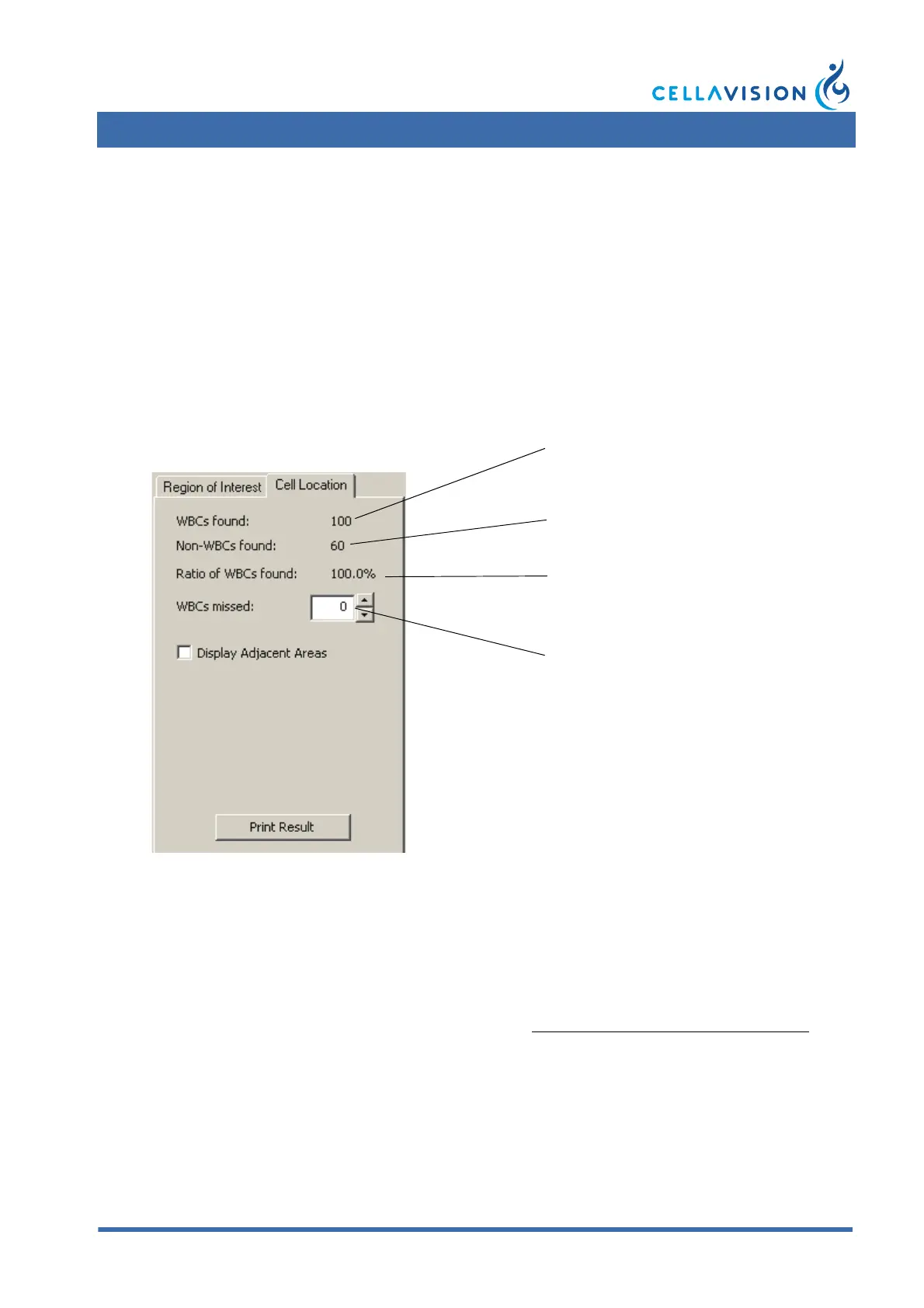
The Result
The result is automatically calculated. The percentage indicates how many
nucleated cells the system found including the manually added number of missed
cells.
The result should be compared to the laboratory's own established limits.
Performance characteristics when using standardized staining and smear
preparation procedures are presented in Appendix A — System Specification
.
The cell location results can be printed by clicking the Print Result button.
Number of nucleated cells found in the
sample.
Number of non-WBCs found in the
sample.
Number of missed nucleated cells in the
analysis area.
Cell location percentage.



 To Next Page