14
Operation of the Liberty Blue
Operation of the Liberty Blue
The operation of the Liberty Blue is controlled through the Liberty Blue application software. The Liberty Blue
includes an external computer controller for running the Liberty Blue Software. This computer is connected to the
Liberty Blue and the Discover through an Ethernet connection or wireless router.
Software Terminology
Microwave Method: The specic microwave parameters used in a cycle. Microwave Methods can be created or
modied using the Microwave Editor.
Cycle: The specic steps used for each residue within a given sequence, including deprotection, washing, and
coupling. Cycles can be created or modied using the Cycle Editor.
Liberty Method: The specic parameters used to synthesize a peptide. For each Liberty Method, a sequence is
entered, and then parameters (individual coupling cycles for each residue, C-terminus type, nal deprotection, etc.)
are selected. Liberty Methods can be created or modied using the Liberty Method Editor.
Run: A specic instance of a method being loaded and started in Liberty Blue Software. A Run History le is
recorded for each run.
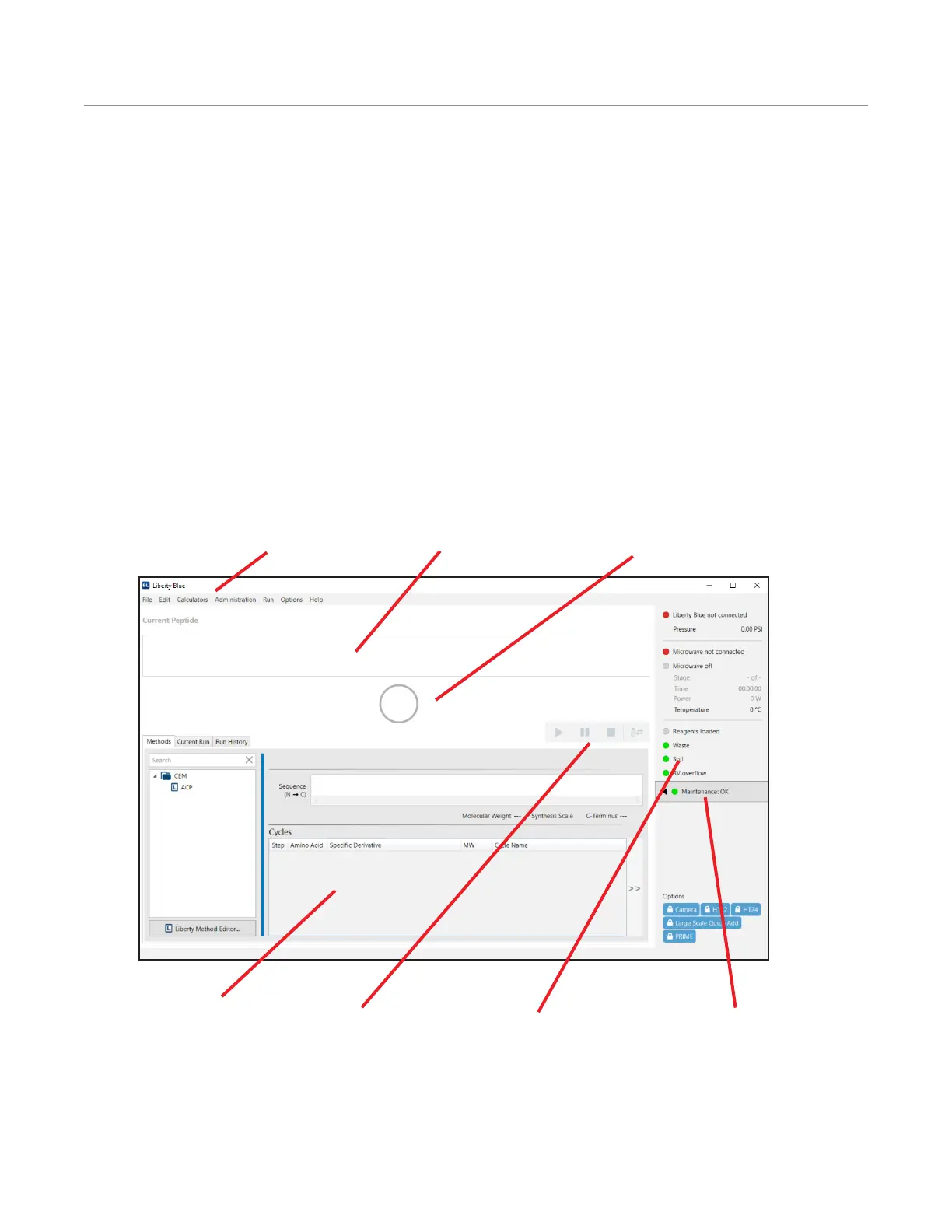
Liberty Blue Software Main Screen
Control Buttons
Start/Resume: This button starts the rst method in the queue, or resumes a paused method.
Pause: This button pauses the current method.
Stop: This button stops the current method. Liberty Blue Software will nish the operation it is currently performing
before stopping the method.
Menus
Peptide Synthesis Status
Resin Indicator
Current Method Detail
Control Buttons
System Status Box
Maintenance Tracker



 To Next Page
 Loading...











