Evolution® IP-20LH Installation Guide
Ceragon Proprietary and Confidential Page 46 of 101
5.1.2 Inserting a TCC in the Chassis
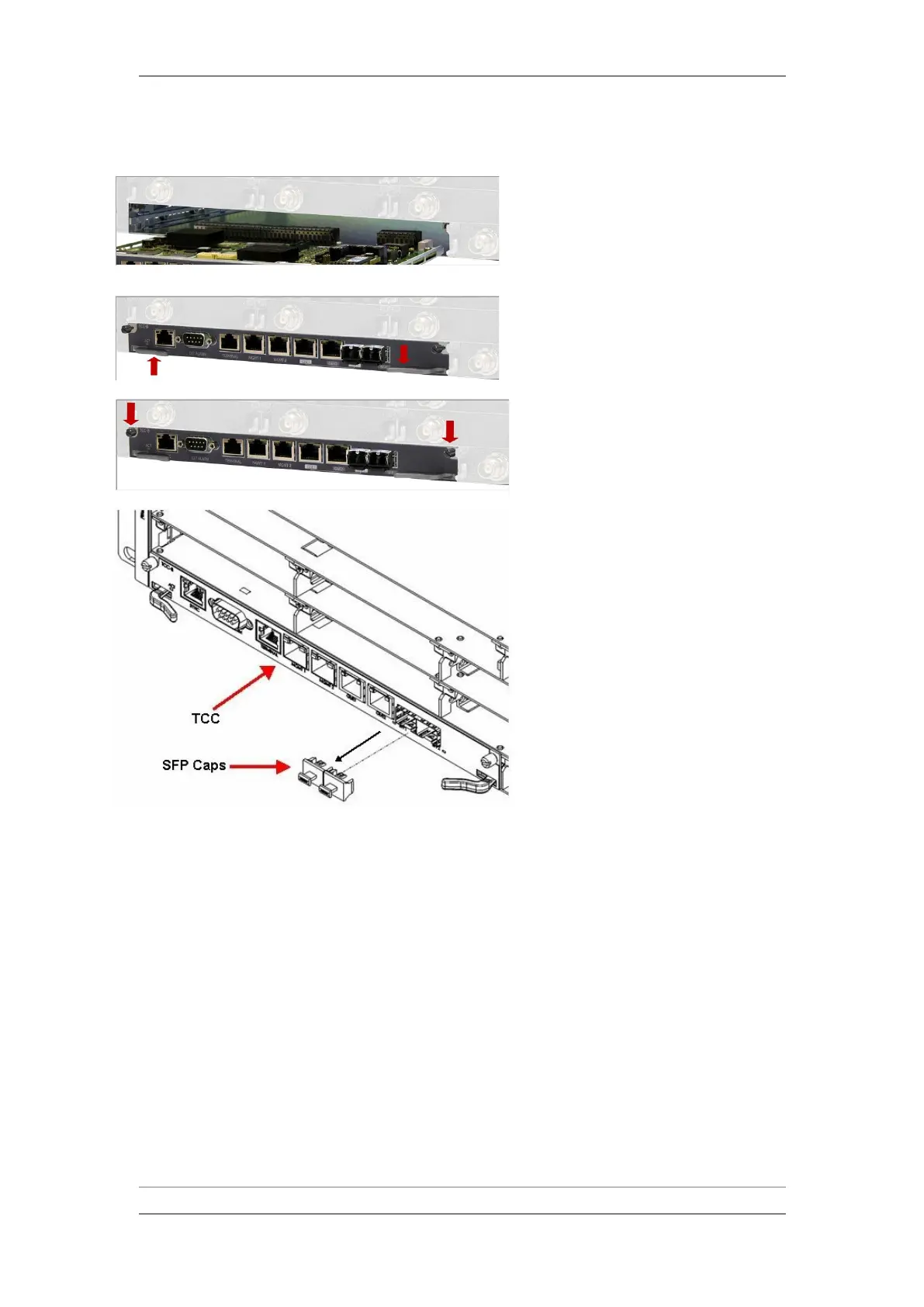
1 Carefully insert the new TCC into slot 1.
Ensure that the TCC enters the guides
inside the chassis, and gently press the
TCC to enter the internal connectors
without the use of excessive force.
2 Make sure that the card ejectors lock in
the correct position.
3 Fasten the two captive screws manually.
4 Remove the SFP caps from the TCC.



 To Next Page