Evolution® IP-20LH Installation Guide
Ceragon Proprietary and Confidential Page 50 of 101
4 connect all cables (not
shown).
5.2.2 Removing an RMC or LIC
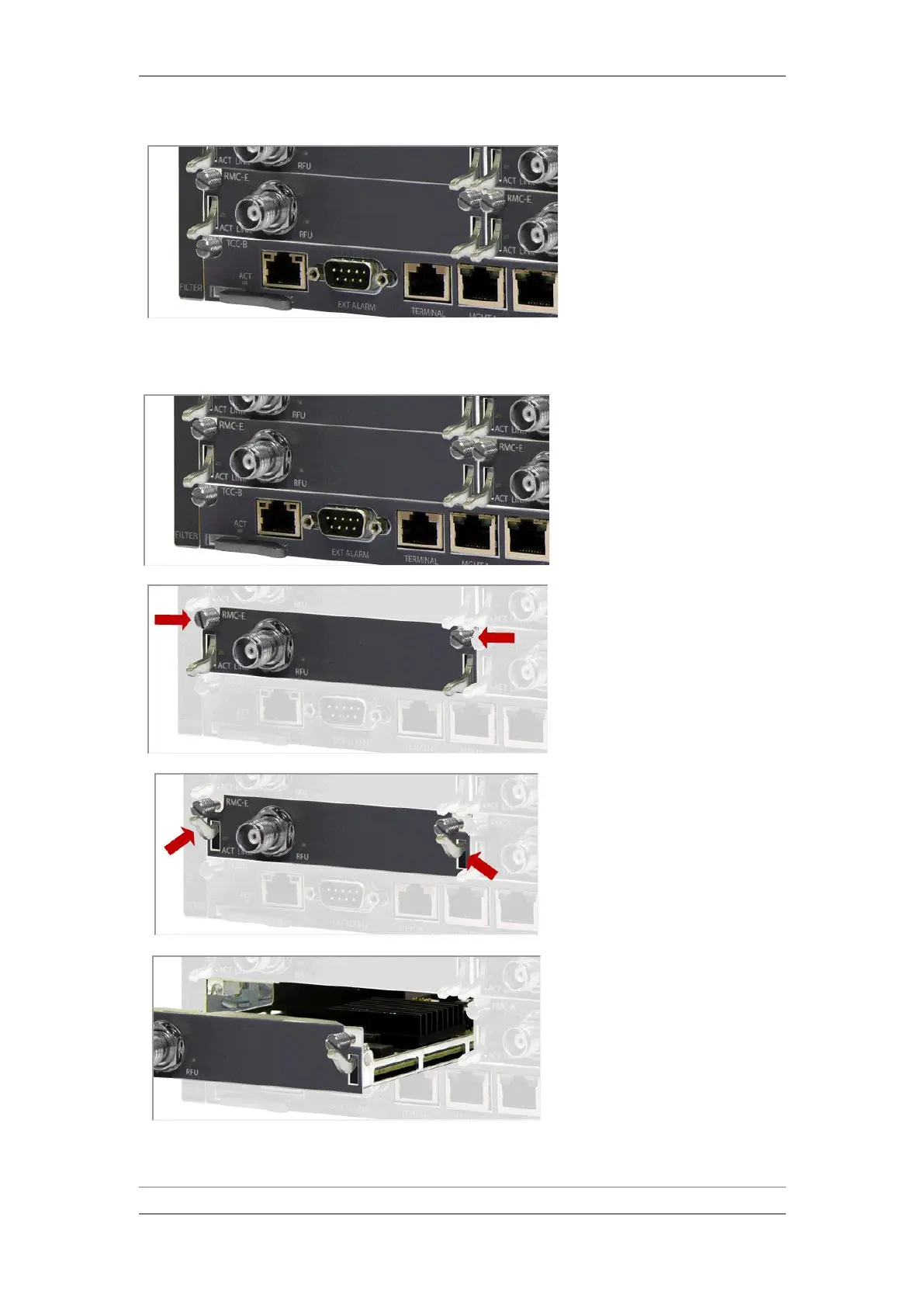
1 Disconnect all cables (not shown)
on the card to be replaced.
2 Unscrew the two captive screws
that secure the card to the
chassis. A screwdriver may be
used if necessary to unscrew the
screws.
3 Release the card from the
backplane connectors by means
of the card ejectors.
4 Carefully remove the card from
the chassis by pulling the screws.



 To Next Page