Evolution® IP-20LH Installation Guide
Ceragon Proprietary and Confidential Page 88 of 101
9. Performing Initial Configuration
This section describes how to establish a management connection with the
IP-20LH unit and lists the configuration steps that should be performed in
order to enable basic radio connectivity. For detailed configuration
instructions, refer to the Evolution IP-20LH User Guide, DOC-00043450.
9.1 Establishing a Connection
You can connect to the IP-20LH unit via a Serial or a LAN connection.
9.1.1 Connecting to the Unit with a Serial Connection
1 Connect a serial RS-232 cable with an RJ-45 interface from the laptop or
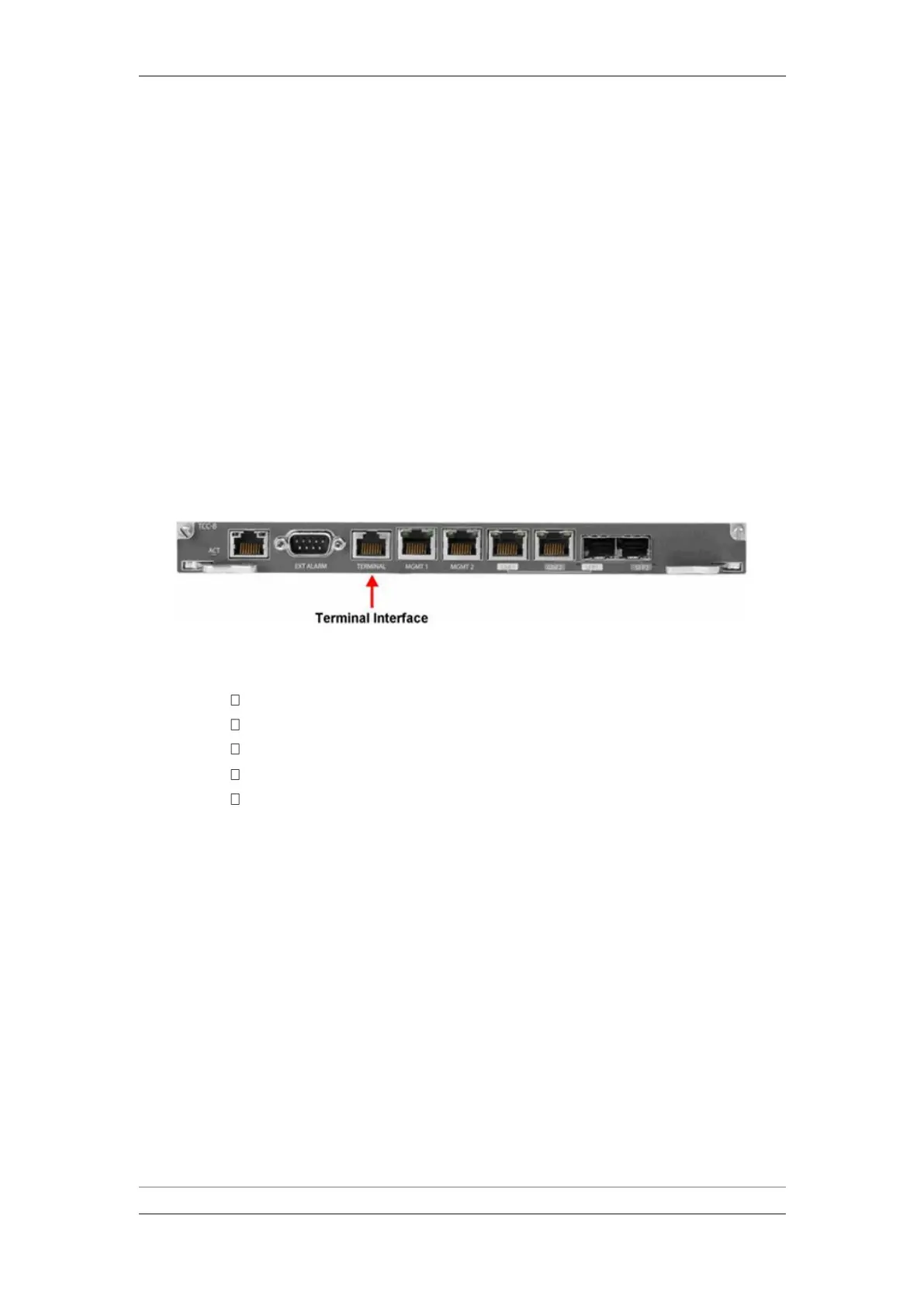
PC you are using to configure the unit to the Terminal Interface on the TCC.
Terminal Interface on TCC
2 Configure the following settings for the COM port you are using on your PC
or laptop:
Bits per Second – 115,200
Data Bits – 8
Parity – None
Stop Bits – 1
Flow Control - None



 To Next Page