Evolution® IP-20LH Installation Guide
Ceragon Proprietary and Confidential Page 54 of 101
5.4 Installing and Replacing the Fans Drawer
A fans drawer is generally included in a new chassis. If you need to install or
replace the fans drawer, use the following instructions.
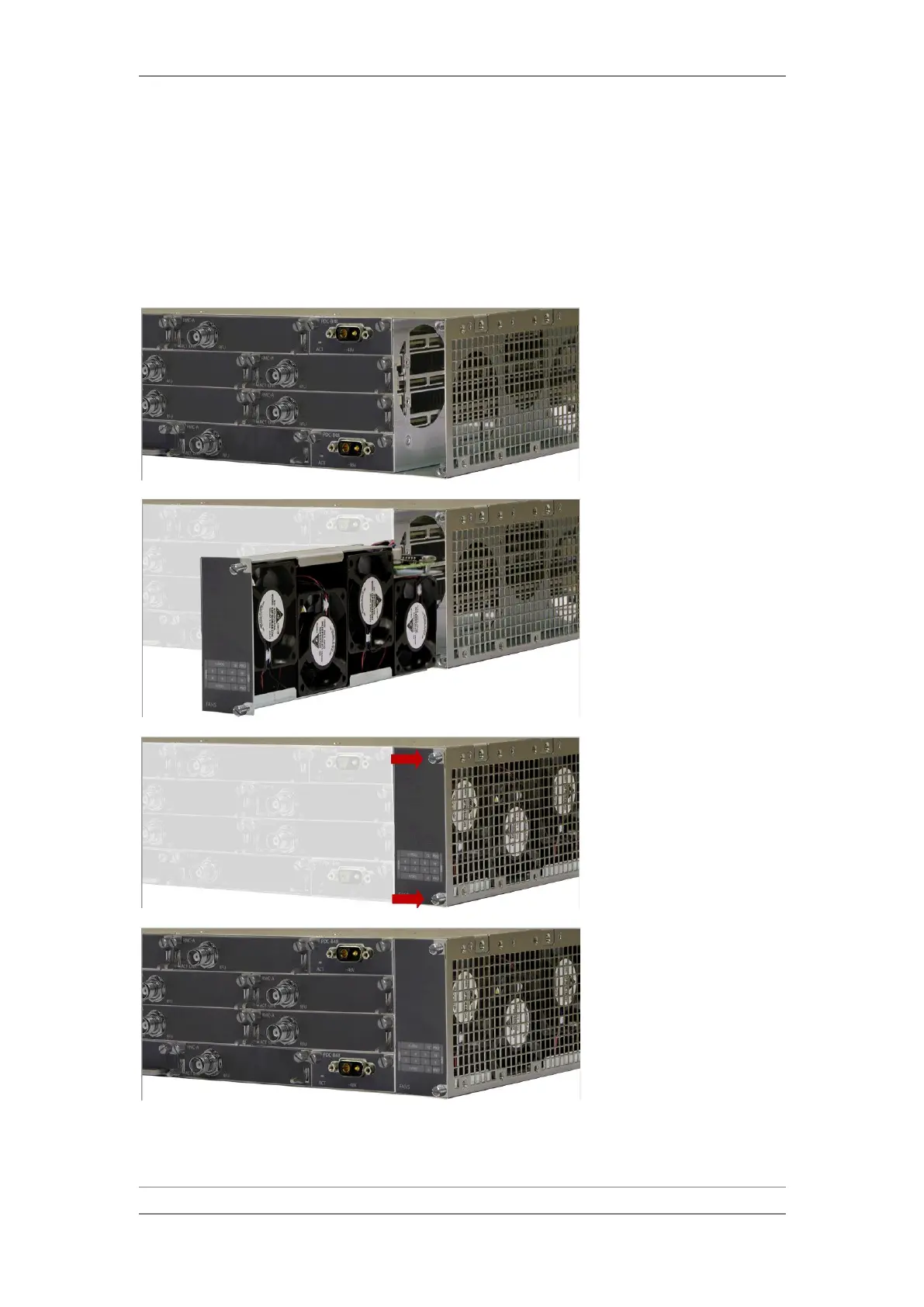
5.4.1 Installing the Fans Drawer
1 Carefully insert the fans
drawer in the right vertical
slot. Ensure that the drawer
enters the guides inside the
chassis, and gently press the
card to enter the internal
connectors without the use
of excessive force.
2 Fasten the two captive
screws manually.



 To Next Page