Evolution® IP-20LH Installation Guide
Ceragon Proprietary and Confidential Page 66 of 101
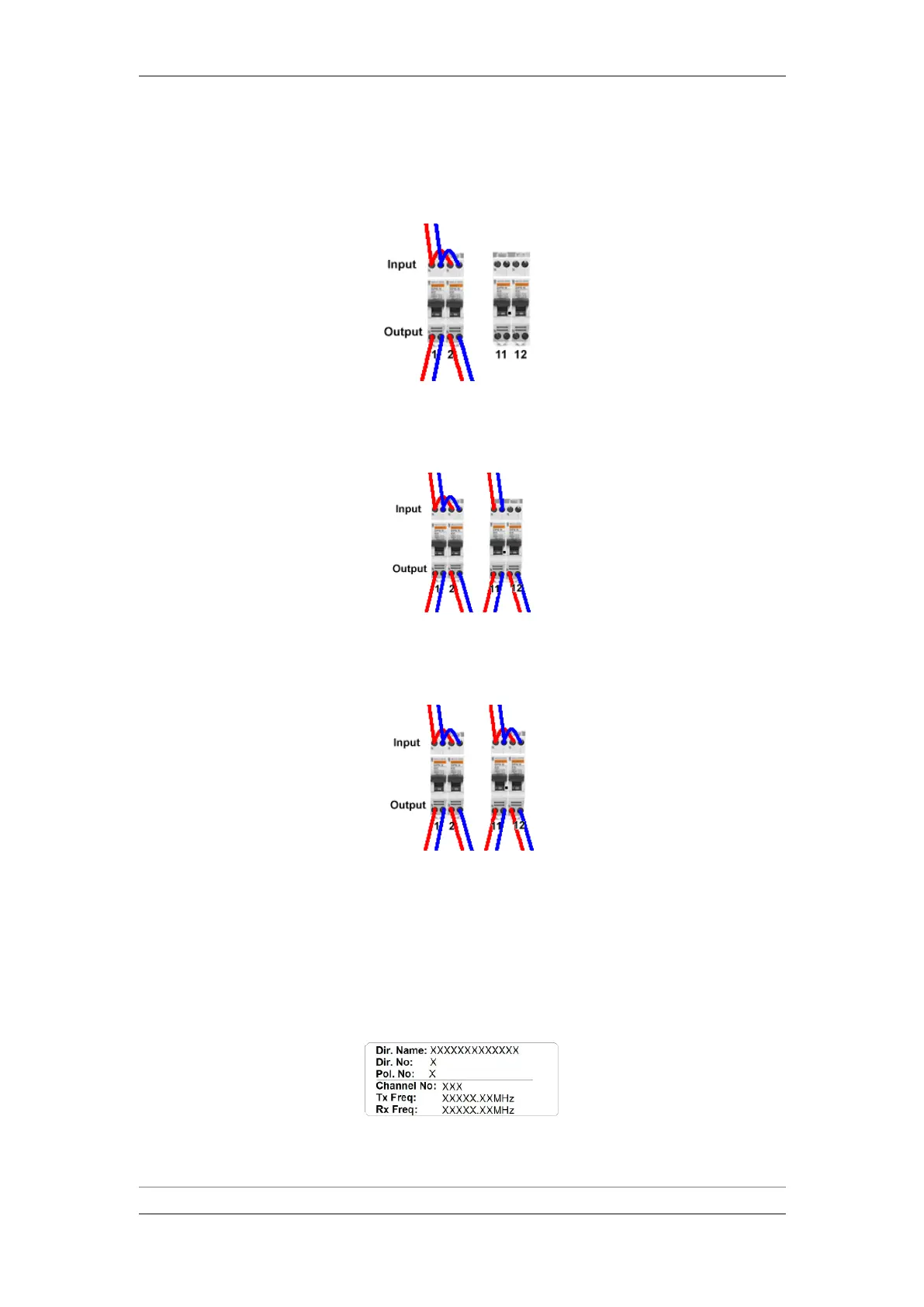
14 If there is a second IDU chassis in the equipment rack, connect bridging
wires between fuses number 1 and 2.
Single Power Source – Two IDUs
15 If one of the PDCs has a dual power feed (such that fuse 11 is in use),
connect a second power cable, part number AWZP36, to the inputs of fuse
number 11 and to a second 48 VDC power source.
16 If there is a second IDU chassis in the equipment rack and both have dual
power feed (such that both fuses 11 and 12 are in use), connect bridging
wires between fuses number 1 and 2 and between fuses 11 and 12.
6.1.2 System Marking
Mark the system components as follows:
XCVR - "Dir. No" and "Channel No" are used for identification of RMC-E card
in the IDU chassis and XCVR devices (see the cable marking and channel
identification map).
XCVR Label



 To Next Page