Page 24
SetUP "Your Settings"
SetUP "Your Settings"
Step 3 Assign "Each" Door Number to One or More Relays:
When a valid access code is used at an external access control device (Door), the unit can be set
to activate one or more relays.
Factory Settings: Door 1 Activates Relay 1; Door 2
Activates Relay 2; Door 3 Activates Relay 3; Door 4 Activates Relay 4
1
Press
Then
2
Enter the Door Number (1-4). Then (#)
3
Enter Relays to be Activated (0000-1111). Then (#)
0=Deactivate, 1=Activate (1st digit=Relay 4, 2nd digit=Relay 3, etc.)
Important: 1-3 must be performed
for EACH Door Number assigned to
the unit.
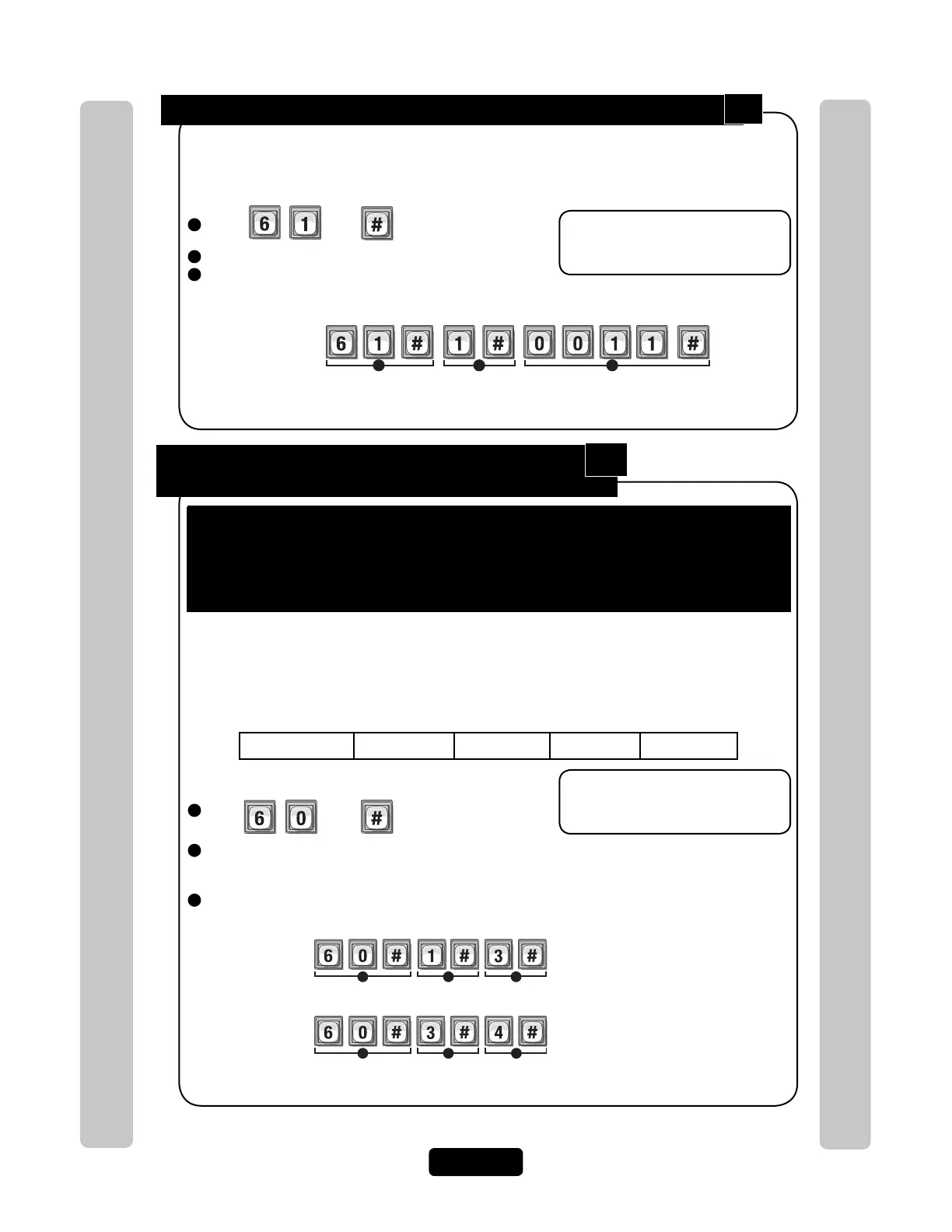
Example:
1 2 3
Relay 4 Relay 3 Relay 2 Relay 1
Deact Deact
Activate Activate
When a Resident uses a Valid Code at "Door 1", Relay "1" and Relay "2" will Activate
Step 4 Assign Each External Access Control
Device a "Door Number":
The units can be equipped with Wiegand reader and radio frequency (RF) modules that allow
your system to accommodate external access control devices such as a Wiegand-compatible
card readers (keypad) and RF receiver. In order for Wiegand devices to work successfully, you
must assign them a "Door Number". When a valid access codes is presented to the device, the
Assigned Door’s Relays will activate. Factory Setting:
To perform these 4 steps you MUST know EXACTLY where the External
Access Control Device(s) are wired in "Your" unit! When page 13 and 23 are
completed by you or your installer, they will help you understand "Your"
personal layout. If you do not know this, DO NOT PROCEED. Consult your
Installer and/or refer to the installation manual for assistance.
Press Then
2
Enter External Access Control Device Number (1-4). Then (#)
Internal Keypad is ALWAYS Assigned to External Access Control Device Number 0
3
Assign a Door Number (1-4) to the Device. Then (#)
Important: 1-3 must be performed
for EACH external access control
device of unit.
NOTE: A "Door Number" is a
number you assign to each
external access control device.
Only Wiegand devices may be
assigned to a door.
1
Device "1" is Assigned as Door "3".
Example A:
1 2 3
Device "3" is Assigned as Door "4".
Example B:
1 2 3
Door 1 Door 1
Main Keypad
Device 1
Door 2
Device 2
Door 3
Device 3
Door 4
Device 4
61
60



 To Next Page