Edge MAXX Operating Guidelines
3-7
CHI Panel Controls and Indicators
The CHI panel is the heart of the operation
of the Edge spreader/feeder, making it easy to
operate as well as to program and adjust the
feeding system. The CHI feed system control
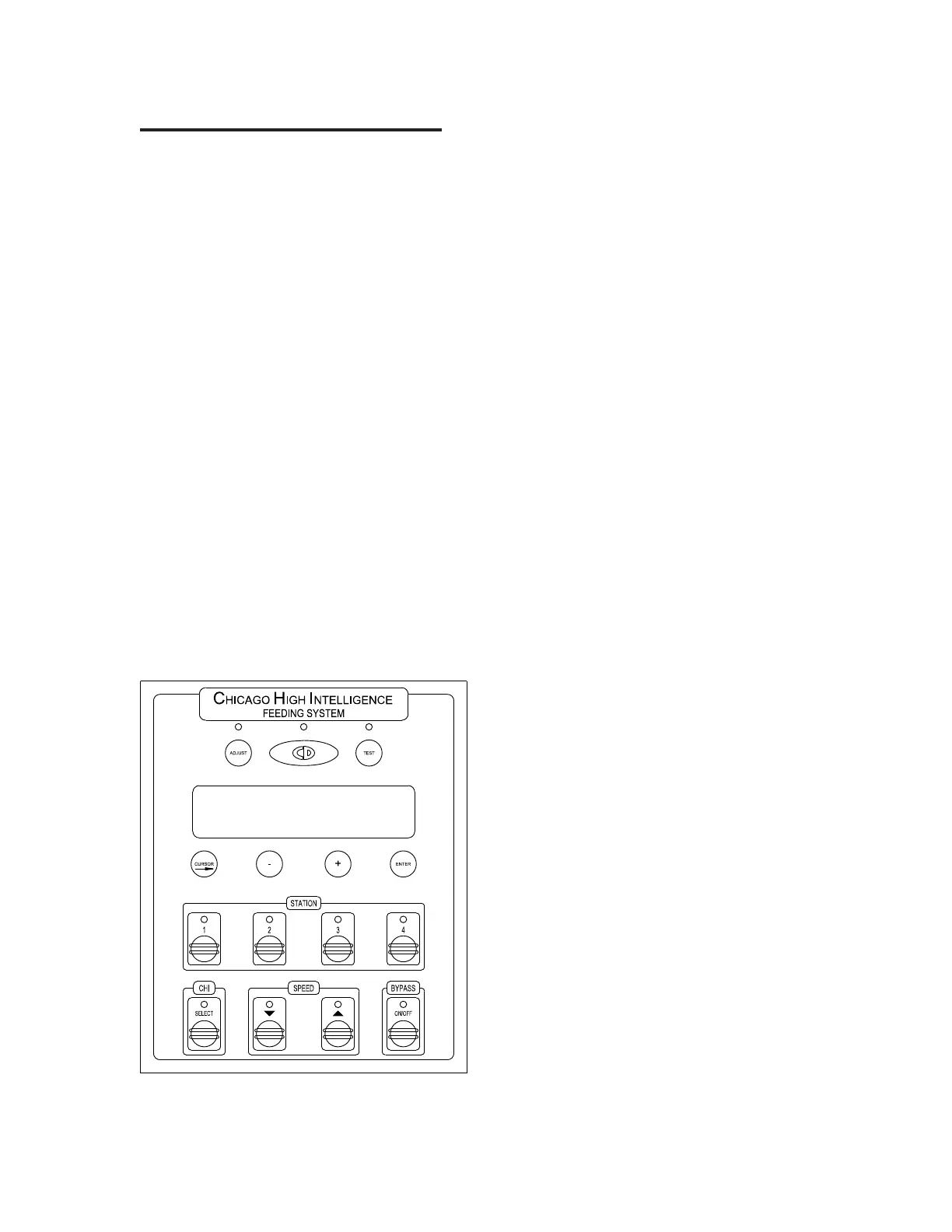
panel (Figure 3-9) is located on the right front
endframe and features these controls:
The ADJUST button (A) is used for adjusting
various settings in order to fine tune the
performance of the feeder.
The CD programming button (B) is used to
change the preset program settings for the various
types of pieces processed by the feeder.
The TEST button (C) is used during
troubleshooting. The feed system must be off in
order to access the test functions.
The CHI panel Display (D) varies depending
upon which mode is currently selected. It shows
the various fold system settings, diagnostic
messages, etc.
The CURSOR button (E) moves the cursor
to various positions in the CHI panel Display in
order to change settings.
The “
-” and “+” buttons (F and G) are used
to increase and decrease the various fold system
settings. The “-” button is also used to reset the
item counter.
The ENTER button (H) confirms a selection
from a menu, or to store new information.
The STATION buttons allow for automatic
operation using preset or user programmed
values. The appropriate lamp lights to show the
currently selected station. Also, turns feed/spread
functions on or off.
The CHI SELECT button enables the
CORNER GRAB DELAY for fine-tuning corner
size.
The SPEED buttons control the speed of the
unit in manual mode. Pressing decreases the
speed and increases the speed. The speed is
shown in the panel display.
The BYPASS ON/OFF button is used to
differentiate between flat sheets and fitted sheets.
When BYPASS is ON, the unit automatically
opens the lower spreader belts to accommodate
fitted sheets or odd items. Increasing the spreader
gap will reduce the pull on multi-layer or thicker
flatwork.
Figure 3-9: The Chicago High Intelligence (CHI)
control panel.
A
GF
B C
D
E H
I
J K L



 To Next Page