Edge MAXX Operating Guidelines
3-9
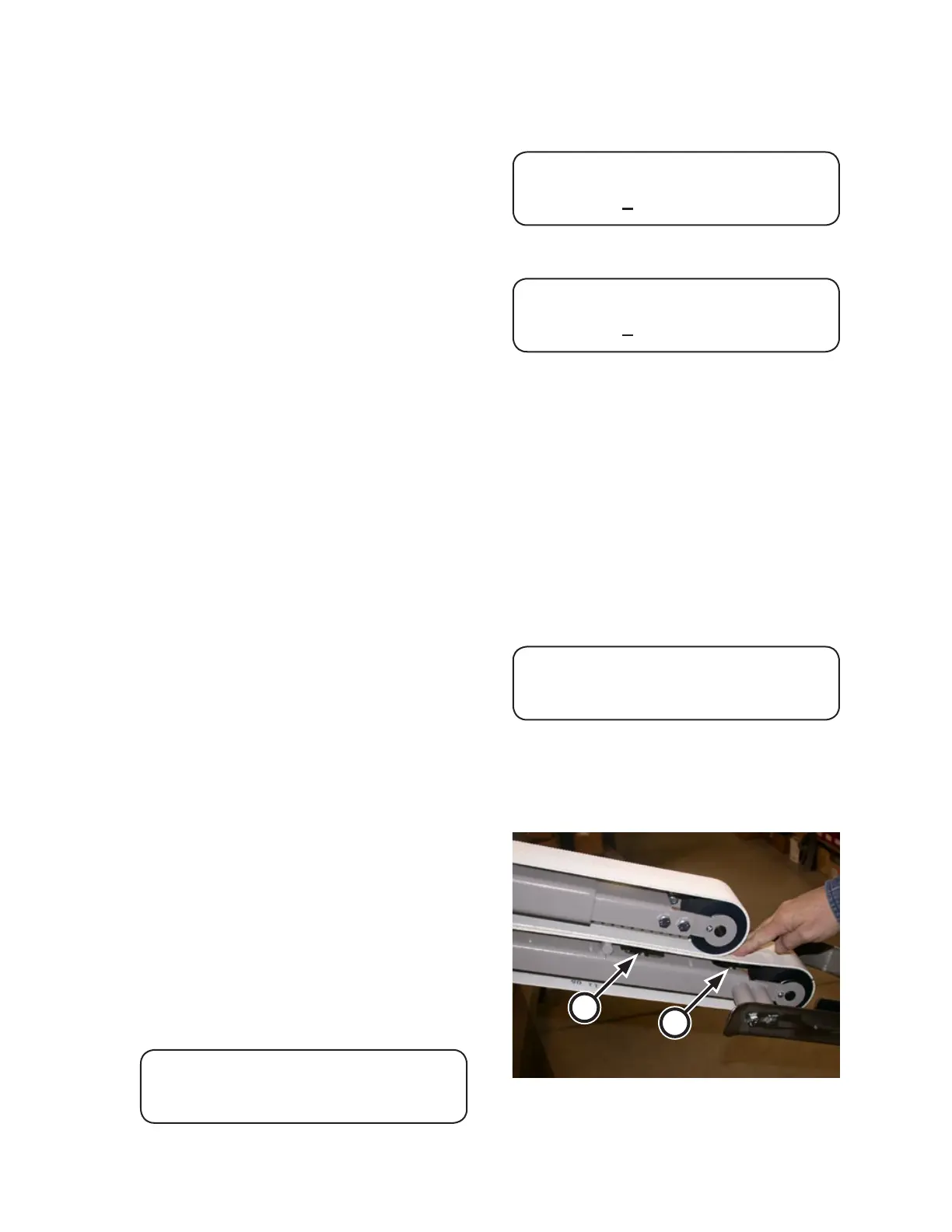
Figure 3-10: Two mass sensors are located under
the lower inlet belt.
B
A
Perform a safety check:
Press a red safety STOP button. All
moving parts should stop and an error
message should display in the CHI
Panel.
Reset the red safety STOP button by
twisting it clockwise.
Restart the unit.
Test each of the 5 remaining red safety
STOP buttons in the same manner.
To test the Interconnected Stop Cir
-
cuit, start another machine in the line
and press a red safety STOP button on
that machine. Make sure the spreader/
feeder shuts down, an error message
displays in the CHI Panel and the red
SYSTEM E-STOP lamp glows.
Reset the stopped unit so that the green
SYSTEM READY lamp glows.
Restart the unit.
Test the crossbeam sensor by momen
-
tarily blocking the beam. All moving
parts should stop and an error message
should display in the CHI Panel.
Restart the unit
At one station, test the two mass sen
-
sors one at a time. Press down on the
lower inlet belt just above a mass sen-
sor (Figure 3-10, A).
The upper arm should raise, all moving
parts should stop and an error message
should display in the CHI Panel.
Restart the unit and repeat the test with
the second mass sensor (B).
Repeat the mass sensor tests at the
other station.
Restart the unit. After the CHI Panel com-
pletes its diagnostics, for about 3 seconds
the CHI Panel displays:
EDGE MAXX
TYPE XX XX PROGRAMS
6.
•
•
•
•
•
•
•
•
•
•
•
•
•
7.
The screen then displays:
02 KING SHEET COTTON
*AUTO XXX FPM CNT XXXXX
OR
02 KING SHEET COTTON
SPEED XXX FPM CNT XXXXX
In automatic operation, the speed of the
feeder is determined by the ironer.
In other applications, manually set the
speed with the
and buttons so that
it is 0 to 5 FPM (0 - 1.5 m/min) less
than the speed of the ironer.
The spreader/feeder is now ready for
operation.
Note that if no STATION button is selected,
the display will show:
FEEDER OFF
In this case, the machine will be running
in a standby state until a STATION button is
pushed.
8.
•
•
9.



 To Next Page