[DB600] General Instruction Manual MODE c
- 105 -
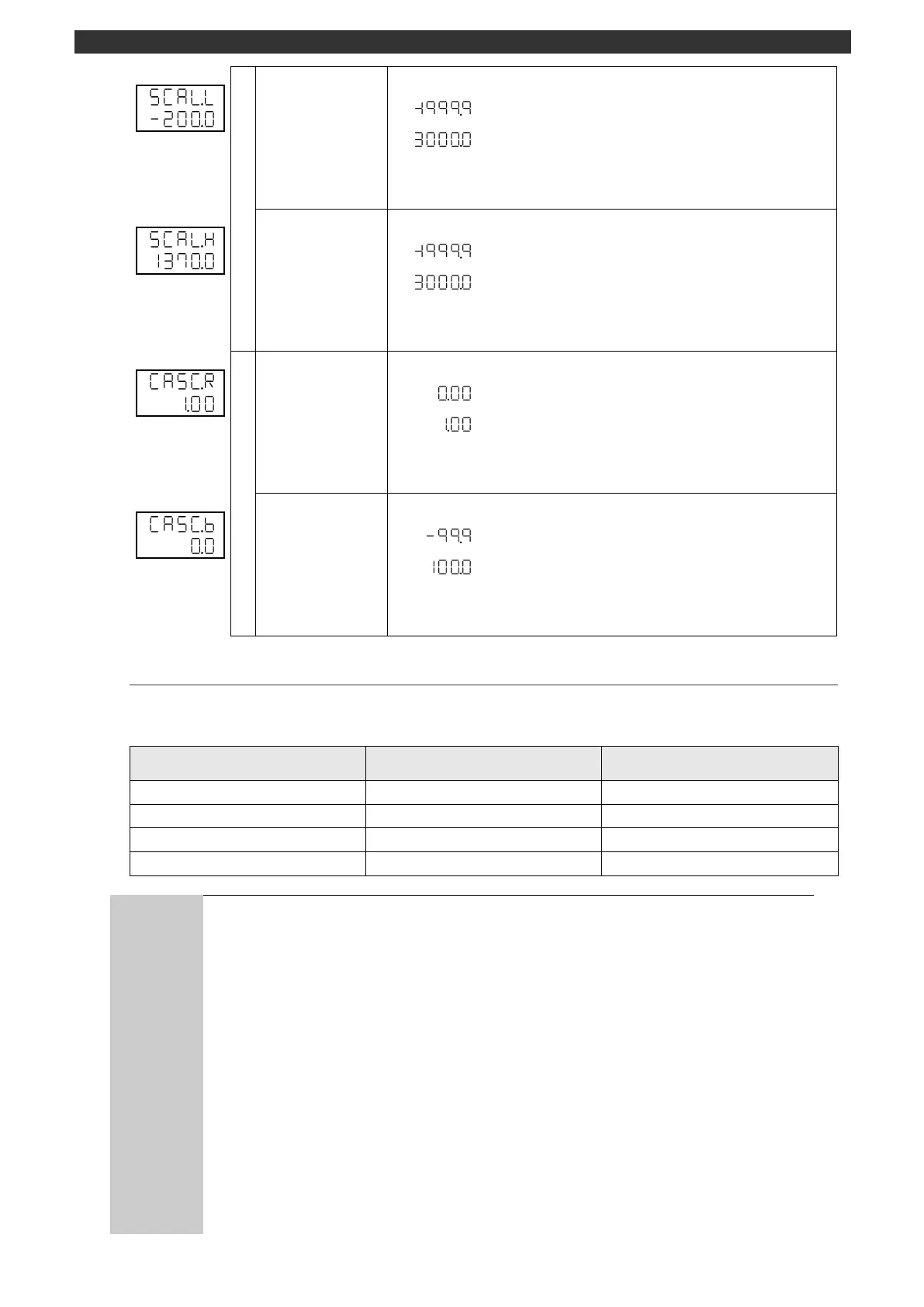
Sets the remote scale zero.
The display appears for the specification with remote signal input.
Use the [
], [
] and [ENT] keys to set the remote scale zero.
Use the [>] key to move the cursor to the right digit.
Sets the remote scale span.
The display appears for the specification with remote signal input.
Use the [
], [
] and [ENT] keys to set the remote scale span.
Use the [>] key to move the cursor to the right digit.
Sets the cascade input γ.
The display appears for the specification with remote signal input.
Use the [
], [
] and [ENT] keys to set the cascade input γ.
Use the [>] key to move the cursor to the right digit.
Sets the cascade input β.
The display appears for the specification with remote signal input.
Use the [
], [
] and [ENT] keys to set the cascade input β.
Use the [>] key to move the cursor to the right digit.
5-12-3
Remote/local switch
Specify whether to set SV externally (remote) or by the keys on the main unit (local).
Switching between remote and local is executed as follows.
R/L external signal switch
With the remote operation selected, the executing SV can be set by external signal.
For example, when local operation is performed with the group No. 2 "SV for
constant value operation (MODE3)" and the operation mode is switched to remote,
only the group No. 2 SV can be set/changed by external signal.
Auto tuning cannot be started in the remote operation.
For the case "SV rate of change (MODE1)" is set
The SV rate of change is disabled in switching from the local to remote operation or
during the remote operation.
It works in switching from the remote to local operation.
When the SV in the program operation RESET status is received in analog remote
to perform remote operation, the instrument (specification with program function)
acting as a main device can put control in the RESET status (output fixed to 0.0%).
However, since control is continued in analog remote on the sub device, the output
more than 0.0% may be made depending on the variation in measurement input or
PID and other settings.


 To Next Page